Are your email open rates suddenly higher—but your results feel worse? If so, Apple Mail Privacy Protection (MPP) is likely distorting your data. Since its release, MPP has made traditional email metrics like open rates, location tracking, and timing signals unreliable. Many marketers are now making decisions based on misleading data without realizing it. The real problem isn’t just inaccurate reporting—it’s broken automation, poor segmentation, and lost revenue opportunities.
In this guide, you’ll learn exactly how Apple MPP works, how it impacts your analytics, and most importantly, how to fix your email strategy using reliable metrics, smarter automation, and tools like Aurora SendCloud to regain control of your data.
Quick Summary: Apple MPP Impact
- Open rates are no longer reliable
- Location tracking is inaccurate
- Email timing signals are distorted
- Automation based on opens is broken
- Clicks and conversions are now the most reliable metrics
What Is Apple Mail Privacy Protection (MPP)?
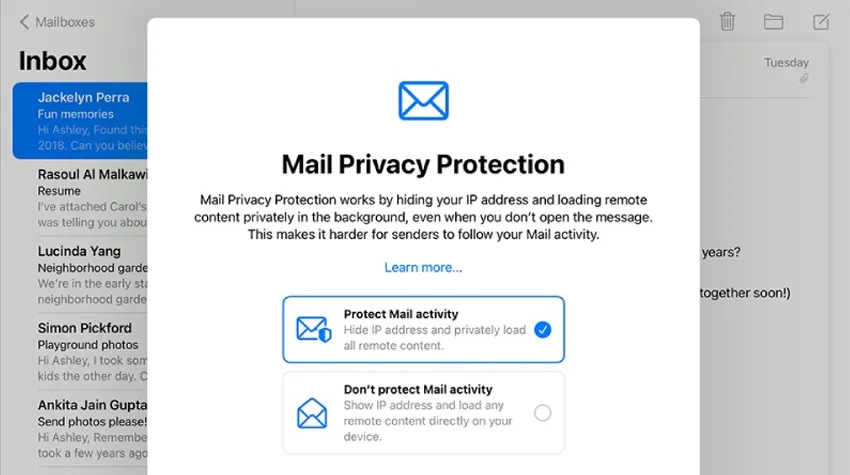
Apple Mail Privacy Protection (MPP) is a privacy feature inside the Apple Mail app. Apple introduced it to give users more control over their personal data. When users turn on MPP, Apple hides their IP address and loads email images privately through Apple’s servers. This stops senders from seeing when or where users open emails.
MPP does not depend on who sends the email. It applies to all emails opened inside the Apple Mail app on devices with iOS 15+, iPadOS 15+, or macOS Monterey+. Gmail, Outlook, and Yahoo accounts inside the Apple Mail app are also affected.
The Core Concept of MPP
MPP blocks tracking pixels and hides user information by loading email images through Apple's severs, making it impossible for sender to know whether a user actually opened the email.
Purpose
Apple created MPP to stop marketers from tracking user behavior without permission. It removes tracking signals such as:
- True open times
- User location
- User device information
Scope
MPP affects any user who:
- Uses the Apple Mail app
- Runs iOS 15 or later
- Turns on Mail Privacy Protection
This means even Gmail users become protected if they open emails in Apple’s Mail app.
How MPP Works Technically
Understanding the technical steps helps you see why analytics change so dramatically.
1. Email Pre-Loading
Apple downloads all email images including tracking pixels before the user opens the message. The sender sees an “open” even if the user never looked at the email.
2. IP Address Masking
Instead of showing the user’s real IP, Apple shows an Apple server IP. This hides:
- Country
- City
- Region
- Time zone
3. Proxy Routing
Apple routes email content through its privacy cache. All activity looks like it comes from Apple, not the user.
Key Features of MPP
Apple’s system is simple but powerful. It:
- Hides user IP addresses
- Blocks location detection
- Loads images privately in the background
- Breaks invisible pixel tracking
- Applies to all senders without exception
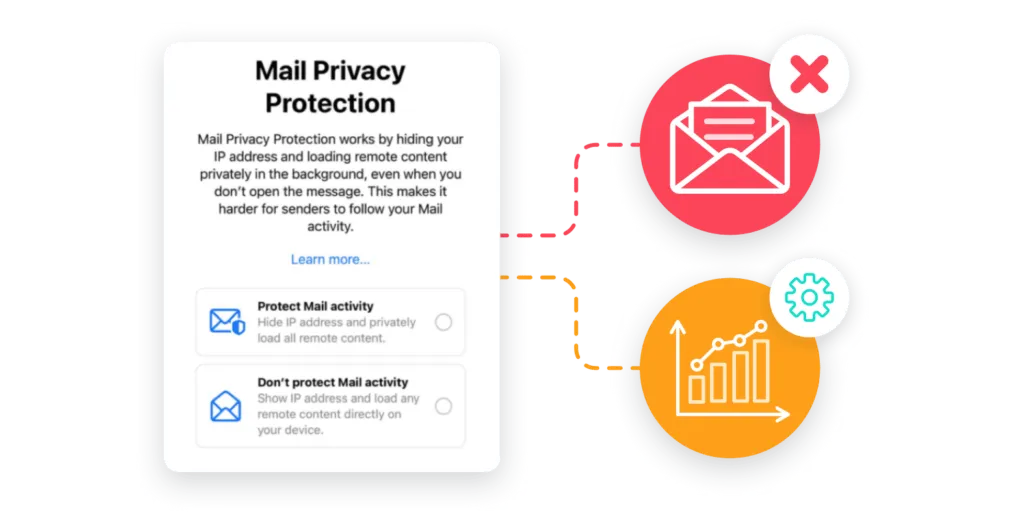
MPP does not affect clicks, conversions, or replies. It only affects opens and location-based signals.
When Apple MPP Started and How It Has Grown
MPP started in 2021 and quickly changed the email industry. Adoption grew each year as more Apple users turned on the feature.
Initial Launch (2021)
- September 2021: Apple launched iOS 15 with MPP
- First month: about 10% of Apple Mail users enabled it
- The industry reacted with confusion because open rates suddenly jumped
Most marketers did not understand why campaigns showed unrealistic open numbers.
Adoption Growth (2022)
- By mid-2022: 40% of Apple Mail users enabled MPP
- By late 2022: adoption rose to 60%
- ESPs started adding MPP filters, bot detection, and new analytics tools
Tools like Mailchimp, Klaviyo, and Brevo began showing “machine opens” or “Apple privacy opens” to help senders understand the new data.
Current Status (2023–2024)
Today, Apple MPP adoption is extremely high.
- 85–90% of Apple Mail users enable MPP
- MPP now affects 25–40% of all email users globally
- Email platforms are building new measurement models to replace open rates
In most industries, at least one-third of the email list is now affected.
Future Outlook
What can we expect next?
- Adoption will likely remain above 90%
- Other email open rates providers may introduce similar privacy features
- The industry will shift toward privacy-first reporting
- Marketers will rely more on clicks, conversions, surveys, and zero-party data
MPP is not temporary. It is part of a global movement toward stronger privacy standards.
How Apple MPP Changes Your Email Data
MPP does not remove your data, but it changes how reliable it is. Many marketers still misread their reports because they don’t understand where the errors come from. Let’s break down the problems.
Analytics Distortion: How Your Metrics Change
Apple MPP changes the way your email metrics behave, and many reports no longer show real user actions. Open rates rise even when engagement stays the same, timing signals become inaccurate, and location data loses meaning. To understand true performance, you must look beyond opens and focus on reliable metrics.
1. Open Rate Inflation
Before MPP, typical open rates ranged from 20–30%.
After MPP, inflated open rates often show 40–60% or higher, even if user engagement remains the same.
Example
A campaign shows:
- 55% open rate
- But real user engagement is only 15%
The other 40% of opens come from Apple’s servers pre-loading images.
2. Geographic Data Corruption
MPP hides user location by replacing real IPs with Apple server locations. This means:
- You may see a large number of users from California (where many Apple servers are)
- Or from random regions unrelated to your audience
- You cannot segment by location accurately
Location-based automation becomes unreliable.
3. Engagement Timing Issues
MPP records an “open” at the time Apple pre-loads the email, not when the user reads it. This breaks:
- Send time optimization
- Time-based behavioral flows
- Recency-based segmentation
- 24-hour re-engagement triggers
Your analytics no longer reflect real user actions.
Automation Breakdown
Apple MPP affects more than open rates; it also disrupts many automation flows that depend on open signals. When opens trigger the next step in a sequence, MPP creates false activity and fires these actions at the wrong time. This leads to broken welcome flows, inaccurate re-engagement paths, and unreliable behavioral triggers.
Trigger-Based Flows
Trigger-based flows rely on real user actions, but Apple MPP makes these signals unreliable. When MPP pre-loads emails, it creates false opens that trigger automation steps too early or for the wrong users. As a result, many automated sequences no longer match real behavior. Flows that once depended on open data now misfire, stop working as planned, or send messages that do not fit the user’s actual activity.
Welcome Series
A welcome series becomes unreliable under MPP because the system may record an instant “open” even when the user has not viewed the email. Apple pre-loading triggers the next step in the series too soon, causing new subscribers to move through the sequence without real engagement. This leads to poor timing, lower interaction, and less accurate tracking. Your welcome flow no longer reflects the natural pace of how users explore your brand.
Re-Engagement Campaigns
Re-engagement campaigns fail when you cannot tell who is truly inactive. MPP shows false opens, which makes many inactive users appear active. This prevents you from removing disengaged subscribers, harming deliverability and list health. As a result, your re-engagement messages reach people who have not interacted in months, while real inactive users remain hidden. Without accurate signals, these campaigns lose their purpose and no longer help clean or revive your list.
Behavioral Flows
Behavioral flows depend on real engagement events, but MPP disrupts these triggers. Opens that come from Apple’s servers fire automation steps at the wrong time, creating sequences that do not match how users behave. Messages may send too early, too late, or to the wrong people. This reduces the value of behavioral journeys and makes it harder to guide subscribers based on their true actions and interests.
Performance Measurement Problems
Apple MPP makes many traditional email metrics unreliable. Open rates, timing data, and A/B test results no longer reflect real user behavior, which leads to confusing reports and weak decisions based on inflated or inaccurate engagement signals.
Open-based tests are now useless. You cannot tell which subject line works better if both have inflated opens.
Campaign Reporting
Your platform may show:
- High open rates
- Low clicks
- Normal conversions
This imbalance is a sign of MPP distortion.
ROI and Attribution
MPP affects:
- Attribution windows
- Funnel tracking
- Customer journey mapping
You must use clicks and conversions as your main data source.
Real Data Examples
Real-world results show how strongly Apple MPP affects email reporting. Many brands see higher open rates, wrong location data, and false engagement signals. These examples highlight how MPP reshapes email analytics and why old measurements no longer work.
Example 1: E-Commerce Brand
Their open rate increased from:
- 28% → 52%
But click rates stayed the same. The new opens were mostly from MPP.
Example 2: B2B Company
70% of their opens came from Apple proxy servers, not real users.
Example 3: Misleading Engagement
Marketing teams adjusted their strategies based on inflated opens and made wrong decisions about:
- Best subject lines
- Best send times
- User activity level
This caused wasted time, poor segmentation, and lower revenue.
Before implementing any changes, it’s important to use tools that can accurately track real engagement beyond unreliable open rates. Platforms like Aurora SendCloud provide advanced analytics, click-based tracking, and flexible automation that help you adapt to privacy changes like Apple MPP. Instead of relying on distorted signals, you can focus on real user actions such as clicks, conversions, and behavior-driven events.
What Email Senders Should Do Now: A Strategic Transformation Guide
To adapt to MPP, you need to make changes in three stages:
- Technical updates
- New KPI and measurement rules
- content and automation rebuild
Each phase helps you restore reliable analytics and improve user engagement despite privacy changes.
Phase 1: Technical Adaptation
To fix distorted data, you must change how you measure engagement.
1. Make Click-Through Rate Your Main Metric
Clicks show real engagement. MPP cannot fake clicks.
2. Track Conversions Directly
Measure:
- Sales
- Form submissions
- Sign-ups
- Page visits
These show real user intention.
3. Use “Engaged Opens” Where Possible
Some tools identify opens that do not come from Apple servers. These opens come from real human actions.
4. Watch List Health Metrics
Track:
- Unsubscribe rates
- Complaint rates
- List growth
- Bounce rates
These remain accurate.
Tool Configuration
Your ESP provides tools to handle MPP. Make sure you activate them.
1. Turn On MPP Detection
Platforms like Klaviyo, Mailchimp, Brevo, and HubSpot mark “Apple privacy opens.”
2. Add Advanced Tracking
Set up:
- UTM parameters
- Conversion pixels
- Server-side tracking where allowed
3. Reduce Dependence on Pixel Opens
Use alternative signals such as:
- Clicks
- Replies
- On-site behavior
- Purchase behavior
Your analytics will become more stable.
Phase 2: Metric Reconstruction
MPP forces you to build a new measurement system. Here are the new KPIs every sender should use.
New KPIs
Instead of open rates, focus on:
1. Conversion Rate Per Email Sent
This shows how effective your messages are at driving action.
2. Revenue Per Email Sent
This KPI reflects actual business value.
3. List Growth and Quality
Measure:
- Percentage of active subscribers
- Number of new qualified leads
- Reduction in churn
4. Click Rate and Click-to-Open Rate (CTOR)
These remain reliable and useful.
Segmentation Strategies
When open-based segments fail, switch to stronger signals.
1. Segment by Click Behavior
Clicks show real action. You can segment:
- Frequent clickers
- One-time clickers
- Never-click users
2. Segment by Purchase Behavior
Track:
- Active buyers
- Window shoppers
- Repeat buyers
3. Use Survey and Preference Data
Ask users:
- What content they want
- How often they want emails
- What products they prefer
This data is more reliable than open-based tracking.
4. Monitor Reply Rates
Replies indicate high engagement and help refine segments.
Phase 3: Content and Automation Optimization
Your email content must encourage clicks because opens no longer matter.
1. Write Clear and Direct CTAs
Add:
- Buttons
- Text links
- Multiple click options
2. Create Useful Content
Send emails that give readers a reason to visit your site.
3. Test Formats That Encourage Clicks
Try:
- Short emails
- Long-form emails
- Product highlights
- Guides
- Case studies
Clicks tell you what works.
Automation Rebuild
Apple MPP breaks many open-based triggers, so marketers must rebuild automation flows. By switching to click- or action-based triggers and using time-delay sequences, you can restore accuracy, ensure relevant messaging, and maintain engagement despite privacy restrictions.
1. Replace Open Triggers with Click Triggers
Examples:
- Start a welcome flow after a user clicks the first email
- Trigger a product reminder after a user views a product page
2. Use Time-Based Sequences
Instead of relying on opens, use:
- Delays (e.g., send next email after 48 hours)
- Fixed schedules
This removes dependency on unreliable open signals.
3. Add a Preference Center
Let users choose:
- Email frequency
- Topics of interest
- Product categories
This reduces guessing and increases engagement.
4. Build Conversion-Focused Flows
Strong examples:
- Browse abandonment flow
- Abandoned cart flow
- Product review request flow
- Loyalty program reminder
These flows depend on real actions, not opens.
FAQs
Does Apple MPP affect all emails?
No, it only affects emails opened in the Apple Mail app with MPP enabled.
Are open rates completely useless now?
They are unreliable for Apple Mail users but still partially useful for other providers.
What metrics should I use instead of open rates?
Focus on clicks, conversions, revenue per email, and engagement actions.
Does MPP affect email deliverability?
No, but it can indirectly impact it if you misinterpret engagement data.
How can I track real engagement?
Use click tracking, conversion tracking, and tools like Aurora SendCloud.
Conclusion
Apple Mail Privacy Protection has permanently changed how email performance is measured. But this is not a limitation—it’s an opportunity to build a smarter, more reliable email strategy. By moving away from open rates and focusing on clicks, conversions, and real user behavior, you can make better decisions and drive stronger results. Modern platforms like Aurora SendCloud make this transition easier by offering advanced tracking, flexible automation, and global email infrastructure built for privacy-first marketing.
If you want to future-proof your email strategy and maintain accurate performance insights, now is the time to upgrade your approach. Start optimizing your email analytics and automation with Aurora SendCloud today.