Have you ever spent hours crafting the perfect email, only to see it end up in the spam folder? If this sounds familiar, you are not alone. Many business owners, marketers, and developers struggle with email deliverability despite sending high-quality content. The culprit often lies in the email sending IP. An IP address acts as your email’s digital return address.
Internet Service Providers (ISPs) such as Gmail, Outlook, and Yahoo use it to track your sending habits. The right choice can improve email delivery, protect your sender reputation, and ensure consistent email deliverability. This guide will break down the differences, advantages, and drawbacks of each IP type, email sender helping you make an informed decision.
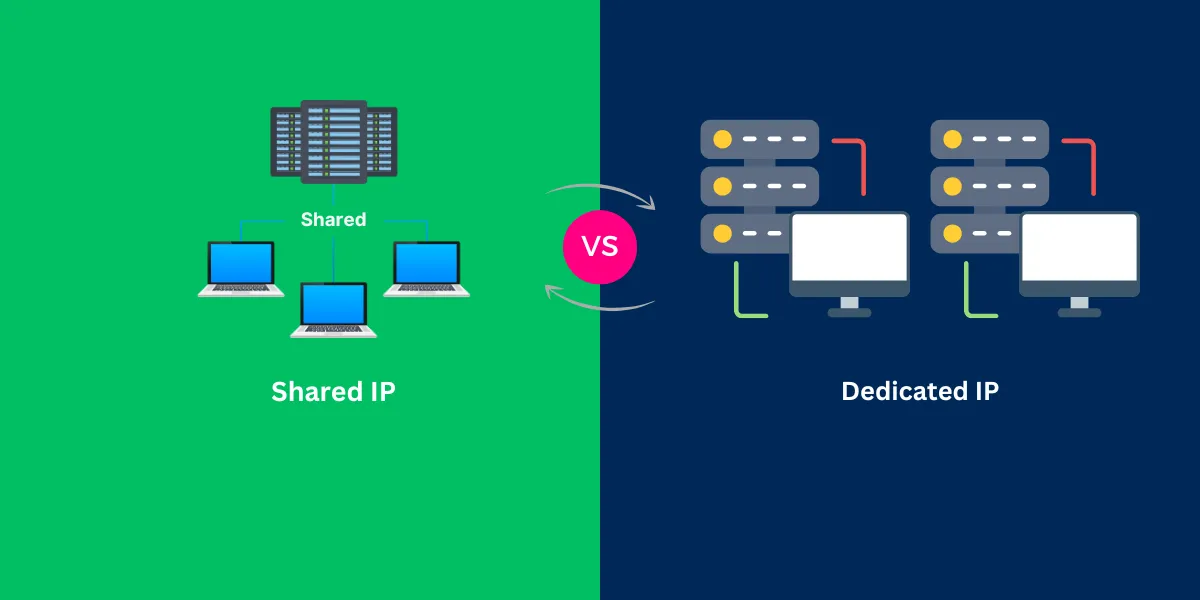
The Core Comparison of Shared IP and Dedicated IP
This section examines the differences between shared and dedicated IPs in detail. Understanding these differences is crucial for companies that send bulk emails. Because the appropriate IP selection directly affects the rate of mail arrivals and sender assessments. Both IP types correspond to specific purposes and have advantages and limitations respectively. By comparing shared IP vs dedicated IP, you can select an IP that meets your email marketing goals, transmission volume and technical requirements.
Shared IP
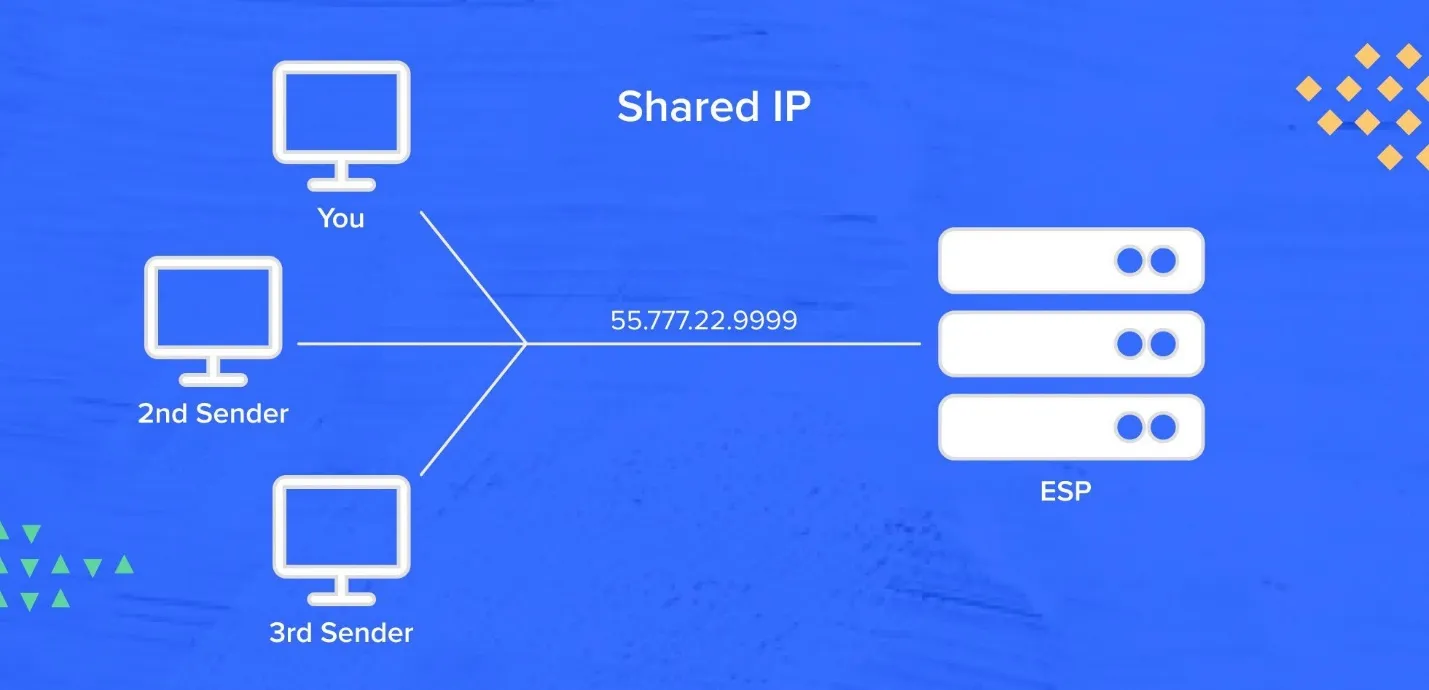
A shared IP is an IP address used by multiple email sender (usually clients of the same mail service provider). Each sender's email will use the same IP address and the ISP will monitor this IP as a single entity. Even if you adhere to best practices, the performance of other senders on the same IP may affect your email deliverability and sender rating. Shared IPs are common in SMEs, startups, and medium-sized mass mail-sending companies.
Analogy:
Shared IP is like living in a complex. Share the same address with many residents. When a neighbor opens a noisy party, it affects everyone's living environment. Similarly, if another sender sends spam or low-quality emails to exploit IP, your email may also receive a penalty from the ISP.
Pros:
- Cost savings can be achieved by sharing IP. Ideal for small businesses and startups.
- No IP warmup required You can start sending emails immediately.
- E-mail service providers monitor IP reputation and reduce management burden.
Cons:
- Inappropriate transmission practices of other users may result in a decrease in your email deliverability.
- Limited IP authentication management and transmission behavior control.
- Less opportunities to customize domain authentication and build your own sender identity.
Example: Shared IP Scenario
Imagine a small e-commerce store sending weekly promotional emails to 20,000 subscribers. They choose a Shared IP with their email service provider. While the cost is low, a neighbor sends spam from the same IP. The store notices a drop in open rates and emails landing in spam. In this case, the Shared IP risk directly impacts their sender reputation.
Dedicated IP
A dedicated IP is an IP address that is exclusively assigned to a single sender. All emails sent from your company use this IP so you can fully control the mailing IP and reputation. Dedicated IPs are ideal for e-mail-driven high-volume senders and companies, such as e-commerce platforms, SaaS providers, and large-scale marketing campaigns. Unlike shared IPs, the sender can determine the reputation of IP alone,resulting in a predictable email deliverability.
However, use of dedicated IP requires proper management to maintain strong sender reputation, such as warming up IP and monitoring performance.
Analogy:
Dedicated IP is like owning a private villa. Manage all aspects of your property, from security to maintenance. The neighborhood does not affect the experience. Similarly, dedicated IPs only affect sender reputation and email performance by their own transmission practices.
Pros:
- Customize SPF , DKIM and DMARC to improve email deliverability and reputation.
- IP reputation is determined solely by its own actions, without risk from other senders.
- Stable inbox reaches even for mass senders.
Cons:
- Exclusive use of IP increases cost compared to shared IP.
- To build trust with ISPs, the amount of transmission must be increased step by step.
- Need to monitor bounce, spam complaints and entire IP reputation
Example: Dedicated IP Scenario
Assume a SaaS company that sends billing notifications and monthly statements to 200,000 users. Use dedicated IP to warm up in stages. Authentication and control of mail transmission patterns ensure stable inbox arrival. Maintain high e-mail delivery rate and sender rating to avoid revenue loss due to email failure.
How to Choose the Right IP? Ask Yourself These 3 Questions
Choosing the right IP for sending mail is an important decision. The choice of shared and dedicated IP depends on the amount of mail sent, the importance of mail delivery, and the ability to manage IP reputation. By asking yourself the following three questions, you can match your email strategy to your business needs.
What is your email sending volume?
In selecting shared and dedicated IP, the number of monthly mail transmissions is an important judgment material.
- Less than 100,000 emails/month: Usually shared IP is enough. You can send bulk emails without worrying about IP warmups. For SMEs, we provide cost-effective solutions while maintaining tolerance rates for email.
- More than 100,000 emails/month: Dedicated IP is required. Mass transmitters such as EC sites, SaaS providers and large marketing teams have full control over transmitting IPs and sender ratings. Dedicated IP warms up your IP step by step and improves your inbox reaches by letting your ISP recognize you as a trusted email sender.
Tip: Track monthly email volume and campaign frequency. If the amount of mail increases continuously, plan to switch from shared IP to dedicated IP before the delivery issue occurs.
How critical is deliverability stability for your business?
Consider the role of email in business success. Not all campaigns require the same level of reliability.
- Non-critical newsletters or occasional updates: Shared IP is sufficient. If some emails sometimes enter spam folders, there is no significant impact on your business. With shared IP, you can efficiently send large numbers of emails and maintain sufficient delivery rates.
- Revenue-driving marketing campaigns and transactional emails: Investing in dedicated IPs is valuable. Stability is essential for important campaigns such as order confirmation emails, billing emails, and high-cost promotions. Dedicated IP stabilizes the rate of receipt of mail, protects sender evaluation, and prevents revenue loss due to undelivered mail.
Example:
Online stores that send weekly promotional and order confirmation emails to thousands of subscribers benefit from dedicated IPs. A small newsletter can be operated with no serious impact on shared IP, while a slight reduction in delivery rate affects sales.
Do you have the resources to manage an IP reputation?
Maintaining strong IP reputation requires monitoring and technical knowledge. Consider the team's expertise and available resources.
- Limited time or expertise: Start with a shared IP via a trusted email service provider. The provider monitors, responds to blacklists, and handles spam complaints. This ensures that you can send bulk emails while concentrating on content and campaigns.
- Available technical resources and expertise: Dedicated IP is ideal for managing IP warm-ups, monitoring bounce rates and complaints, and maintaining consistent transmission patterns. Proper management ensures a high rate of mail delivery and protects sender reputation over the long term.
Tip: Leverage a tool to track IP reputation and monitor email reaches. Measure the effect of IP management with high opening rates, low bounce rates and minimal spam complaints as indicators.
Actionable Tip:
Track bounce rates, complaint rates, and open rates. If shared IP performance drops, consider migrating to dedicated IP.
Mini Case Study:
Startups with 50,000 subscribers initially used shared IP. After checking the high bounce rate during the Black Friday campaign, we switched to dedicated IP. With a gradual warm-up, email deliverability increased by 35% within 3 months.
Simplifying IP Management with Aurora SendCloud
Management of shared and dedicated IPs is difficult. Shared IPs can cause "malicious neighbors" problems and risk impairing email deliverability and sender ratings. Dedicated IP requires careful warm up IP, bounce rate monitoring and continuous maintenance to maintain high delivery rates.
For companies that send bulk emails, these technical tasks are complex tasks that take time and effort. Aurora SendCloud removes these barriers. A platform that simplifies IP management for email sender of all sizes. Whether you're a shared IP or a dedicated IP, Aurora SendCloud provides actionable insights to ensure reliable email delivery, protect sender reputation and optimize email marketing campaigns.
Key Features of Aurora SendCloud
- Intelligent IP Management: Minimizes "adverse IP" risk in shared IP and provides fully managed IP services, including automatic warm-up IP sequences.
- AI-Optimized Delivery: Optimize transmission time, content and authentication with advanced algorithms to protect sender evaluation.
- Transparent Analytics & High Deliverability : Provide clear reports of campaigns and ensure industry-leading inbox delivery rates for mass mail.
- Expert Support: In addition to supporting SPF, DKIM, and DMARC settings, we provide guidance on continuous IP and mailing IP strategies.
Example
A mid-size e-commerce company using Aurora SendCloud managed multiple bulk email campaigns without worrying about Shared IP risks. Their email deliverability remained above 95%, and they saw an immediate improvement in open rates and revenue.
Conclusion
In conclusion, shared IP is a cost-efficient "shared bus" for beginners and low-volume senders. Dedicated IP provides "dedicated lanes" for companies that conduct campaigns directly linked to high volume sender and revenue. The important thing is not to choose between a shared IP and a dedicated IP, but to ensure that emails arrive in the inbox. Consider resources for transmission volume, business goals and IP reputation management.
Platforms like Aurora SendCloud simplify IP management, provide intelligent automation, and ensure consistent email deliverability, whether shared or dedicated. Ready to send Start Aurora SendCloud now and ensure your emails are delivered to your inbox every time.