A calendar email is a structured event email that includes scheduling data such as time, location, and reminders. These allow recipients to add events directly to their digital calendars. Calendar emails play an important role in improving email delivery accuracy and increasing participation in meetings, webinars, and events. This is important in email marketing and business communication.
The calendar emails which are not configured properly can affect email deliverability rate. It can also lead to missed events or scheduling confusion. Some of the common problems are incorrect time zones, compatibility issues, and incomplete event details.
Over 306 billion emails are sent daily. This makes clarity and deliverability important to stand out and drive results. Here we will learn how to create effective calendar email campaigns and improve the campaign results.
What Is a Calendar Email? Definition and Types
A calendar email is a type of event email that includes structured event data. It usually is in ICS format which allows users to accept and save events directly into their calendar applications. Common types include:
- Internal meeting invitations
- Client scheduling emails
- Webinar and campaign invitations
- Automated reminder emails
These formats are widely used in email marketing. This is because they simplify scheduling and improve attendance rates.
How Calendar Emails Work Across Email Clients?
Calendar emails rely on standard formats like iCalendar (ICS). These integrate with platforms such as Google Calendar, Outlook, and Apple Calendar. When a recipient receives a calendar email, they can instantly add the event to their schedule. However, rendering differs across clients:
- Gmail supports inline event previews
- Outlook often uses downloadable attachments
- Apple Mail integrates directly with iOS calendars
These differences impact email delivery and user experience which helps in making testing essential to maintain a strong email deliverability rate.
Core Components of a High-Quality Calendar Email
Every calendar email must include clear, structured, and accurate event details. These are not optional elements. They directly affect whether recipients open, understand, and act on your event email.
Event subject
The subject line should be short, specific, and focused on the purpose of the event. Avoid vague titles like “Meeting Reminder.” Instead, use clear wording such as “Project Kickoff – April 25 at 3 PM.” A strong subject improves visibility.
It also directly impacts your email delivery performance. This is because higher engagement signals better sender quality.
Date and time
Always use a clear and consistent format e.g., April 25, 2026, 3:00 PM GMT+4. Including the correct time zone is critical. This is especially for remote teams or global audiences.
Missing or incorrect time zones are one of the most common reasons for missed meetings and poor user experience. This can negatively affect your email deliverability rate over time.
Location
Provide a full physical address for in-person events or a direct meeting link for virtual sessions like Zoom, Google Meet, and Microsoft Teams. Avoid forcing users to search for links or details.
The easier it is to access the event, the more likely users are to attend.
Beyond these basics, clarity is everything. Even small gaps in information can reduce trust and cause confusion. Clear subject lines alone can improve open rates by up to 50%. It is showing how structured communication directly supports better email delivery results.
Your calendar email best practices begin to support both user experience and technical performance. This is when all essential details are properly set.
How to Create a Calendar Email: A Simple Step-by-Step Guide
You can create clear and professional calendar emails that people understand and respond to easily by following these simple steps.
Gather Important Information
Before you start making your calendar email, it is important to collect all the key details. This step helps to avoid confusion and missed meetings later on.
Be clear about when the event starts and ends. Double-check these details so everyone knows exactly when to join. If it is an in-person event, give the full address. However, you should include the direct link for virtual events. Don’t say link will be shared later. This is because that can confuse people.
Make sure you have the right email addresses for everyone who should attend. Sending invites to wrong or old emails can cause delivery problems. Share a short list of what will be discussed. This helps people to understand why the event matters and encourages them to join.
Taking time to plan this carefully will save you from sending correction emails later and keeps your invites clear and trustworthy.
Build Your Calendar Email
Once you have all the info, it is time to create your email. A well-made email makes it easy for people to join and helps your message reach more inboxes.
- Pick a clean, easy-to-read template: Use a simple design that highlights the most important details. This helps your email look good on any device.
- Fill in all event details: Write the subject, date, time, place, and a short description. Don’t leave anything blank. This is because missing info can confuse your recipients.
- Add an ICS file or calendar link: This lets people add the event to their calendars with one click. Without it, they might forget to save the date.
- Include helpful links and files: Add meeting links, sign-up pages, or documents people may need. Make sure all links work properly.
Make Your Email Clear and Engaging
Now, polish your email to get better responses. Tell people exactly what the email is about. Avoid confusing or vague titles. Keep the message short and simple. Use short sentences and break the info into small chunks. So, it is easy to read.
You should always put important info at the top. Start with the date, time, and location so people see it right away. Add a clear call-to-action to your email. Use buttons or links like Add to Calendar, Join Event, or RSVP Now, to guide people to the next step.
When your email is easy to understand and act on, more people will engage and respond.
Check Technical Details for Smooth Delivery
Before sending your email, double-check these technical points:
- Test calendar invites on different platforms: Make sure your email and calendar file work well in Gmail, Outlook, Apple Mail, and others.
- Confirm time zones: If you have people in different places, double-check the time zones. So, everyone joins at the right time.
- Check mobile readability: Many people open emails on their phones. Make sure your email looks good and buttons are easy to tap.
- Test all links and attachments: Verify that everything you include works properly to avoid frustrating your recipients.
Even small mistakes like wrong time zones or broken links can cause missed meetings and lower trust. Fixing these issues helps your emails get delivered better and keeps your sender reputation strong.
Professional Tool Recommendation: Aurora SendCloud
Managing calendar email campaigns by hand can take a lot of time and often leads to mistakes. Aurora SendCloud makes this process easier and helps your emails get delivered consistently and reliably.
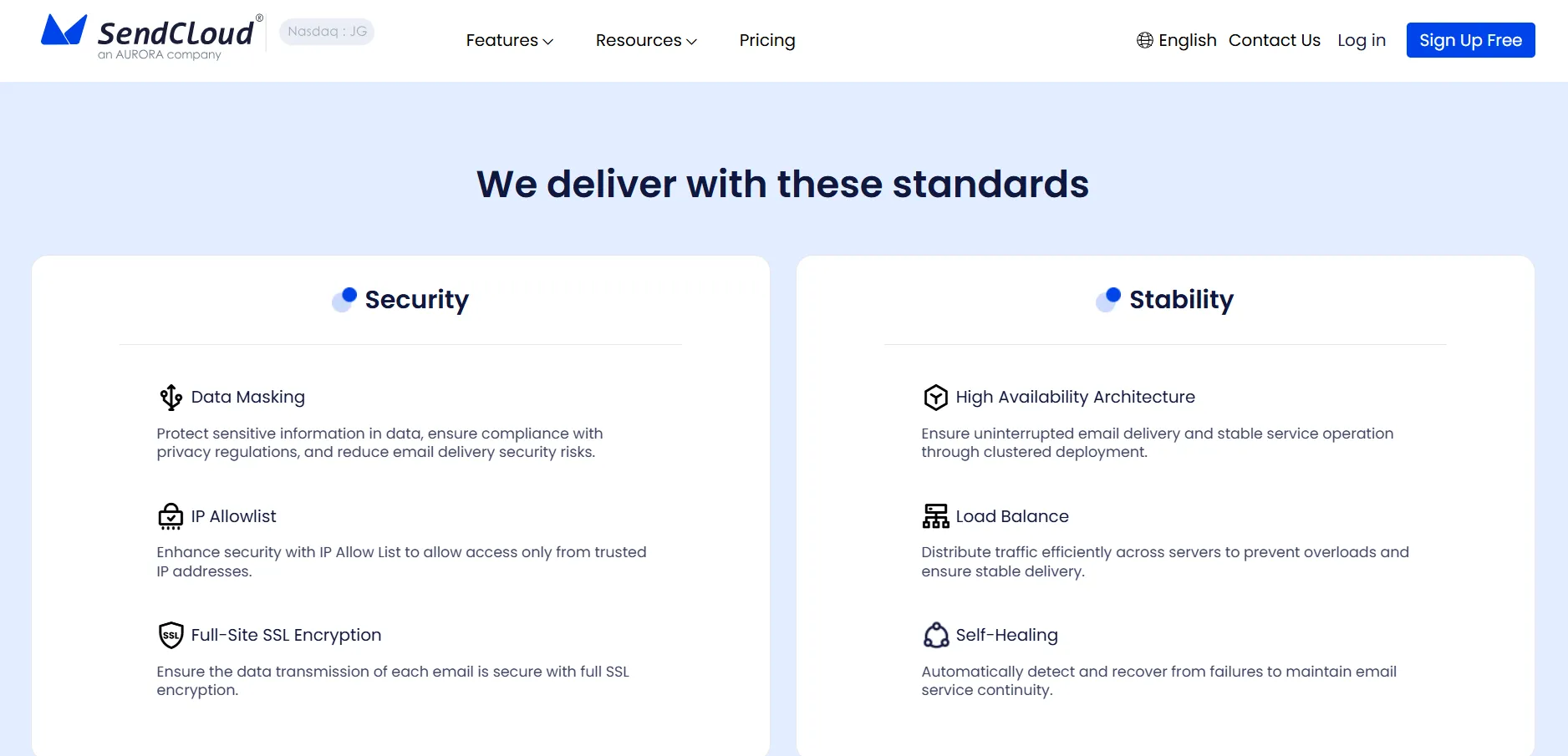
This platform is built specifically to help you create clear and well-organized event emails. You can send them smoothly, and track how they perform. Using a tool like Aurora SendCloud reduces errors and improves the quality of your email campaigns.
Key Features
Here are the key features you need to know.
- Structured Calendar Emails: Easily create calendar invitations with clear event details and neat formatting.
- Ready-to-Use Templates: Save time by using pre-made templates that follow best practices for calendar emails.
- Inbox Preview: Check how your email looks on Gmail, Outlook, and mobile devices before you send it.
- Reliable Delivery: Aurora SendCloud uses a strong sending system to make sure your emails reach inboxes consistently.
- Real-Time Analytics: Track opens, clicks, and responses to learn how your emails are performing.
- API Integration: Automate sending event invites and reminders, cutting down on manual work and errors.
How to Use Aurora SendCloud?
Using a specialized platform like this makes your work easier, reduces mistakes, and helps your emails get delivered better over time. Most importantly, using this tool is also simple. Following the steps below can help you to use this tool:
- Create your event email using built-in templates
- Add calendar event details and attachments
- Preview across multiple email clients
- Send and monitor engagement metrics
Start with ready-made templates to save time and maintain a clean, structured layout. These templates follow proven calendar email best practices for better clarity.
Include all key information such as date, time, location, and agenda. Attach files or links so recipients have everything they need in one place.
Test how your email appears in Gmail, Outlook, and mobile devices. This helps catch formatting or display issues before sending.
Launch your campaign and track opens, clicks, and responses. Use this data to improve future email delivery and event email performance.
Common Calendar Email Problems and How to Fix Them
Good email practices can boost engagement by up to 760%. So, you must avoid common mistakes and make your calendar email marketing campaigns properly optimized.
Before Sending
Many issues happen even before you send your email. Fixing these early can save you headaches later
- Wrong time formats: Using unclear or inconsistent times can confuse people.This is especially if they’re in different time zones.
- Missing attachments: Without an ICS file or calendar integration, recipients struggle to add events to their calendars.
- Incomplete details: Leaving out important info like location or agenda makes your invite unclear and less appealing.
Fixing these problems early helps your emails get delivered better and makes your calendar invites more effective.
After Sending
Problems can still pop up after your email is sent:
- Time shown differently across clients:Different email apps might display the event time in various ways, which can confuse attendees if not set correctly.
- Reminders don’t work or are missing:If reminders are missing or poorly set, fewer people might show up.
- Low engagement due to weak subject lines or CTAs:Weak subject lines or unclear calls to action (CTAs) mean fewer people open or respond to your email.
Conclusion
A well-made calendar email is more than just a reminder. It helps people to communicate better, improves attendance, and ensures your emails get delivered smoothly. It keeps teams on the same page and reduces confusion around meetings when you do it right.
Are you ready to improve your calendar emails? Start with Aurora SendCloud and see the difference.