

Email marketers rely heavily on email open tracking to measure campaign success. However, this metric is becoming harder to trust in 2026. This is especially for Gmail users.
The reason is the Gmail image proxy. It is a system that loads email images through Google's servers instead of the device of recipient. This improves privacy and security. However, at the same time, it also creates serious challenges for Gmail open rate accuracy.
Proxy-based image loading can trigger false opens and distort engagement data.
This article explains how the Google image cache works, why it creates fake email opens, and how you can separate real engagement from proxy activity using smarter email open tracking accuracy methods.
How Gmail Image Proxy Distorts Email Open Tracking Data
The Gmail image proxy works by caching email images through Google's servers instead of loading them directly from the recipient's device.
When a user receives an email, Gmail first downloads the images using its own servers. These images are stored in the Google image cache and then displayed to the user. Because of this, your Gmail tracking pixel is triggered by Google rather than the actual recipient.
4 Ways Gmail Image Proxy Impacts Email Tracking
This creates several important effects on email open tracking.
- IP Masking
First, IP masking occurs. Instead of seeing the recipient's real IP address, you only see Google's server IPs. This makes it difficult to identify user location or device accurately. - Unreliable Location Tracking
Second, location tracking becomes unreliable. Since all image requests come from Google servers, you lose visibility into where the user actually opened the email. - Cache Reuse
Third, cache reuse reduces visibility into repeat engagement. When a user opens the same email again, Gmail may load the cached version instead of requesting the image again. This means repeat opens are often not recorded. - Metric Shift
Finally, there is a shift in how metrics should be interpreted. Total opens become less reliable, while unique opens offer a slightly better view of engagement trends.
This caching behavior significantly limits real-time tracking accuracy and can mislead decisions about email deliverability if opens are used as the primary signal.
Real vs Fake Gmail Opens: 5 Signals to Spot the Difference
It is important to interpret Gmail data correctly rather than removing it entirely. This helps to improve email open tracking accuracy. The best approach is to tag Gmail-related opens and analyze them separately instead of discarding them.
Key Signals for Spotting Real vs Fake Opens
Several signals can help you distinguish real opens from fake email opens.
- When you see Google IP addresses, this is normal behavior due to the Gmail image proxy. It does not automatically indicate fake activity.
- Fast opens should be treated carefully. If an open happens almost instantly after delivery, it should be reviewed in combination with other signals.
- Missing repeat opens can also indicate proxy behavior. If a user opens an email multiple times but only one open is recorded, caching is likely the reason.
- Clicks that occur at the exact same time as opens may suggest automated scanning activity rather than real user engagement.
- In general, real engagement tends to follow a pattern. Users usually open an email, take some time to read it, and then click on a link. When this sequence is missing, the activity may not be genuine.
Using this approach allows you to improve email open tracking accuracy without losing valuable data.
How to Spot Fake Opens: A 7-Point Checklist
Use this practical checklist to audit your Gmail open data and flag suspicious activity before it skews your reporting.
-
1
Check the source IP
If the open originates from a Google-owned IP range (for example,
66.249.x.xor74.125.x.x), treat it as proxy-mediated rather than a confirmed human open. -
2
Measure time-to-first-open
Opens recorded within seconds of delivery—often under 5 seconds—are typically pre-fetch or bot activity, not genuine reading.
-
3
Look for missing repeat opens
If a user clicks a link but only one open event is logged, the Google image cache likely suppressed the repeat open. A real human read pattern usually shows multiple opens.
-
4
Compare open and click timestamps
Genuine engagement shows a gap between open and click. If both fire at the identical second, suspect automated scanning or security filters.
-
5
Inspect user-agent strings
Generic or empty user agents, or strings identifying known security scanners, are strong indicators of non-human opens.
-
6
Cross-reference with conversion data
If a segment shows high open rates but zero conversions, replies, or downstream actions, the opens are likely inflated by proxy activity.
-
7
Flag identical open patterns across recipients
When many Gmail recipients show opens at the same minute with no clicks, the proxy pre-fetch is almost certainly responsible.
Run this checklist weekly on your top-performing campaigns. Flagged opens should be excluded from performance benchmarks and bounce-related decisions.
Gmail Image Proxy vs Apple MPP: Which Is Worse for Email Tracking?
Both Gmail and Apple have introduced privacy features that affect tracking, but they work in different ways.
The Gmail image proxy focuses on image caching. It hides user IP addresses and reduces location accuracy but still allows some level of open tracking.
Apple's Mail Privacy Protection (MPP), on the other hand, takes a more aggressive approach. It preloads email content automatically, which can inflate open rates significantly.
- User Control
Another key difference is control. Gmail's system operates automatically for all users, while Apple MPP is optional but widely adopted. - Tracking Impact
In terms of tracking impact, Gmail mainly affects metadata such as IP address and location. Apple MPP affects the open event itself, making it less reliable as a metric. - Clicks
Clicks remain unaffected in both systems, which is why they are considered a more reliable measure of engagement.
Understanding these differences helps marketers adjust their strategy and improve Gmail open rate accuracy.
How Aurora SendCloud Fixes Inaccurate Gmail Open Tracking?
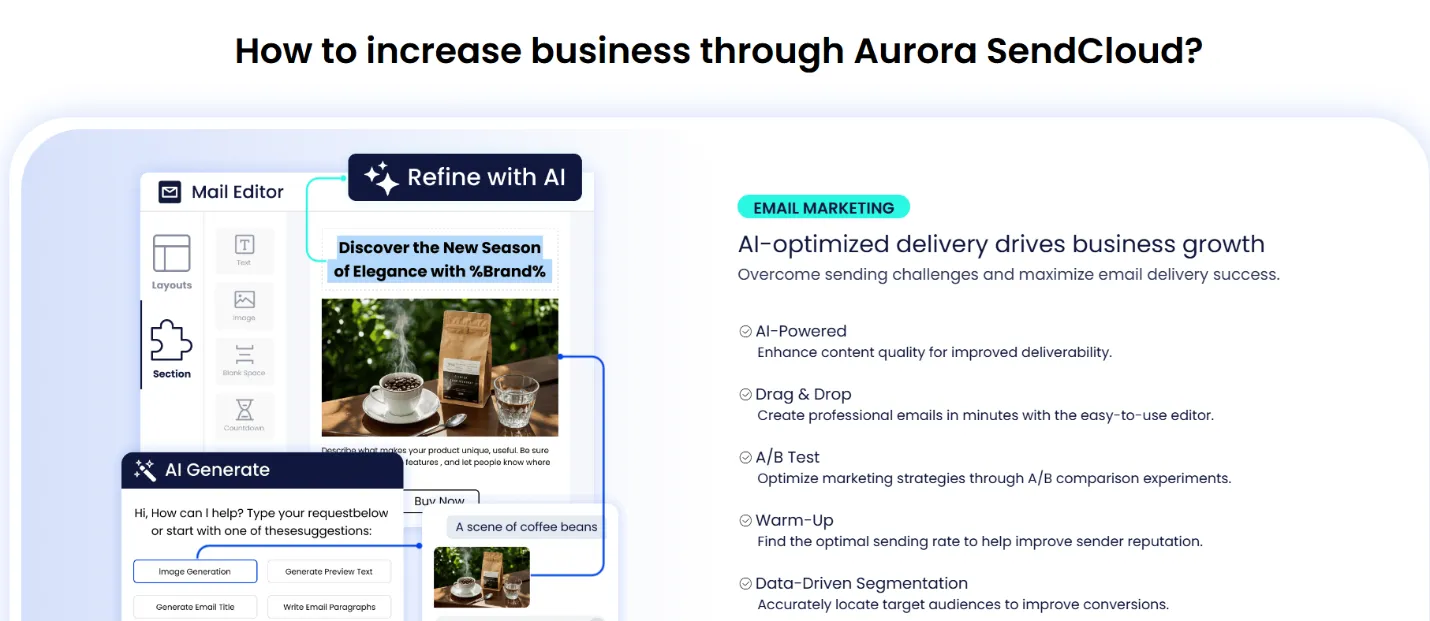
Aurora SendCloud helps address the challenges created by the Gmail image proxy by focusing on more reliable engagement signals.
Click Tracking: The Most Reliable Engagement Metric
Click tracking remains accurate because it depends on user actions rather than image loading. This makes it a strong indicator of real interest.
Multi-Signal Engagement Scoring
The platform also combines multiple data points. These usually include opens, clicks, and conversions, to create a more complete picture of user engagement.
Bot detection features help filter out automated traffic, reducing the impact of fake email opens.
Raw Event Data for Custom Analysis
In addition, access to raw event data allows teams to perform deeper email data analysis and build their own tracking logic.
This approach makes it easier to maintain reliable insights even when email open tracking becomes less precise.
5 Best Practices for Accurate Gmail Open Rate Reporting
To adapt to the Gmail image proxy, marketers need to rethink how they analyze performance data.
- First, treat opens as directional indicators rather than exact numbers. They can show trends but should not be used as the only metric.
- Second, focus more on unique opens instead of total opens. Unique opens are less affected by caching and provide a clearer view of engagement patterns.
- Third, prioritize click data. Clicks reflect real user intent and are not impacted by the Google image cache.
- Fourth, track conversions such as purchases or sign-ups. These actions provide the most reliable measure of campaign success.
- Finally, combine multiple signals. By looking at opens, clicks, timing patterns, and user behavior together, you can build a more accurate understanding of engagement.
How to Measure Engagement Without Open Rates
Once you accept that Gmail open rates are no longer trustworthy, the next step is to build a measurement framework that does not depend on them. The following five metrics give a far more accurate picture of how your audience actually interacts with your emails.
1. Click-Through Rate (CTR)
CTR measures the percentage of recipients who clicked at least one link. Because clicks require an explicit user action and are not affected by the Google image cache, CTR is currently the most reliable top-of-funnel engagement signal. Track CTR per link, per segment, and per send to identify which content actually drives interest.
2. Conversion Rate
Conversion rate tracks how many recipients completed a desired action—such as a purchase, sign-up, or download—after clicking through. This is the strongest proof of genuine engagement and directly ties email performance to business outcomes. Attribute conversions back to specific campaigns using UTM parameters or first-party tracking.
3. Reply and Forward Rate
Replies and forwards are deliberate human actions that no proxy can fake. A rising reply rate often signals strong relevance and can also improve sender reputation with mailbox providers. Monitor replies as a qualitative engagement indicator, especially for lifecycle and nurture sequences.
4. Time Spent and Read Depth
Some platforms infer read time by measuring the gap between image load and the next user action, such as a click or scroll. While not perfect under proxy conditions, combining time-on-email with click data gives a clearer view of genuine reading behavior than opens alone ever could.
5. Domain Reputation and Delivery Health
Engagement is also reflected in how mailbox providers treat your mail. Track placement rates, spam complaints, and inbox vs. junk ratios through tools like Google Postmaster Tools. A healthy domain reputation indicates that recipients are interacting positively with your email—even when open data is unreliable.
By shifting focus to these five metrics, you build a measurement system that remains accurate regardless of how Gmail, Apple, or future privacy features evolve.
FAQs
What is the Gmail image proxy?
The Gmail image proxy is a server-side caching system that downloads email images through Google's servers before displaying them to the recipient. This improves user privacy and security but masks the recipient's real IP address and can trigger tracking pixels without a genuine open.
Does the Gmail image proxy affect all emails?
Yes. The proxy applies to all emails delivered to Gmail recipients that contain hosted images. It runs automatically for Gmail web and mobile users, so virtually every Gmail inbox is affected regardless of user settings.
Can I disable the Gmail image proxy?
Senders cannot disable the proxy—it is controlled entirely by Google. Recipients can choose to load images manually, but most leave the default setting on, which means proxy-based image loading remains the norm for Gmail.
How accurate are Gmail open rates in 2026?
Gmail open rates are unreliable as an exact count. They can be inflated by pre-fetch activity and deflated by cache reuse that suppresses repeat opens. Treat Gmail opens as directional indicators only, and pair them with click and conversion data for a true picture of engagement.
What metrics should I use instead of open rates?
Prioritize click-through rate, conversion rate, reply and forward rate, time spent on email, and domain reputation signals. These metrics depend on real user actions or provider-level feedback, making them far more resistant to proxy distortion than open counts.
Does the Gmail image proxy affect click tracking?
No. Click tracking requires the recipient to actively click a link, which the proxy cannot simulate. This is why clicks remain one of the most reliable engagement metrics available to email marketers today.
How is the Gmail image proxy different from Apple MPP?
The Gmail image proxy caches images and masks IP metadata but still allows some open tracking. Apple MPP preloads email content proactively and is opt-in for users, which can inflate open rates even more aggressively. Both systems leave clicks unaffected.
Can Aurora SendCloud help with inaccurate Gmail open tracking?
Yes. Aurora SendCloud offsets unreliable open data by emphasizing click tracking, multi-signal engagement scoring, bot detection, and raw event data, so teams can build accurate reporting even when Gmail open rates are distorted.
Conclusion
The Gmail image proxy has changed how email open tracking works. While it reduces precision, it does not make the data useless. Marketers can better interpret their data and avoid misleading conclusions. They can do so by understanding how the Google image cache, Gmail pre-fetch, and proxy systems function.
The key is to move beyond open rates alone. Combining opens with clicks and conversions leads to better decisions. It also offers more reliable insights in today's evolving email landscape with the help of platforms like Aurora SendCloud.