Email marketers often focus on open rates and clicks, but they ignore one small detail that directly affects email delivery list-unsubscribe headers. These headers help users leave your emails easily.When users cannot find a simple email unsubscribe option, they mark your message as spam. This action damages your sender reputation and reduces your email deliverability.
In this guide, you will learn how list-unsubscribe headers work, why they matter, and how to implement them correctly. You will also understand how they support email compliance, reduce spam complaints, and help you maintain a clean email list.
What Is List-Unsubscribe Headers in Email Marketing?
List-unsubscribe headers are an easy but effective constituent of email delivery. They provide users with an easy route to unsubscribe to emails. These are not in the visible body but these headers are found in the email code. They aid in improved email practices and decrease spam reports.
Simple Definition of List-Unsubscribe Headers
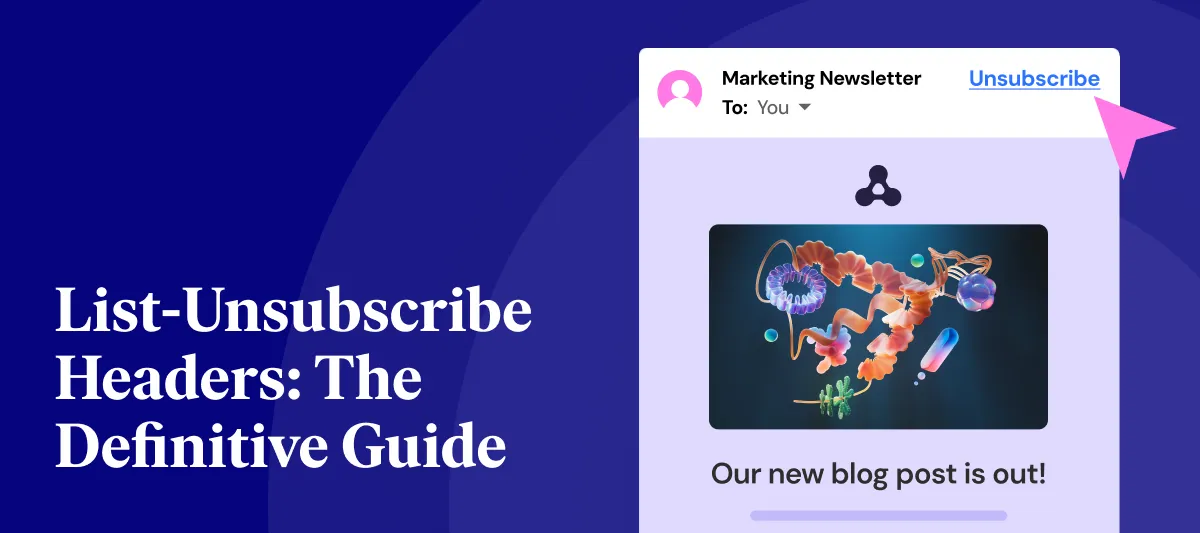
List-unsubscribe headers are special mail headers, which enable the user to unsubscribe easily. They also offer an inbuilt email unsubscribe feature within the email client. Users do not need to scroll down and unsubscribe at the end of an email, but can instead press an unsubscribe button which appears next to the sender’s name. This will enhance user experience and ensure the safety of your sender reputation. When your users can easily unsubscribe to your list, they do not label your mail as spam. This positively influences email deliverability and keeps your campaigns going.
Two Main Formats: Mailto and URL
List-unsubscribe headers are in two primary forms:
- Mailto format: Opens email with unsubscribe pre-filled email.
- URL format: Will take them to a webpage where they will be able to unsubscribe.
Simple systems are best served by the mailto option and more control is provided with the URL option. The vast majority of marketers jointly utilize both formats to enhance email delivery and aid email compliance. The combination of the two techniques will make sure that email consumers are capable of handling unsubscribe requests in a proper manner that minimizes spam messages and enhances producer credibility
Header vs Email Body – Key Difference
List-unsubscribe headers are mixed up with unsubscribe links in the email body by many marketers. These are not the same. The head is part of the technical makeup of the email. Email clients interpret this header and place an unsubscribe button on screen. Body link is reliant on the user scrolling and discovering it. When users are unable to locate the body link, they usually set the email to spam. That adds to the spam inquiries and damages your email conveyance. List-unsubscribe headers can resolve this issue and enable the email compliance standard such as CAN-SPAM.
Why List-Unsubscribe Headers Matter for Email Deliverability
List unsubscribe headers have a direct effect on email delivery. They increase user experience, minimize the volume of spam and guard your sender reputation. Email service providers are more willing to accept senders with explicit mail unsubscribe features.
Better User Experience Reduces Frustration
Users desire to be able to manage their inbox. When they fail to see a simple email unsubscribe option, they get frustrated. List-unsubscribe headers address this issue by placing a button to unsubscribe where the user would normally find it. This renders the process fast and easy. People come out of your list easily causing them not to report your emails as spam. This enhances email delivery and defends your sender reputation as time goes by.
Lower Spam Complaints Improve Sender Reputation
Directly impacting your sender reputation are spam complaints. An incremental growth can decrease your email delivery rates. List-unsubscribe headers minimize unwanted spam by providing a more viable option. They do not mark your email as spam, but instead unsubscribe. This is just a basic modification that increases the chances of your email being delivered and also assists you in the upkeep of a good sender reputation. It also aids email compliance specifications such as CAN-SPAM.
ISPs Prefer Emails with Clear Unsubscribe Options
Big email services such as Gmail, Yahoo and Outlook examine how their users are communicating with your emails. When your email messages are rated as spam by users, it negatively affects your email delivery. When they use the unsubscribe tab, it enhances your reputation. List-unsubscribe messages indicate to ISPs that you are doing the right thing. This will aid your emails to land in your inbox rather than the spam box. It also helps in long-term email compliance, and enhances general email deliverability.
How List-Unsubscribe Appears in Email Clients
List-unsubscribe headers are shown in a user-friendly manner by different email clients. Such placements assist users to act fast and spam complaints.
Gmail Unsubscribe Button Placement
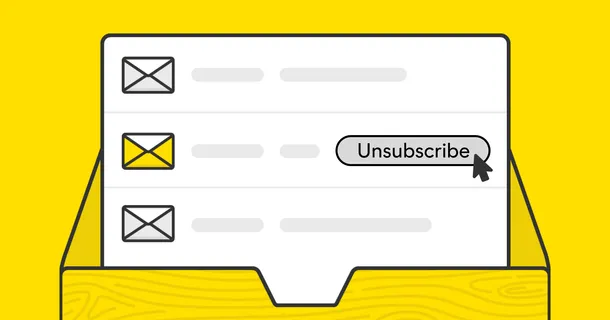
The unsubscribe feature is displayed beside the sender’s name in Gmail. It allows users to be able to click it without having to open the email. This positioning causes the email unsubscribe process to be quick and easy. It minimizes emails reporting spam and enhances email delivery. Gmail puts more trust in the sender when it notices appropriate list-unsubscribe messages. This enhances reputation of the sender and assists your mails to reach inbox.
Outlook Unsubscribe Feature in Modern Versions
Outlook has an unsubscribe link also on top of emails. New versions point out this particularity. Unsubscribing can be done by a single click and this enhances user experience. This minimizes spam complaints and helps to increase email deliverability. List-unsubscribe headers can optimize email delivery into Outlook when used by marketers appropriately.
Apple Mail Unsubscribe Display
An unsubscribe option appears in the top of Apple Mail. It looks like a definite action button. This aspect prevents frustration by the user. They do not have to go on a hunt to find links to leave your email list. This will lead to a reduction in spam complaints and will increase your sender reputation. This also facilitates email adherence to regulations such as CAN-SPAM.
How to Implement List-Unsubscribe Headers Step by Step
You can implement list-unsubscribe headers easily with the right setup. Both mailto and URL formats work together to improve email delivery and support email compliance.
Add Mailto Format for Email-Based Unsubscribe
The mailto format allows users to send an unsubscribe request via email. You need to add a header like this: List-Unsubscribe: mailto:unsubscribe@yourdomain.com This method works well for simple systems. However, you must monitor incoming requests. If you ignore them, users may mark your emails as spam. Handling these requests properly improves sender reputation and reduces spam complaints
Add URL Format for One-Click Unsubscribe
The URL format directs users to a webpage where they can unsubscribe. Example: List-Unsubscribe: https://yourdomain.com/unsubscribe This method gives you more control. You can track actions and manage user preferences. A simple one-click email unsubscribe process improves email deliverability and supports email compliance requirements like CAN-SPAM.
What Your Unsubscribe Page Should Include
Your unsubscribe page should be simple and clear:
- One-click unsubscribe option
- Simple confirmation message
- Optional preference center
Keep the process short. Avoid asking users to log in. A smooth process reduces spam complaints and improves email delivery. A good unsubscribe page protects your sender reputation and keeps your email list clean.
Best Practices for Using List-Unsubscribe Headers
Using list-unsubscribe headers correctly helps you maintain strong email delivery and follow email compliance rules. These best practices will improve your results.
Keep the Process Simple and Fast
Users should unsubscribe in one or two steps. If the process takes too long, users will mark your emails as spam. This increases spam complaints and damages your sender reputation. A simple email unsubscribe process improves email deliverability and builds trust with your audience.
Do Not Require Login for Unsubscribe
Never ask users to log in before they unsubscribe. This creates friction and frustration. Users will choose the spam button instead. Avoid this mistake to reduce spam complaints and maintain good email delivery. It also helps you meet email compliance rules like CAN-SPAM.
Offer Preference Options Instead of Full Unsubscribe
Some users do not want to leave completely. They just want fewer emails. Offer options like:
- Reduce email frequency
- Choose content types
- Pause emails temporarily
This approach improves user experience and reduces spam complaints. It also helps maintain your sender reputation and supports better email deliverability.
Common Mistakes to Avoid with List-Unsubscribe Headers
List-unsubscribe headers are widely adopted and utilized by many marketers, yet email delivery problems persist. These are some of the general errors that may negatively affect your sender reputation and spam complaints.
Ignoring Mailto Unsubscribe Requests
When using the mailto format, you have to check on received emails. Disregard of such requests aggravates users. Instead, they will leave your mail as spam. This increases spam complaints and damages your sender reputation. Always process unsubscribe requests quickly to maintain good email delivery.
Using Complicated Unsubscribe Pages
Some marketers create long and complex unsubscribe forms. This creates a poor user experience. Users may abandon the process and report your email as spam. Keep your email unsubscribe process simple. A short and clear page improves email deliverability and reduces spam complaints.
Hiding Unsubscribe Options or Breaking Compliance Rules
Covering up unsubscribe is an astute error. It is against email compliance rules such as CAN- SPAM. It also adds to spam complaints and damages your sending reputation. In all cases, explicitly ensure an email unsubscribe option. This safeguards your delivery of emails and creates confidence amongst your viewers.
Conclusion
List-unsubscribe email is now a crucial component of professional email marketing. They ensure that you encourage your recipients to unsubscribe, minimizing spam complaints and enhancing your sender reputation. Email compliance regulations such as the CAN-SPAM also have clear unsubscribe options, which are beneficial to your business in terms of litigation concerns.
In addition to doing the right thing, they enhance user experience, demonstrating to your subscribers that you value their preferences. Any email marketer must constantly check his email configuration and make sure that the list-unsubscribe headers are correctly used. A little change like this can greatly enhance email deliverability, keep a clean list, and contribute to a long-term, trusted email program.