
Getting people to notice your emails just by using plain subject lines and text is harder than ever. Marketers are always searching for ways to make their email marketing campaigns catch the eye, get opened more, and keep readers interested.
One new trick that can help them in this regard is called email annotations. This lets you add small email marketing visual elements right in the inbox preview before someone even opens the email. These visuals help your promotional emails to stand out in crowded inboxes and grab attention faster.
In this guide, you will learn what email annotations are, why they are important for making your emails look better, and how to start using them to boost the success of your email campaign.
What Are Email Annotations in Email Marketing
Email annotations are special pieces of code added to HTML of an email. It gives extra information about what the email is about. Unlike regular pictures or images, you see inside the email, these annotations don’t show up when you open the message. Instead, they work behind the scenes to help email apps, like Gmail. Gmail annotations create better-looking previews right in your inbox especially in the Promotions tab.
These annotations use a type of code called schema. The code helps email services understand and show extra details next to the subject line and sender name. This can include things like images, badges, sale info, or product previews.
It is important to know that email annotations are different from regular images or GIFs inside the email and also different from preheader text. Email annotations are hidden in the code of email and tell the email app to add special visuals in the inbox preview.
How Annotations Visually Enhance Promotional Emails
Email Annotations are more than just aesthetics. They can in fact increase the email click through rate by 15% to 25%. Email annotations help marketers grab attention even before someone opens the email. Here are some easy ways they add cool visuals to your promotional email design.
-
1
Eye-Catching Offer Badges
Annotations can show badges like Limited Time Offer, New Arrival, or Exclusive Deal right next to the subject line. These badges quickly tell people there is something special or urgent. This is making them more likely to open the email. -
2
Live Countdown Timers
Some annotations can show a live countdown clock for sales or events. Seeing the time ticking down in the inbox creates a sense of urgency and gets people interested without even opening the email. -
3
Better Product Previews
Annotations can display product pictures, prices, discounts, or stock info right in the inbox. For example, Gmail can show a carousel with up to 10 product images linked directly to the store, turning a simple email preview into a mini product showcase. -
4
Quick Action Buttons
Some annotations add clickable buttons in the preview, like RSVP or Shop Now. This lets people take action straight from their inbox. This is making it easier to explore offers or save events without opening the email.
Together, these annotation features help your emails stand out, clearly show your offers, and encourage more clicks with better email marketing. They are turning casual looks into real customer actions.
The 5-Step Guide to Add Visual Upgrades to Your Promotional Campaigns
Adding visuals with email annotations might sound tricky. However, following these simple steps makes it easier and improves email marketing. Here is a clear guide to get you started.
Identify Supported Actions
Determine the kind of annotations that are compatible with your favorite email systems such as Gmail and Outlook before you begin coding. As an example, Gmail allows features such as deals badges and product sneak previews in the Promotions tab.
Begin with the most popular and well-known options. They normally contain Deal or Product Carousel annotation in order to reach a maximum number of people. The resources such as Google’s Gmail Markup guide should be used to remain updated with the new changes.
Add Schema Markup to Email HTML
Email annotations use a special kind of code called JSON-LD. This code needs to go in the "head" section of your email’s HTML inside a "script" tag.
This code includes details like the offer name, expiry date, images, and links. Make sure you include all the required information and double-check that it is correct.
Keeping this code separate from the main email content helps avoid display problems and keeps your email design clean and easy to manage.
Test Rendering Thoroughly
Testing is really important. This is because different email apps and devices show annotations differently. Use special email testing tools to see how your annotations appear in Gmail and other email services on both desktop and mobile.
Also,
- Send test emails to accounts on popular email services to check how they look in real life.
- Make sure the annotations show up properly without messing up the rest of the design or features of your email.
If annotations don’t display right, they can confuse people or hurt the success of your campaign.
Monitor Performance
After sending your annotated email, treat it like any other campaign. Run A/B tests by sending one version with annotations and one without, then compare important numbers like open rates and clicks.
Track how people interact with special annotation features, like clicking an Add to Calendar button or viewing product previews. This helps you understand which types of annotations work best for your audience and offers.
Refine and Improve
Use the data from the performance of your email to make your next campaigns even better. For example:
- If product carousels get more clicks than deal badges then you should focus more on carousels next time.
- Otherwise, you can consider to change the offer text or images to get more people to click and take action.
Adding analytics to your process helps you see what is working. As a result, you can make your interactive email features truly boost your results.
 Pro Tip
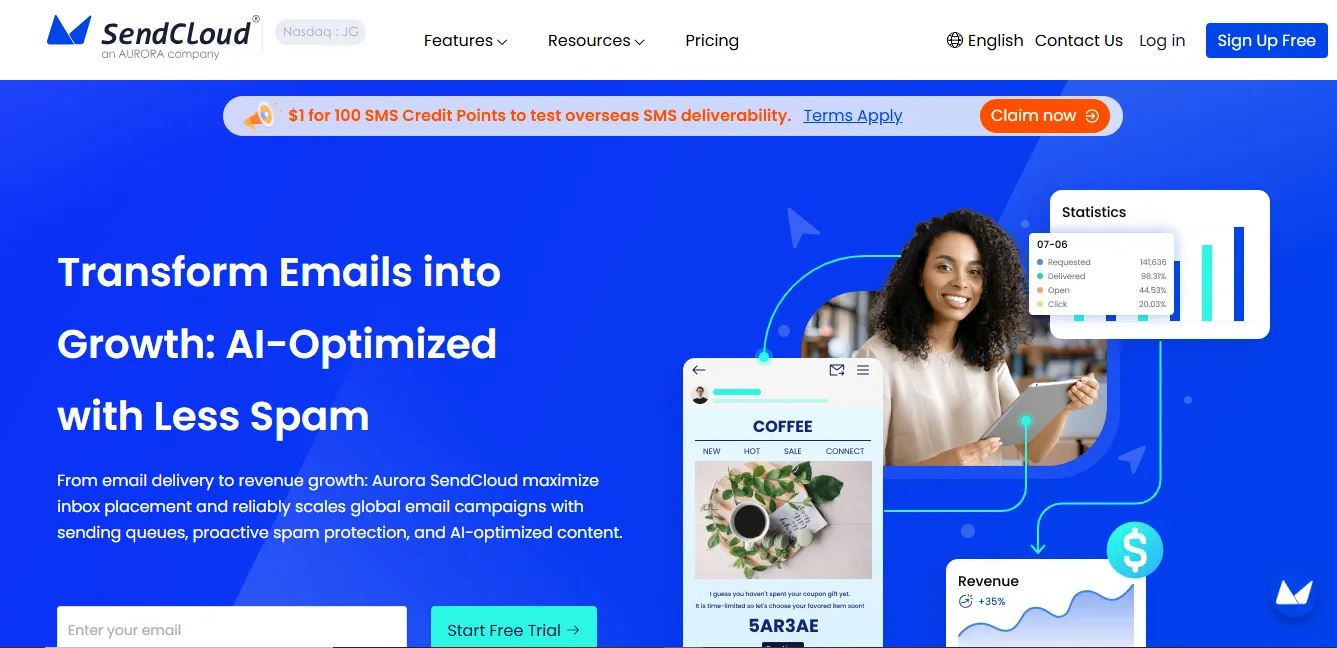
Tools like Aurora SendCloud come with built-in analytics that track how your annotations perform. They also help you with email delivery and inbox placement. Using these tools makes managing your campaigns easier and leads to better results over time.
Common Beginner Mistakes to Avoid
Email annotations can make your promotional emails look better. However, there are some common mistakes to watch out for:
-
1
Thinking Everyone Sees Them
Annotations mainly work in Gmail’s Promotions tab for personal accounts. Not all email apps show them. So, don’t rely on annotations instead of having strong content inside your email. -
2
Wrong or Missing Code
Annotations need correct and complete code to work. If important details are missing or wrong, the annotations won’t show up. It will just be wasting your effort. -
3
Using Too Many or Too Complicated Visuals
Too many annotations or complex visuals can make the inbox preview messy and confusing. Keep it simple and focus on the most important message. -
4
Ignoring Email Delivery
No matter how good your preview looks, your email still needs to reach the inbox. If your sender reputation is poor or there are delivery issues, even annotated emails might end up in spam or get missed. -
5
Not Checking Mobile Views
Many people check emails on their phones, where annotations can look different or get cut off. Always test how your annotations appear on mobile to keep them clear and effective. -
6
Not Measuring Results Properly
Some marketers add annotations but don’t track if they actually improve opens or clicks. It is hard to know if they are helping or worth using again without comparing emails with and without annotations.
Conclusion
Email annotations are a great tool to make your promotional emails catch the eye right in the inbox preview. You can grab attention faster, help people decide quickly, and get more clicks even before they open your email.
Setting up annotations can be a bit technical. They are worth it because they make your emails stand out in crowded inboxes. Start small by adding one type of annotation to your next campaign and see how it performs. Email annotations can become a regular part of your email marketing to cut through the noise with some practice.