Spam filters play an important role in email delivery rates. There are multiple filters that emails go through before getting to your Inbox when using the Internet. Content and design is what many marketers are concerned with, but they don't have the full understanding of how mailbox providers assess emails. This means there is a reduction in inbox, engagement and missed business opportunities. Modern spam filters analyze sender reputation, content quality, authentication records, user engagement, transmission behavior, etc. This guide explains the entire email filtering process, demonstrates how key ISPs evaluate messages, and introduces practical testing and optimization methods to improve inbox reaches and overall email delivery rates
What Spam Filters Actually Do Beyond Spam vs. Not Spam
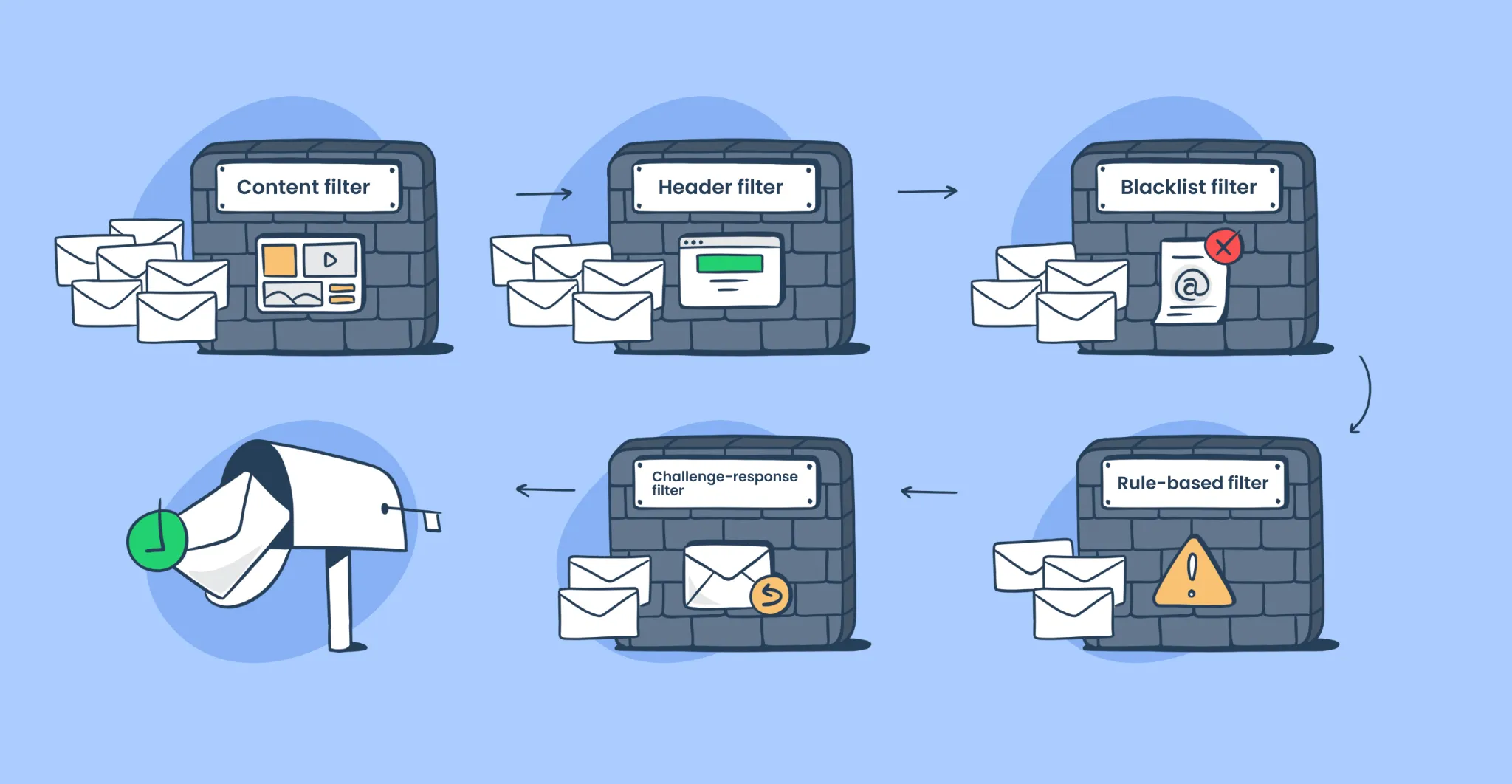
Modern email filtering systems do not only distinguish between spam and legitimate mail. Assign scores to help you evaluate hundreds of signals and determine where your emails should be displayed. Understanding this process allows marketers and technical teams to identify delivery issues before they affect campaign performance.
The Filter Evaluation Process
Spam filters today are not as straightforward as pass/fail, but employ a scoring system instead. There are multiple assessments made on each email based on sender's reputation, email authentication, content quality, engagement history, and email behavior. The filtering engine comprehensively decides whether these scores are delivered to inbox, promotion tab, isolation folder or spam folder. This multi-layered method allows ISPs to do more accurate deliveries and to block undesired messages without false positives.
Why Understanding Filters Improves Deliverability
If marketers understand how to evaluate filtered messages, they can make appropriate decisions before sending campaigns. This knowledge helps teams optimize authentication settings, improve content quality, maintain healthy engagement rates and monitor sender reputation. By understanding the filtering system, it is also possible to predict test results and identify risks before deployment. The sender can aggressively improve the delivery to the inbox and reduce the likelihood of being classified as a spam folder, rather than responding after a delivery problem occurs.
The Four Email Filtering Factors That Decide Inbox Placement
Email providers evaluate emails based on several categories. Although the exact algorithm is private, reputation, content, engagement, and behavior consistently affect delivery decisions to the inbox. These signals help to comprehensively determine whether an ISP can trust the sender and whether the recipient is more likely to value the message.
Reputation Score and Its Impact on Deliverability
Sender reputation often has the greatest impact on filtering decisions. ISPs analyze IP reputation, domain reputation, authentication record, complaint history, and past transmission activity. High reputation shows reliable behavior and increases inbox reach. High complaint rates, blacklist registration and inconsistent transmission practices reduce reputation scores. Regular monitoring of sender reputation prevents long-term delivery issues and maintains stable email performance across major email providers.
Content Analysis and Spam Detection Signals
Content-based filtering inspects subject, body, URL, image, and HTML structures. Spam filters look for suspicious patterns as well as individual keywords. Analyze how words, links, formats, and message structures are combined. Poor quality content, misleading subject lines and suspicious URLs can reduce delivery rates. High quality content in line with recipients' expectations generally has good filtering results and higher inbox reaches.
Engagement Metrics That Influence Email Filtering
The ISP monitors how recipients interact with mail after delivery. Positive engagements include opening, clicking, replying, forwarding, and adding the sender to the contact list. Negative engagements include spam reporting, unread deletion, and unsubscribe actions. A powerful engagement signal tells the mailbox provider that the recipient is finding value in the content. Over time, these positive interactions will improve sender reputation and support higher inbox reaches across future campaigns.
Sending Behavior Patterns That ISPs Monitor
The mailbox provider evaluates how consistently your organization sends emails. The rapid increase in transmission volume is often subject to additional scrutiny, as it is similar to spam activity. ISPs also analyze list increase patterns, transmission frequency, and campaign consistency. Stable transmission practices help build trust over time. Organizations that are gradually increasing transmission volumes and maintaining predictable schedules generallyFiltering problems are less common than senders with irregular or excessive transmission behavior.
How Gmail, Outlook, and Yahoo Spam Filters Evaluate Emails
Each email provider uses different filtering techniques. While the criteria for evaluation are similar, Gmail, Outlook, Yahoo, and AOL apply their own algorithms and machine learning systems to identify unnecessary messages and improve user experience.
How the Gmail Spam Filter Works
Gmail rides on advanced machine learning systems, such as TensorFlow-based technologies, to check incoming emails. Gmail's scoring system takes into account sender reputation, authentication information, engagement, content quality, and user preferences. Additionally, categorize messages into 'Main', 'Social' and 'Promotion' tabs. Gmail looks at how individual users are acting, so even if two people receive the same email, they could see different tabs depending on their actions and engagements.
How Outlook and Microsoft Spam Detection Works
Microsoft uses SmartScreen technology and Exchange Online Protection to identify suspicious messages. Outlook evaluates the sender's reputation, content characteristics, authentication status, and past behavior. Microsoft also uses Spam Confidence Level scoring, commonly known as SCL. The higher the SCL score, the more likely that the message contains the features of spam. In a corporate environment, these scores are frequently used to manage filtering rules and enhance email security policies.
How Yahoo and AOL Spam Filters Work
Yahoo! and AOL attach great importance to real-time threat analysis and user feedback. Both filtering systems monitor complaints rates, sender reputation, authentication records, and engagement signals. The feedback loop allows the sender to receive the complaint information and adjust the transmission method accordingly. Because user complaints have a significant impact on reputation scores, the organization has the ability to use Yahoo Or before sending marketing campaigns to AOL users, you must maintain a clean list and obtain the appropriate consent.
Content-Based Filtering Signals That Trigger Spam Flags
Content-based filtering remains crucial in spam filtering by ISPs. Mailbox providers are still carefully analyzing the contents of the message, while the sender's reputation is significant. Filters check the language, format, URLs, images and code structure for signs that are commonly associated with spam and malicious email.
Common Spam Trigger Words and Patterns
Spam filters analyze patterns rather than focusing only on individual words. However, excessive publicity complaints can still be a risk factor. Phrases that promise unrealistic results, repeated sales complaints, excessive uppercase use, and excessive punctuation often reduce trust scores. The filter also verifies the overall context and intent of the message. Clear and natural sentences are usually rated higher than offensive marketing terms and help improve email delivery.
Email Design and HTML Issues That Affect Deliverability
Email formatting can directly affect filtering judgment. Image-only emails often become a concern material because the filter cannot fully analyze the content of the message. Hidden text, corrupted HTML code, excessive links and inappropriate formatting may result in additional review. Balancing text and images makes it easier for mailbox providers to understand the content of messages. The properly configured HTML also improves display quality on various devices and improves inbox reach rates.
How Spam Filters Analyze Links and URLs
The spam filter closely checks all links in the email. Evaluate the link destination domain, redirect chain, URL reputation, domain history, etc. Short URLs may be scrutinized more severely because they may hide the final link destination. The filter also collates URLs with threat intelligence databases where known malicious domains are registered. With verified domains, consistent branding and transparent links, you can build trust and reduce the risk of being classified as a spam folder.
How to Test Emails Before Sending Them
Test your emails before delivery to identify issues that may affect your inbox reach rate. The delivery team uses spam testing tools, seed lists, and display checks to verify the quality of emails. Testing allows marketers to fix issues before a recipient sees a campaign.
Spam Score Testing Tools
Different tools assess the performance of email filtering.
| Tool | What It Tests | Best For |
|---|---|---|
| SpamAssassin | Content scoring | Free, comprehensive testing |
| Mail Tester | Multi-factor analysis | Quick deliverability checks |
| GlockApps | Inbox placement | Real mailbox testing |
| Litmus | Rendering and spam testing | Professional email teams |
These tools help you identify content issues, authentication issues, and formatting concerns before you start a campaign.
Seed List Testing: See Real Inbox Results
The Spam Score tool provides useful information, but it is not possible to fully reproduce the actual inbox reach. The seed list test sends emails to test accounts for Gmail, Outlook, Yahoo, and corporate domains. With these tests, the message Whether it reaches your inbox, promotion tab, or spam folder. The seed list is an important component of the delivery test because it provides practical delivery result data that is not accurately predictable in the scoring tool.
Five-Step Email Testing Process Before Every Campaign
Follow this simple process before every campaign.
Step 1: Check the Spam Score
Run your email through a spam testing tool. If the score is higher than 3.0, review the warnings before sending.
Step 2: Fix Important Problems
Correct issues such as:
- Missing SPF
- Missing DKIM
- Broken links
- Spam-heavy subject lines
- Too many images
- Poor formatting
Retest the email after making changes.
Step 3: Run a Seed List Test
Send your campaign to your seed list. Review inbox placement across Gmail, Outlook, Yahoo, and business domains. Look for patterns instead of focusing on one provider.
Step 4: Test Email Rendering
Even a well-written email loses value if subscribers cannot read it.
Check:
- Mobile display
- Desktop display
- Dark mode
- Different email apps
- Images
- Buttons
- Fonts
Rendering tests help you find layout issues before subscribers see them. These email testing steps are essential for consistent delivery.
Step 5: Review Results and Improve
Testing should become part of every campaign.
Track:
- Spam score
- Inbox placement
- Bounce rate
- Complaint rate
- Open rate
- Click rate
Use each campaign to improve the next one. Small improvements over time usually produce better long-term deliverability.
Email Deliverability Checklist to Pass Spam Filters
Continued focus on your inbox reputation, content quality and subscriber engagement are necessary to ensure you get the inbox reach. The checklist below guides the sender to cover the most important filtering criteria that the mailbox provider uses.
Sender Reputation Optimization Checklist
Maintain proper authentication through SPF, DKIM, and DMARC records. Check the blacklist database regularly and resolve it quickly if any problems are posted. As much as possible, use domains with established submission history. Instead of rapidly changing the amount of transmission, please increase gradually. Continuously monitor the rate of distress and reputation indicators. Strong sender reputation supports long-term inbox reaches and improves trust with mailbox providers.
Content Optimization Checklist
Avoid expressions that are considered spam in the subject or body. Keep the text-image ratio balanced and ensure that all links point to a trusted domain. Place the unsubscribe option in a prominent location so that you can clearly identify the sender. Please make the format orderly and unified. Before sending all emails, make sure that there are no links, HTML errors or misleading content, reduce the risk of filtering and improve the delivery rate.
Subscriber Engagement Checklist
Segment your subscribers based on the engagement level and send the appropriate content to each target group. Before excluding inactive users from your active list, try to re-engage them with personalized campaigns. Hardbounce should be deleted from the list immediately to keep the list of good recipients. Closely monitor the rate of distress and try to keep it below 0.1% as far as possible. In the long term, positive engagements help to build a healthy sender reputation and boost inbox placement.
How AI and Machine Learning Are Changing Spam Filtering
The spam detection process of mailbox providers has been revolutionized by the advent of Artificial Intelligence (AI). Traditional rule-based systems are unable to detect patterns in large amounts of data as well as a modern filtering system. In the present times, AI is a pivotal part of the email filtering decision-making process.
How AI Improves ISP Spam Detection
The machine learning system continuously learns from the user's behavior and analyzes millions of e-mails. These systems detect patterns that correspond to spam, phishing attacks and malicious campaigns. AI can identify new threats that are not just based on a set of rules. User-by-User filtering enables mailbox providers to tailor their inboxes according to their users' engagement habits. This process will increase the accuracy and decrease the false positives.
What AI-Powered Filtering Means for Email Senders
AI filtering is about quality and consistency, and not miniaturization. There is a growing emphasis on recipient engagement, content relevance and sender reliability at the expense of the mailbox provider. Generally, senders offering valuable content and good transmission practices will achieve better results. When filters are attempted to be manipulated by outdated means, these often fail, because machine learning systems get very good at spotting suspicious patterns in behavior.
How Aurora SendCloud Helps You Pass Spam Filters
Aurora SendCloud provides tools and guidance to help organizations improve email delivery and inbox reach. The platform focuses on identifying issues prior to the start of the campaign, monitoring delivery performance after transmission, and helping teams maintain a good sender reputation. These features support marketers, SaaS companies and developers who want to achieve consistent results from email infrastructure.
Pre-Send Quality Checks
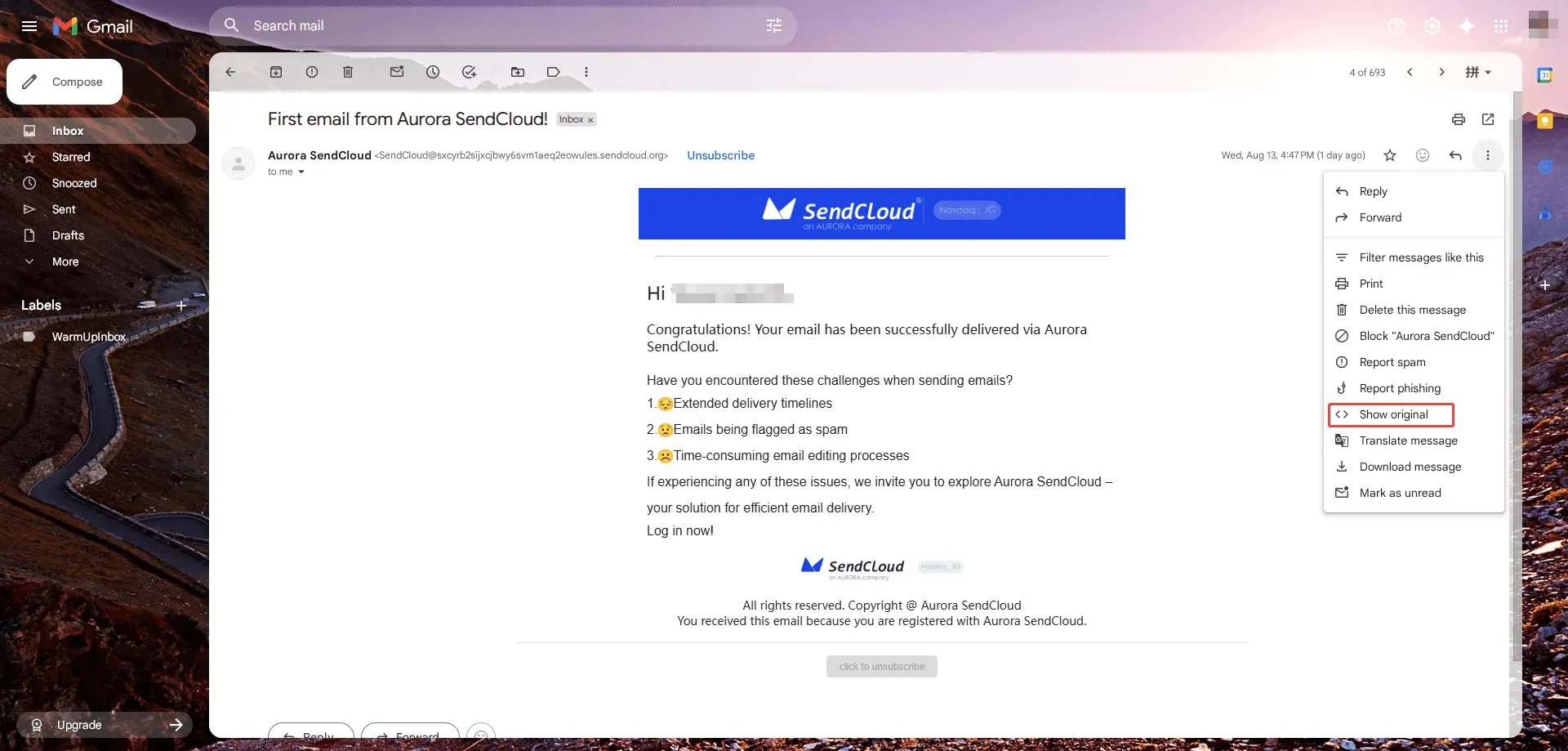
Aurora SendCloud leverages AI to analyze content and predict spam scores before emails are sent. The platform verifies message quality, authentication records, and potential delivery risks. These checks allow teams to identify issues early and fix them before delivery. By addressing issues before sending, your organization can reduce sorting into spam folders and increase inbox reaches.
Delivery Monitoring
The platform monitors inbox reaches and delivery performance in real time for key email providers. Teams can track campaign results, receive webhook alerts for delivery issues, and continuously monitor blacklist status. These monitoring capabilities allow organizations to quickly identify issues that are occurring and take corrective action before the reputation is impaired.This will affect future email campaigns.
Expert Optimization Support
Aurora SendCloud provides technical support for delivery feasibility consulting, authentication settings, reputation management, and continuous optimization. Teach your team about implementing SPF, DKIM, and DMARC, organizing mailing lists, and analyzing campaign performance. This support enables organizations to build stronger transmission systems and maintain consistent inbox reaches across a variety of email providers.
Frequently Asked Questions
How do spam filters decide whether an email reaches the inbox?
The spam filters are based on sender reputation, sender history, content quality, engagement signals, and transmission patterns. Use these to create a scoring system and sort into inbox, promotion folder or spam folder.
What is the most important factor in email deliverability?
Generally, the sender's reputation is the most important. Email senders who have good complaint rates, high engagement, and consistent sending practices and have strong authentication are trusted by email providers.
Does the Gmail spam filter work differently from Outlook?
Yes. Gmail relies on machine learning and user-specific filtering, whereas Outlook relies on the technology of SmartScreen, Exchange Online Protection, and spam reliability scoring.
What are common spam triggers in email content?
These are often excessive publicity, wrong subject lines, suspicious links, HTML errors, hidden text and the wrong formatting.
How often should I test emails before sending?
All campaigns must be tested. Before sending off a large email campaign, do a spam score test, a seed list test, a rendering test and do some authentication verification.
Can AI improve spam detection accuracy?
Yes. The AI system learns from millions of emails, recognizes fresh threats, eliminates false positives and adjusts to new spam techniques faster than rule-based systems.
Summary
Spam filters don't have to be limited to keywords. The new email filtering system checks the sender's reputation, content quality, subscriber interactions, authentication status, email transmission patterns, and more, before deciding whether to deliver a message to the inbox. Machine learning technology is employed by email providers like Gmail, Outlook, and Yahoo to keep evaluating these signals. An organization that knows how a spam filter works will be able to test the emails, make better sender reputation, have better engagement and deliver emails to the inbox. By sticking to the systematic testing process and the optimization checklist, marketers, and technical teams can establish a strong groundwork for successful email delivery in the long run with the help of platforms like Aurora SendCloud.