

Many email campaigns fail not because of poor content, but because of poor list management. Without a proper suppression list, businesses risk high bounce rates, spam complaints, and even legal trouble.
Email regulations like GDPR and CAN-SPAM require marketers to respect user preferences. This is especially true for opt-outs. Ignoring this can lead to penalties and damaged brand trust.
A well-managed email suppression list acts as a safeguard. It prevents emails from being sent to recipients who should not receive them. Platforms like Aurora SendCloud simplify this process with built-in suppression systems. Maintaining suppression lists is one of the most effective ways to improve email deliverability and maintain compliance.
What Is a Suppression List in Email Marketing?
A suppression list is a database of email addresses that should not receive your messages. Think of it as your "do not send" list. Every time you launch a campaign, your email platform checks recipients against this list. If an address appears on the email suppression list, it is automatically excluded from the send.
Here is how it works.
- You upload or build your email list
- The system scans it against the suppression list
- Suppressed contacts are filtered out before sending
This happens automatically, reducing the risk of human error.
Suppression List vs Other Lists
It is important to distinguish suppression lists from other types:
- Unsubscribe list: Contains users who opted out
- Blocklists: External lists maintained by ISPs
- Suppression list: Your internal system combining multiple exclusion types
You may send emails to invalid or unwilling recipients without a suppression list. This leads to higher bounce rates and lower engagement, directly impacting your email deliverability.
The 4 Key Aurora SendCloud Email Suppression Lists Explained
Aurora SendCloud organizes suppression into four key categories. Each serves a specific purpose in protecting your email marketing performance and improving overall email deliverability. Together, these lists create a strong filtering system that prevents risky or unwanted emails from being sent.
1. Bounce List
This list contains email addresses that repeatedly fail to receive messages. These failures may happen due to invalid email addresses, closed inboxes, or even domain issues.
The bounce list helps you to reduce bounce rates and prevents repeated sending to bad addresses. Over time, this improves your sender reputation and helps inbox providers trust your emails more. It directly supports better email campaign optimization.
2. Block List
The block list includes addresses that you manually exclude. This is useful when:
- A user requests exclusion outside standard unsubscribe
- Internal testing needs restrictions
- Specific domains should not receive emails
It gives you full control over who is excluded. This level of control is important for maintaining clean lists. It also helps in avoiding unnecessary risks that could harm your email deliverability.
3. Complaint List
This list tracks users who mark your emails as spam. Spam complaints are one of the biggest threats to email deliverability. Even a small number can damage your sender reputation and reduce inbox placement.
By adding these users to the email suppression list, you avoid sending to them again and reduce future complaints. This also signals to email providers that you follow responsible email marketing best practices.
4. Unsubscribe List
The unsubscribe list includes users who opted out of your emails. This is critical for email compliance, as laws like GDPR require immediate respect for opt-out requests.
Failing to honor unsubscribes can lead to penalties and loss of trust. Maintaining an accurate unsubscribe list also helps improve engagement. It does so by focusing only on users who actually want to receive your emails.
Why Suppression Lists Improve Email Deliverability and Campaign Performance?
Using a suppression list is not just about compliance. It directly improves results. It also helps create a more focused and efficient email marketing strategy by removing unnecessary risks.
- Improved Email Deliverability
By removing invalid and risky contacts, you reduce negative signals like bounces and complaints. This helps inbox providers trust your emails. Over time, this leads to better inbox placement and fewer emails landing in spam folders. - Legal Compliance
Suppression lists help you meet requirements under GDPR and CAN-SPAM by respecting user preferences. This reduces the risk of legal penalties and builds long-term trust with your audience. - Better Engagement
When you send emails only to active users, engagement rates improve. This includes higher opens and clicks. As a result, your campaigns perform better and provide more reliable data for future email campaign optimization. - Cost Efficiency
Sending emails to invalid addresses wastes resources. A clean email suppression list reduces unnecessary sends. This allows you to focus your budget on audiences that are more likely to engage. - Sender Reputation Protection
Internet Service Providers track your sending behavior. High bounce rates or complaints can lower your reputation. Maintaining a strong reputation increases your chances of consistent delivery across major inbox providers.
How Aurora SendCloud's Suppression List System Works?
Aurora SendCloud automates suppression management, reducing manual effort.
Automatic Triggers
Contacts are automatically added to suppression lists when:
- They unsubscribe
- Their email bounces repeatedly
- They mark emails as spam
Data Visibility
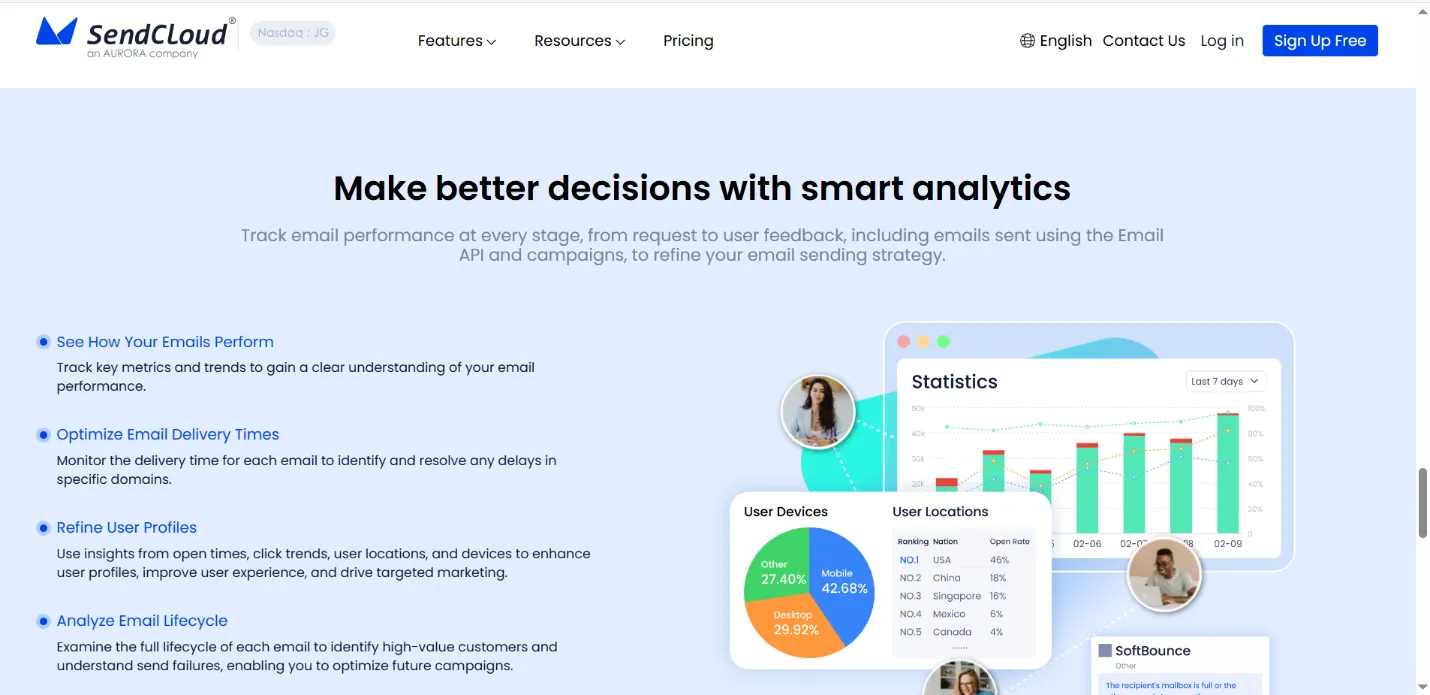
Users can view suppression data directly within the platform. This allows you to track trends in bounce rates. You can also identify problem segments and improve email campaign optimization.
Automation reduces the risk of sending to the wrong contacts. It also helps to maintain consistent email compliance.
Understanding the Aurora SendCloud Allow List for Controlled Exceptions
While suppression lists block certain contacts, the Allow List provides flexibility. An Allow List lets specific email addresses bypass suppression rules.
It can receive emails even if it appears in a suppression list when an address is added to the Allow List.
Common use cases include internal testing, sending critical business notifications, and reaching important stakeholders.
Important Consideration
Use this feature carefully. Overusing it can harm your email deliverability and increase complaints.
Email Marketing Best Practices for Suppression List Management
Managing your suppression list correctly is essential for long-term success. These practices support better email campaign optimization and improve results over time.
- Keep Lists Updated Automatically: Aurora SendCloud handles updates in real time, reducing manual work.
- Never Send to Suppressed Contacts: Ignoring suppression rules can lead to compliance issues and damage your sender reputation.
- Audit Lists Regularly: Review your suppression data to identify patterns and improve your strategy.
- Respect User Preferences: Always honor unsubscribe requests immediately to maintain trust and meet email compliance standards.
- Use Allow List Carefully: Only use it when necessary to avoid sending unwanted emails.
Common Suppression List Mistakes That Hurt Email Deliverability
Even experienced marketers make mistakes when managing suppression lists.
- Failing to use a suppression list leads to high bounce rates and spam complaints.
- Sending to suppressed contacts can result in penalties and lower email deliverability.
- Without regular checks, your list may contain outdated or invalid data.
- Bypassing suppression rules too often defeats the purpose of list management.
Avoiding these mistakes helps maintain a strong sender reputation.
Conclusion
A well-managed suppression list is a core part of successful email marketing. It protects your campaigns from high bounce rates, improves email deliverability, and supports email compliance.
Aurora SendCloud makes this process easier with automated suppression management and flexible controls like the Allow List. By focusing on clean data and respecting user preferences, you can build more effective campaigns and maintain long-term success in your email strategy.