Across industries, the average unsubscribe rate is usually 0.1–0.3%. On paper, that looks low. But for email delivery, even a small rise is a loud signal that something is wrong with how you send, what you send, or who you send to.
Mailbox providers judge you on every send. They watch who opens, who clicks, who ignores, who unsubscribes, and who hits the spam folder. Unsubscribing is not a crime. In fact, they are safer than spam complaints. But when your unsubscribe rate creeps up, it tells providers your list is poorly targeted or your content is missing the mark. Over time, that hurts inbox placement and chips away at your sender reputation.
Behind each unsubscribe is wasted creative work, media budget, and engineering time. There is also a small knock to your brand. A good unsubscribe system reduces those hidden costs. It stays within the law, is easy to use, and gives people control without pushing them to “just mark this as spam.”
Why Do Email Unsubscribes Matter For Delivery And Revenue
Unsubscribes are not just a “list cleaning” event. They are a clear signal about how mailbox providers and customers see your email program. When many people leave, it points to deeper issues with targeting, expectations, or value. That signal can snowball into weaker email delivery and real revenue loss over time.
Email is still one of the highest‑ROI channels, returning about $36 for every dollar spent. Every unsubscribe chips away at that return. Fewer engaged subscribers means fewer opens, fewer clicks, and less downstream revenue from a channel that should be one of your most efficient.
Hidden Costs
On the surface, an unsubscribe looks simple: one address off your list. The hidden costs sit behind that click.
You paid to acquire that contact. You also paid to design, code, and send the emails that pushed them away. And you lose a future stream of touchpoints you could have used to educate, upsell, or retain them.
You also lose information:
- You stop seeing how that user behaves over time.
- You get less data to train segmentation and models.
- You weaken cohorts that sales or success teams rely on.
The cost is not just this campaign. It is every missed chance to build value with that person.
Reputation Impact
Mailbox providers look at patterns. A healthy program has low spam complaints and low unsubscribe rates. A spike in either tells them your mail is not wanted.
Recent global benchmarks put average unsubscribe rates around 0.14%, with spam complaints as low as 0.01%. If your unsubscribe rate sits well above that, providers see a mismatch between what people expected and what they get.
On its own, an unsubscribe is safer than a spam complaint. But high unsubscribe rates often travel with:
- Weak engagement from the rest of the list
- Old or poorly sourced data
- Aggressive sending patterns
That mix pushes your sender reputation down, even if no single metric looks “catastrophic” on its own.
Deliverability Link
Email delivery is not just about valid addresses. It is about whether providers trust that your email deserves the inbox.
Unsubscribes feed into that trust model. If many people choose to leave right after a send, it tells providers your targeting or content is off. They combine that with opens, clicks, deletions, and spam complaints to decide if the next campaign goes to inbox, promotions, or spam.
Over time, this can turn into a slow, silent decline:
- Slightly fewer emails reach the inbox.
- Your engaged segment shrinks.
- You need more volume or more aggressive tactics to hit the same numbers.
At that point, fixing unsubscribe problems is also a deliverability fix.
Revenue Losses
Every unsubscribe is a lost future touchpoint with someone who once said “yes” to hearing from you. For many brands, email drives a large share of repeat revenue and pipeline, thanks to its strong ROI. When people leave at scale, you feel it in sales, not just in your ESP dashboard.
The impact shows up in:
- Fewer high‑margin repeat purchases
- Weaker performance from launches and promos
- Lower lifetime value for whole segments
If unsubscribes cluster after certain campaigns or in specific journeys, that is often where revenue is silently leaking out of your email program.
What Are The Legal Requirements For Email Unsubscribes By Region
Core principles: Marketing emails must always include a clear, easy‑to‑use unsubscribe option. You must honor requests quickly, without forcing extra steps, fees, or long forms.
- CAN-SPAM (US): Every commercial email to US recipients needs a visible unsubscribe link and valid sender details. You must stop sending to that address within 10 business days once they opt out.
- GDPR (EU): You need a lawful basis to email people, and unsubscribing must be as simple as subscribing. When someone withdraws consent, you must stop marketing to them without delay and keep records to prove it.
- CASL (Canada): You usually need consent before sending, and the unsubscribe action must be simple and quick. Opt‑outs must be processed within 10 business days, and each email must clearly identify who is sending it.
- PIPL (China): You must get clear consent for marketing and give users an easy way to refuse or withdraw it at any time. Unsubscribe requests and consent changes must be handled promptly, with minimal data collected and stored.
- Penalties and risks: Fines under GDPR, CASL, CAN-SPAM, and PIPL can reach into the millions for serious or repeated breaches. Poor unsubscribe practices also raise complaints and hurt deliverability, which can be just as damaging as the legal risk.
- Legal best practices: Use plain, honest language and avoid dark patterns around opt‑out links. Offer a simple “unsubscribe all” along with preferences, sync opt‑outs across tools, and review your flows regularly with legal or compliance.
Why Do Users Really Unsubscribe From Your Emails
Most people do not unsubscribe because of one bad email. They leave after a pattern of small annoyances: content that feels off, messages that come too often, or layouts that are hard to read. Surveys often show the top reasons are “too many emails” and “content not relevant,” with design and technical issues close behind.
- Content mismatch: People signed up with a picture in their head of what they would get. If what you send does not match that picture—wrong topics, wrong depth, or too salesy—they decide your emails are not worth their time.
- Frequency fatigue: Even good content fails when it shows up too often. If someone feels crowded by your sends, they will protect their inbox first and your metrics second.
- Bad timing: Emails that land at the wrong moment are easy to ignore. If you always hit during work crunches, nights, or weekends for that audience, your messages may feel more like noise than help.
- Low personalization: Generic copy and broad blasts tell people “you are just one of many.” When nothing reflects their role, industry, or behavior, it is simple for them to decide they will not miss your emails.
- Outdated design: Cluttered layouts, tiny fonts, or non‑responsive templates are tiring to read. If your email feels stuck in an old era, people often assume your content is too.
- UX friction: Unclear CTAs, broken links, and awkward unsubscribe paths all add frustration. When it is easier to leave than to fix the experience, many subscribers will take the exit.
How Can You Reduce Unsubscribe Rates Without Hurting Email Delivery
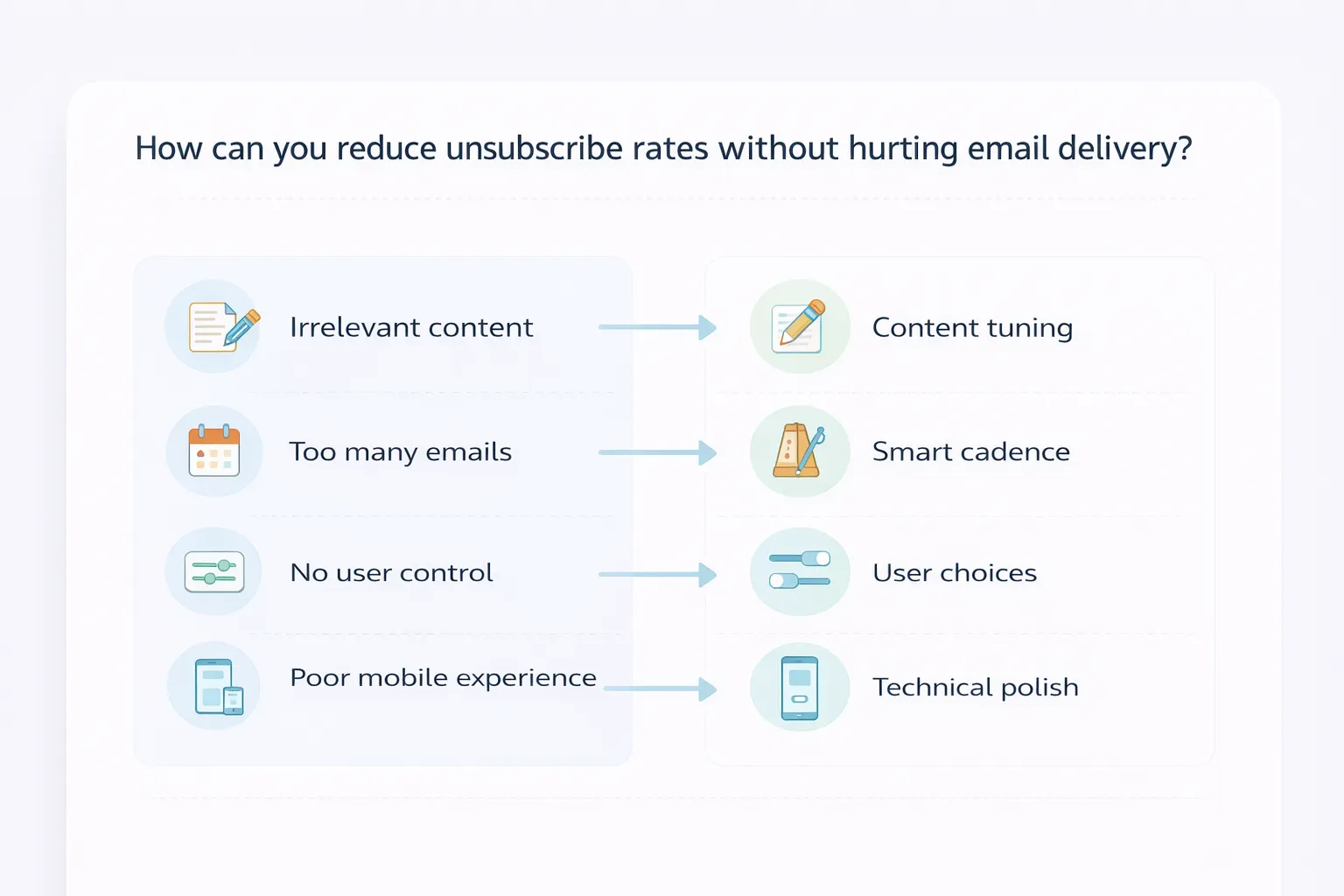
You lower unsubscribes by fixing the reasons people leave, not by making it harder to opt out. That means better content, smarter timing, and cleaner experiences. In a recent consumer study, 67% said they unsubscribe when brands email too often, and 46% blamed irrelevant or non‑personalized content. If you get those two levers right, both your unsubscribe rate and your deliverability improve.
-
1
Content Tuning
Start with what you promised at signup and check if your current emails still match that promise. If people signed up for expert advice and mostly get discounts, they will leave. Use simple segments based on behavior and profile so different groups see different angles, examples, or offers. Rotate campaigns so subscribers do not see the same promotion over and over. The goal is that each send feels like a useful update, not a repeat ad they have already ignored three times. -
2
Smart Cadence
Mailbox providers treat frequency and engagement as a pair. When you send a lot and most people do little, your reputation drops. Many consumers say “too many emails” is the top reason they unsubscribe, often at much lower volumes than marketers expect. Use actual behavior to set pace: active people can handle more, quiet people should hear from you less. Test weekly versus biweekly for key segments, and watch not just clicks but unsubscribe and spam complaint rates. When in doubt, send fewer, better emails rather than trying to “win” with volume. -
3
User Choices
A simple preference experience can save relationships that would otherwise be lost. When someone clicks unsubscribe, give them a clear “stop all” option, but also honest choices like “only product updates,” “monthly summary,” or “pause for 30 days.” Many people just want less email, not zero email. Letting them downshift instead of quit reduces list churn and lowers the risk they hit the spam button out of frustration. Make sure what they choose is enforced immediately in your sending logic, not as a promise for later. -
4
Technical Polish
If an email is hard to read or slow to load, people leave faster and engage less. That weak engagement feeds back into deliverability. Make sure your templates are responsive, with readable text, clear contrast, and short, scannable sections. Test how long images take to load on mobile data and trim heavy assets. Keep links clean and trustworthy, and use a consistent from‑name and domain so people recognize you at a glance. A clear, working unsubscribe link plus a functional list‑unsubscribe header helps mailbox providers trust you, and it gives users a safe exit instead of a spam complaint.
How Can Unsubscribe Data Improve Your Email Strategy
Unsubscribe data is one of the clearest signals about how people feel about your email program. It tells you when you cross a line on relevance, frequency, or experience. Most teams focus on opens and clicks, but unsubscribes show you where relationships are breaking, not just where they are weak.
-
1
Key Metrics
Start by treating unsubscribes as a core health metric, not a side number in your ESP. Track unsubscribe rate overall, by campaign, and by journey. Watch how it moves when you change subject lines, offers, or targeting. The goal is not “zero unsubscribes.” The goal is a stable, low rate that matches your list size, send patterns, and audience expectations. -
2
Time Patterns
Look at when people leave, not just how many. Do they unsubscribe right after their first welcome email, or after a specific number of sends? Do certain days or send times drive more opt‑outs? Time patterns help you see if you are overwhelming new subscribers too early, or if a certain stage of a nurture sequence is misaligned with user intent. Small timing changes can often cut unsubscribes without changing content. -
3
Behavior Paths
Before someone unsubscribes, they usually follow a pattern. Maybe they stop opening for a few weeks, or they only open launch emails and ignore everything else. Map the “last three emails” most people receive before they leave. Look at what they clicked, which pages they visited, and where they came from. This helps you see whether the problem is acquisition (wrong expectations at signup) or messaging (content not matching real behavior). -
4
Trend Warnings
Rising unsubscribe rates are often the first warning sign that something is off. If you see a slow upward trend across several sends, it may mean your list is aging, your offers are repeating, or your audience has shifted. Sudden spikes around one campaign often point to a mismatch in topic or tone. Use thresholds: for example, if a campaign’s unsubscribe rate is more than double your baseline, treat it as a red flag and investigate. -
5
Segment Insights
Unsubscribes rarely hit every group the same way. You might see higher rates from a certain region, acquisition source, role, or product line. Compare segments side by side: who is leaving fastest, and who is staying longest? This shows you where your promise and your emails are aligned, and where they are not. It can also guide how you change signup forms, landing pages, and expectations for different audiences. -
6
Data to Action
Unsubscribe data is only useful if it changes how you send. Turn insights into simple rules: slow down cadence for high‑risk segments, tighten targeting on channels that bring in “fast unsubscribers,” and fix or replace flows that trigger spikes. Use unsubscribe reason codes and comments, where you have them, to shape tests on subject lines, content mix, and design. Over time, you build a feedback loop: send, watch who leaves, adjust, and keep the list healthy without hiding the exit.
What does great unsubscribe optimization look like in practice
Great unsubscribe optimization does not try to “save” every address at any cost. It makes leaving easy, but gives people fair, honest options to stay in a way that suits them. The best programs use unsubscribe behavior as a design input, not a failure report. You see it in cleaner flows, better preference centers, and calmer, more predictable sending.
E‑commerce Wins
A large e‑commerce brand found that most unsubscribes clustered after heavy promo bursts. They simplified the footer, added a clear “unsubscribe from all” link, and offered options like “only sale alerts” or “once‑a‑week summary.” They also cut back on duplicate reminders for the same offer. Within a few months, they reduced unsubscribe rates by around 25% and saw more clicks from people who switched to the weekly digest instead of leaving entirely. Customer feedback scores on email usefulness went up at the same time.
SaaS Wins
A SaaS company serving different roles (founders, admins, end‑users) saw that many unsubscribes came from people getting messages that did not match their job. They tied unsubscribe and preference data into their product analytics, so they could see which accounts had multiple users opting out. That became an early warning for possible churn. By splitting email streams by role and lifecycle stage, and by pausing non‑essential campaigns for at‑risk accounts, they cut voluntary email opt‑outs and created more meaningful touchpoints for customer success.
Process Improvements
In strong programs, unsubscribe optimization is a repeatable process, not a one‑time fix. Teams:
- Review unsubscribe metrics alongside opens, clicks, and spam complaints.
- Run small tests on footer copy, layout, and preference options.
- Align acquisition messages with actual email content and cadence.
- Involve legal, compliance, and CX when changing opt‑out flows.
This builds a shared view that unsubscribes are part of the customer journey, not just a “marketing problem.”
Key Takeaways
Across both e‑commerce and SaaS, the same patterns show up. Clear, honest unsubscribe options lower complaints and keep mailbox providers on your side. Preference choices and role‑based content keep more people in the right streams instead of leaving completely. Teams that watch unsubscribe data closely spot risk sooner, protect revenue, and run email programs that feel respectful instead of relentless.
How can Aurora SendCloud help with unsubscribe optimization
A good unsubscribe flow needs two things: clean delivery and good data. Aurora SendCloud gives you both. It helps you get emails into the inbox, track every unsubscribe event, and keep your templates and pages consistent and on‑brand. That makes it easier to stay compliant and reduce complaints, while still giving users a clear way to leave when they want.
-
1
Reliable Delivery
If emails do not reach the inbox, users cannot see your content or your unsubscribe link. Aurora SendCloud focuses on strong delivery with tools like warm‑up, domain reputation monitoring, and detailed delivery logs. You can see delivery, soft bounces, and invalid emails in real time and spot issues by domain before they turn into bigger problems. -
2
Preference Control
Unsubscribes are not one size fits all. Aurora SendCloud lets you control how opt‑outs work across API users and business lines, so you can choose whether an unsubscribe applies only to one stream or to all mail. You can also design your own unsubscribe page, set languages, colors, logo, and collect reasons, then redirect users after they submit. This gives you a cleaner user experience and better data about why people are leaving. -
3
Template Management
A sloppy footer is one of the easiest ways to break unsubscribe compliance. Aurora SendCloud’s template system lets you manage all email templates in one place, with support for variables and drag‑and‑drop editing. You can insert a standard unsubscribe placeholder that the system replaces with the right link on send, so every campaign and notification uses a consistent, compliant pattern. -
4
Tracking & Reporting
Unsubscribe optimization depends on good measurement. Aurora SendCloud tracks opens, clicks, unsubscribes, and spam complaints in real time, and lets you analyze them by campaign, link, or audience. You can also receive unsubscribe and complaint events through webhooks, so your own systems stay in sync and your teams can react fast. Over time, this data gives you a clear picture of which messages, cadences, and segments are pushing people to leave.
How Do You Build A Sustainable Unsubscribe Management System
A sustainable system treats unsubscribes as part of your customer journey, not a failure at the edge. It combines clear rules, simple UX, and a steady feedback loop from your data. The aim is to protect trust and delivery while keeping list quality high.
-
1
Core Principles Recap
Start with permission and clarity. Set honest expectations at signup about content and frequency, and match your sends to that promise. Make every unsubscribe link easy to see and use, and process opt‑outs quickly across all tools. Keep one source of truth for subscription status, so a user who unsubscribes in one place is not surprised by email from another brand or system you own. -
2
Long‑Term Mindset
Unsubscribe optimization is not a one‑off project. Mailbox providers watch your behavior over months, not days. Build regular reviews into your process: check unsubscribe and complaint trends, audit templates and footers, and compare what you send now with what you tell people at signup. Avoid tricks that hide the exit or make it painful. They may delay churn in the short term but will drive more spam complaints and delivery damage over time. -
3
Next Steps
Turn this into a concrete plan. Map all the ways people can join and leave your lists. Document which laws apply to your main regions, and align your unsubscribe timing and language to the strictest rules you face. Choose tooling that lets you customize unsubscribe pages, track events in real time, and push that data into your CRM or CDP. Then set simple guardrails—like alert thresholds for spikes in unsubscribes—and review them with marketing, product, and compliance on a regular schedule.
Conclusion
Healthy unsubscribe rates come from respect, not tricks. When you send with clear permission, match what you promised, and keep cadence under control, people feel safe staying on your list—and safe leaving when it is no longer right for them. Strong unsubscribe flows also protect your sender reputation, lower complaint risk, and keep your email delivery stable over time. The data you collect around opt‑outs then feeds a cycle of learning: which campaigns strain trust, which segments need a lighter touch, and where acquisition messages mis‑set expectations. When you treat unsubscribes as a core part of your email system, you protect both your brand and your revenue.
Aurora SendCloud can help you manage unsubscribes, delivery, and tracking so you can run this system with more confidence.