As an email marketer, you've likely lived this nightmare: your campaign is flawless, the creative is sharp, and the discounts are unbeatable. Yet, within 72 hours, your open rates crater. You aren't just missing the inbox; you're being ghosted by Gmail and Outlook. This is a familiar scenario for many marketers who work hard to create compelling email campaigns, only to see their efforts derailed by deliverability issues that seem out of their control. .
The culprit? It's often triggered by a single, inconspicuous button sitting at the top of your subscriber's inbox: "Report Spam." This simple click is more powerful than you might imagine—it can initiate a chain of events that damages your sender reputation for months to come. Understanding how spam complaints work and how to mitigate their impact is essential for any serious email marketer in 2026.
1. The Aftermath: What Happens When a User Clicks "Report"?
Imagine a recipient, frustrated by a high sending frequency or irrelevant content, frowning as they click "This is spam." To them, it's a quick digital housekeeping chore. To Mailbox Providers (MBPs) like Gmail or Yahoo, it's a high-priority "Complaint" signal that carries significant weight in their deliverability algorithms. These complaints are tracked meticulously and become part of your sender reputation score.
According to Google's sender guidelines, senders should maintain a spam complaint rate below 0.10%. Crossing the 0.30% threshold often results in immediate delivery failure, as outlined in Google's postmaster help documentation. To monitor these metrics, you can use Gmail Postmaster Tools, Google's official platform for tracking sender reputation. If you, the sender, remain oblivious and keep hitting that user's inbox, the MBP's filtering algorithm reaches a swift verdict: "This sender is harassing our users and lacks the technical infrastructure to respect feedback." This isn't just speculation—it's a documented process that Google and other major mailbox providers have implemented to protect their users from unwanted email.
The result is a reputation death spiral. Your domain trust plummets, and regardless of how "compliant" your content is, your future campaigns are diverted to the junk folder—or your sending domain is blacklisted entirely. Once a domain is blacklisted by major mailbox providers, recovery can take weeks or even months, requiring extensive reputation repair work that no marketer wants to undertake. This is why proactive reputation management is so critical.
Is there a way to see "who reported me" in real-time to stop the bleeding? That is where FBL comes in. Feedback loops are the only reliable mechanism for identifying and resolving spam complaints before they escalate into reputation disasters.
2. What FBL (Feedback Loop) Means?
An FBL (Feedback Loop) is essentially a "hotline" established between Mailbox Providers and senders. It's a crucial communication channel that enables senders to understand how their audience is receiving their emails, particularly negative feedback. Major providers offer FBL programs including Yahoo's Complaint Feedback Loop (CFL) and Microsoft's JMRP (Junk Mail Reporting Program). Industry organizations like M3AAWG provide best practices for email security and deliverability.
- The Definition: It is a technical protocol where the MBP packages a user's spam complaint and sends it back to the sender. This isn't just a notification—it's a structured data feed that provides actionable intelligence about your email program.
- The Mechanics: This feedback is typically delivered in ARF (Abuse Reporting Format). As defined in IETF RFC 5965 and IETF RFC 5961, ARF provides a machine-readable report (MIME type: message/feedback-report). Key fields include the Feedback-Type (usually "abuse"), the User-Agent (which indicates which mail client was used), and most importantly, the Original-Envelope-Id. By parsing these fields, your system can automate the cleanup process. Instead of manually searching through databases, an automated FBL processor reads this machine code and triggers an immediate "Unsubscribe" action in your CRM, ensuring that you never risk a second complaint from the same recipient. Understanding deliverability fundamentals and leveraging tools like Aurora SendCloud's MP Monitor helps contextualize why FBLs are so important.
3. Beyond Defense: The Three Core Values of FBL
Experienced marketers don't just view FBL as a shield; they see it as a strategic asset. When leveraged properly, feedback loops can transform your entire email program from reactive to proactive, helping you understand your audience better and deliver more relevant content over time.
- Reputation Insurance: Automated "Landmine" Removal
The primary power of an FBL is list hygiene. By capturing complaint data, you can instantly suppress disgruntled users. This "surgical strike" prevents further reputation damage, ensuring that the subscribers who actually want your mail continue to receive it in their primary inbox. Without this capability, your list will gradually degrade in quality as unengaged or frustrated subscribers remain, increasing the risk of future complaints and deliverability issues. Learn more about list hygiene best practices and suppression list management to complement your FBL strategy. For more tips on protecting your sender reputation, check out our sender reputation first aid guide. - The Compliance Cornerstone: Building Brand Authority
Adhering to anti-spam laws like CAN-SPAM or GDPR is more than a legal hurdle—it's a trust signal. Proactively managing FBLs proves to global MBPs that you are a "Good Actor" committed to honest sending practices, which directly correlates to higher long-term placement rates. Compliance isn't just about avoiding fines; it's about building trust with both mailbox providers and your subscribers. When you respect user feedback and promptly address complaints, you signal to everyone in the email ecosystem that you're a professional sender worthy of inbox placement. Understanding CAN-SPAM compliance is an important part of this equation. - The Ultimate Reality Check: Authentic Negative Feedback
Open rates can be inflated by Apple's MPP (Mail Privacy Protection), which Validity's research shows can distort data by over 40%. Understanding how Apple's MPP impacts email marketing is crucial in today's landscape. The FBL complaint rate, however, never lies. It is the most honest metric for measuring whether your sending frequency or content strategy is actually resonating—or irritating—your audience. While vanity metrics might make you feel good, complaint rates provide the unvarnished truth about how your email program is performing. They tell you when your frequency is too high, when your content is missing the mark, or when you're sending to the wrong audience entirely. This is invaluable data that can guide your entire email strategy.
4. The "Technical Gap": Why FBL Management is a Struggle
If FBLs are so vital, why do so many brands fail to manage them? It comes down to four major hurdles that often seem insurmountable for small to medium-sized businesses without dedicated technical resources.
- Fragmentation
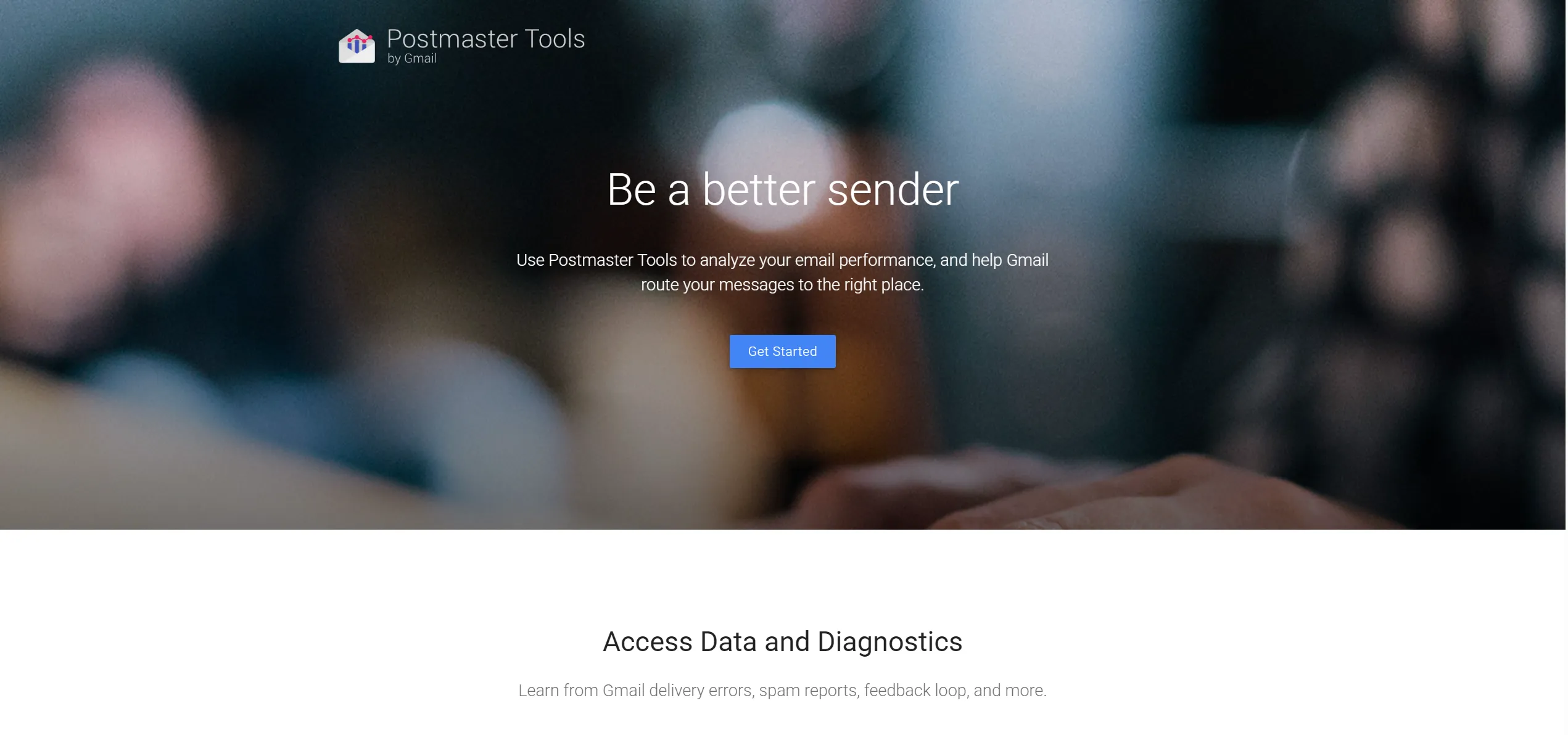
There is no "Universal FBL Registry." To monitor Gmail, you need Google Postmaster Tools. For Yahoo or Outlook, you must apply through their individual, often archaic, portals. Each has its own verification standards and approval timelines. This fragmentation means you can't manage FBLs from a single dashboard; instead, you have to juggle multiple platforms, each with its own learning curve and requirements. For marketers already stretched thin, this complexity can be overwhelming and lead to inconsistent FBL monitoring. Mastering Google Postmaster Tools is a good starting point for understanding this fragmented landscape.
- The Technical Barrier
You can't get an FBL without rock-solid DKIM and SPF authentication. Furthermore, the incoming ARF reports are machine-readable code. Most companies lack the internal tools to parse this data and turn it into an automated "Unsubscribe" action. Learn how to set up proper authentication. Setting up DKIM, SPF, and DMARC requires technical knowledge that many marketing teams simply don't have. Even if you do manage to get authenticated, processing ARF reports often requires custom development work that's beyond the scope of most email marketing operations. This technical barrier is why so many senders either ignore FBLs entirely or handle them manually, which is inefficient and error-prone. - The "Black Box" Effect
Not all providers are transparent. Gmail, for instance, protects user privacy by providing aggregate percentage data rather than individual reports. For most senders, these abstract numbers are nearly impossible to act upon without specialized analytics. You might know that your complaint rate is 0.15%, but without knowing which specific emails are generating complaints or which segments of your audience are complaining most, you can't take targeted action to improve. This lack of granular data makes FBL management feel like flying blind, even for experienced marketers. Understanding how to interpret Postmaster data can help demystify this "black box." - The Operational Lag
Another hurdle marketers face is the "Reporting Delay." While some providers send ARF reports within minutes, Google Postmaster Tools typically operates on a 24 to 48-hour delay. This means that if you see a spike in spam complaints on a Tuesday, the "damage" actually occurred during your Sunday or Monday send. By the time you receive the data, you might have already sent another campaign that repeats the same mistakes, compounding the problem. This delay creates a reactive environment where you're always playing catch-up rather than proactively managing your reputation.
This lag requires marketers to adopt a "Predictive Post-Mortem" approach. You cannot wait for the dashboard to turn red; you must use the initial trickle of ARF data from providers like Yahoo and Outlook as a "canary in the coal mine" to adjust your Gmail strategy before the 48-hour window closes and your reputation takes a permanent hit. By monitoring the providers that report faster, you can identify potential issues early and make adjustments before the slower-reporting providers show significant problems. This proactive approach is key to minimizing reputation damage and maintaining consistent deliverability over time.
5. Frequently Asked Questions
To further clarify the complexities of feedback loops, here are the most common questions we encounter from high-volume senders, along with detailed answers to help you implement an effective FBL strategy.
- Q: Is setting up an FBL free?
A: Yes, almost all major mailbox providers offer FBL services free of charge. However, the "cost" lies in the technical resources required to maintain the DKIM/SPF authentication and the back-end infrastructure needed to process ARF reports. While the service itself is free, the implementation and ongoing management require technical expertise or a service provider that can handle these complexities for you. Many businesses find that the investment in proper FBL management pays for itself through improved deliverability and reduced reputation damage. Learn more about email authentication requirements. - Q: Why am I not receiving FBL reports after signing up?
A: The most common reason is an authentication mismatch. If your DKIM signature does not perfectly match the domain you registered for the FBL, the provider will not send the data to protect user privacy. Ensure your DMARC records are properly configured. Other common reasons include incomplete registration processes, IP address mismatches, or the provider requiring additional verification steps that haven't been completed. If you're not receiving reports, start by double-checking your authentication setup and then contact the provider's support team for assistance. - Q: Does every "Unsubscribe" count as a complaint?
A: No. A standard unsubscribe via a link in your footer is a "clean" exit. A complaint only occurs when the user clicks the native "Report Spam" button in their inbox interface. This is why making your unsubscribe link prominent can actually save your reputation—by providing an easy, non-confrontational way for users to opt out, you reduce the likelihood that they'll resort to the spam complaint button. In fact, many experts recommend making your unsubscribe link not just visible but also easy to use, as frustrating users with complicated opt-out processes can lead to more spam complaints. Discover unsubscribe best practices to minimize complaints. - Q: How does Aurora SendCloud handle FBL?
A: Aurora SendCloud provides integrated FBL management through Google Postmaster Tools integration and automatic complaint handling. Learn more about our sender reputation protection features and complete FBL guide. The platform automatically processes ARF reports from major providers, unsubscribes complaining users in real-time, and provides analytics through tools like MP Monitor to help you identify patterns in your complaint data. This eliminates the need for technical expertise or custom development, making professional FBL management accessible to businesses of all sizes. With Aurora SendCloud, you can monitor your complaint rates across all major providers from a single dashboard, identify issues early, and take action to protect your sender reputation before serious damage occurs.
6. Conclusion
In the modern email ecosystem, the Feedback Loop (FBL) is both your safety net and your competitive edge. Ignoring it means you are "flying blind," likely heading toward a permanent stay in the spam folder. Mastering it means you have a real-time navigation system that constantly refines your deliverability. FBLs aren't just a technical requirement—they're a strategic tool that can help you understand your audience, improve your content, and build stronger relationships with your subscribers over time.
To achieve high-scale deliverability, brands should focus on centralizing these fragmented data streams. Whether through custom-built internal tools or specialized platforms like Aurora SendCloud, turning FBL data into actionable insights is no longer optional—it is a prerequisite for inbox success. The ability to quickly identify and address issues sets apart successful email programs from those that struggle with consistent deliverability. In today's competitive email landscape, having this capability is essential for maintaining sender reputation and ensuring your messages reach the inbox.
Ready to protect your sender reputation? Start using Aurora SendCloud today and benefit from advanced FBL management, real-time analytics, and automated complaint handling to ensure your emails reach the inbox every time. With Aurora SendCloud, you don't have to worry about the technical complexities of FBL management—our platform handles it all, from integrating with multiple providers to automatically processing complaints and providing actionable insights. This lets you focus on what you do best: creating great email content that resonates with your audience, while we handle the technical details of maintaining your sender reputation. For more information on improving your email program, explore our deliverability resources.