Email marketing only works when messages arrive in the actual inbox. A single mistake can reduce the email delivery rate and damage the sender's reputation. One of the biggest risks is email spam traps. These email addresses help the Internet Service Provider (ISP) identify the sender who performs inappropriate mailing practices. A single spam trap can lead to a decrease in inbox reaches and may be added to the block list. Many marketers believe that spam traps are accidental. In practice, however, spam traps are mostly mixed into the email list due to lack of list management, purchased contacts, or insufficient registration process. Fortunately, you can avoid this problem by using the appropriate method. This guide explains what a spam trap is, its type, how it is mixed into a list, how to detect spam traps, and how best to prevent it. By implementing these measures, you can protect sender reputation and maintain campaign performance.
What Are Spam Traps and Why They Matter
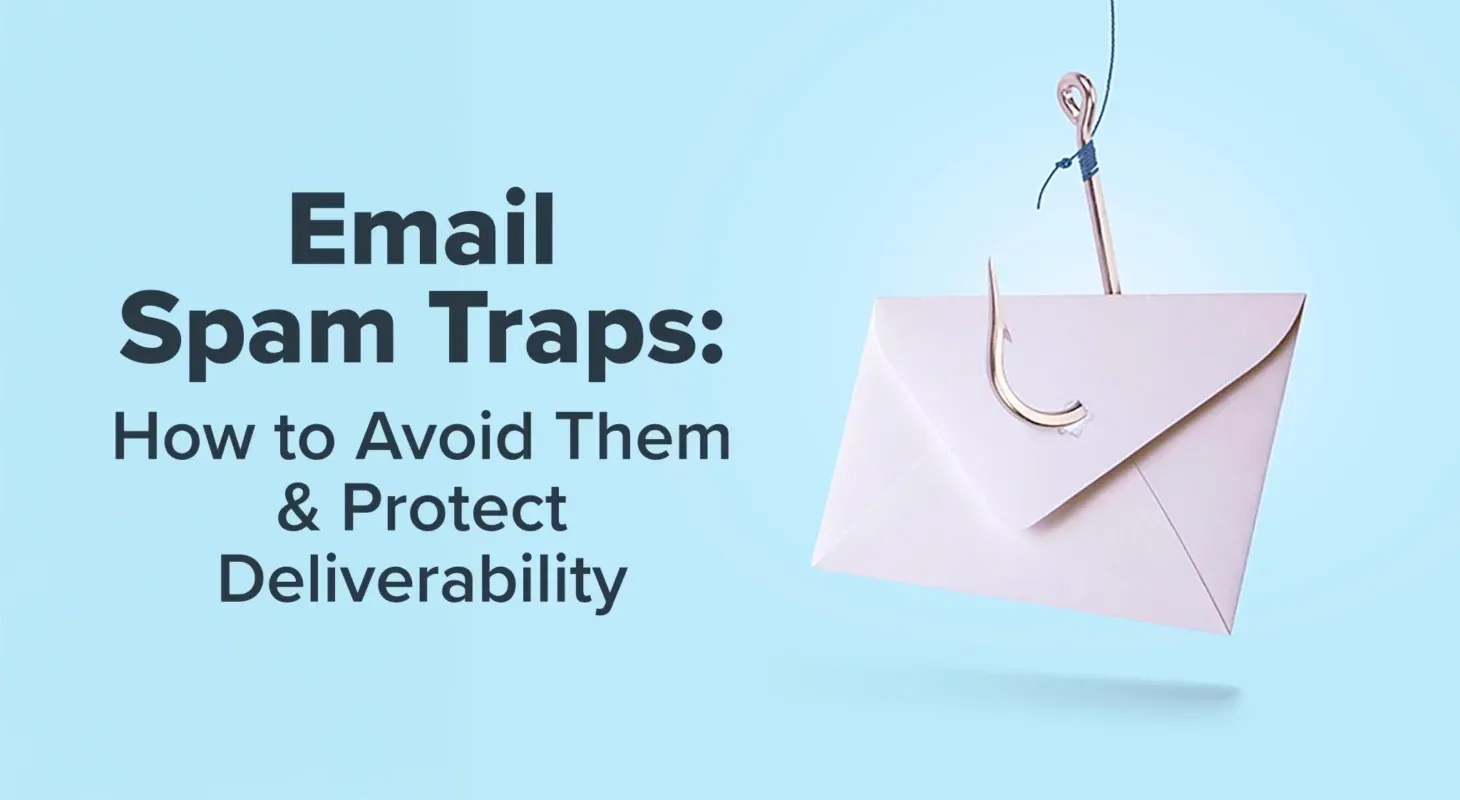
A spam trap is an email address used to identify a sender who does not follow appropriate email marketing practices. These addresses do not belong to active subscribers who wish to receive marketing emails. ISPs, anti-spam organizations and blacklist providers monitor these addresses to identify companies that send spam emails. Many people confuse spam traps with hard bounces and spam complaints. These are different things. Hardbounce occurs when the email address does not exist or the message cannot be received. The mail system usually reports this failure immediately. Spam complaints occur when a subscriber marks an email as spam. On the other hand, spam traps accept emails without indicating they are traps. This makes it difficult to notice unless you are carefully monitoring the performance of your email. Pulling into a spam trap can rapidly damage the sender's reputation. Your email provider may be able to divide emails into spam folders rather than inboxes. If the problem continues, the outgoing domain or IP address may appear in the public block list.
Types of Email Spam Traps
Not all spam traps work the same way. By understanding each type, you can identify the cause of the problem and take appropriate solutions.
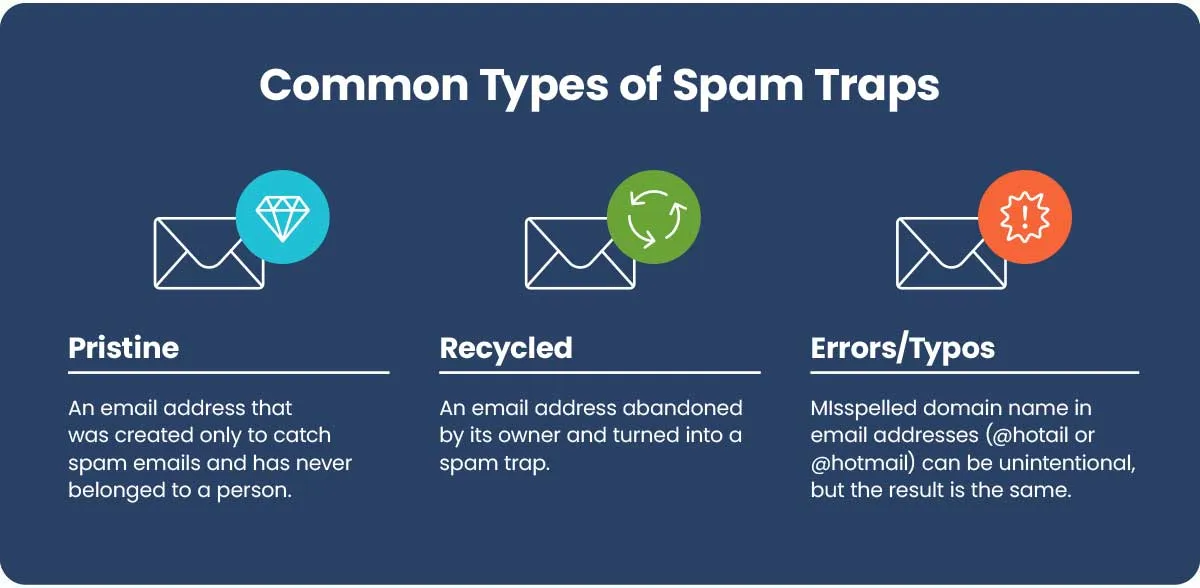
Pristine Spam Traps
Pristine spam traps are email addresses created only for the purpose of capturing spammers. These have never belonged to a real person and have never been registered in a newsletter or marketing email. If you send an email to Pristine Spam Trap, it usually means that you have collected the address through scraping, purchasing a list, or other inappropriate acquisition methods. These traps do the most serious damage to reputation because they clearly indicate that the recipient has never given permission.
Recycled Spam Traps
Recycling spam traps used to be real email addresses. The mailbox provider reused it as a spam trap after the owner left the account for a long time. Before changing the address to a spam trap, providers often return hardbound messages for months. Ignoring these bounces and continuing to send mail increases the likelihood of recycled spam traps. This kind of trap indicates a lack of list management rather than intentional spam. However, repeated pulling reduces the sender's reputation.
Typo Spam Traps
Spam traps with typos arise from spelling mistakes that are common in email addresses. For example, if you enter "shturl.cc" instead of "gmail.com" when registering. Some typo domains are managed by anti-spam organizations. Sending emails to these incorrect addresses without verification can trigger spam traps. Real-time email verification during registration can help reduce this risk and improve data quality.
How Spam Traps End Up on Your Email List
A healthy email list rarely contains spam traps. Usually, it is mixed due to insufficient data collection or inappropriate list management. One of the biggest causes is the purchase and rental of email lists. People who are on the purchased list have never agreed to receive your email and some addresses may have already become spam traps. Therefore, experts recommend that you avoid the list you purchase completely. If you would like to learn more about this risk, please see Aurora SendCloud's guide
Never Buy Email Lists or Barter for Addresses.
Another common cause is the failure to delete the hard bounce. If marketers continue to email invalid addresses, some of them may later become reused spam traps. By utilizing automatic bouncing and suppression lists, this problem can be prevented. Inappropriate registration forms also increase the risk. If the email address is not verified, there is a possibility that the input mistake or fake email address will be mixed into the list Database. Real-time verification eliminates many invalid email addresses before they reach the mailing list. Finally, inactive subscribers are also an issue. Users may abandon their email accounts without notifying them. Regular list organizing and re-engagement campaigns allow mailbox providers to delete inactive contacts before reusing them as spam traps.
Spam Traps and Major ISP Policies
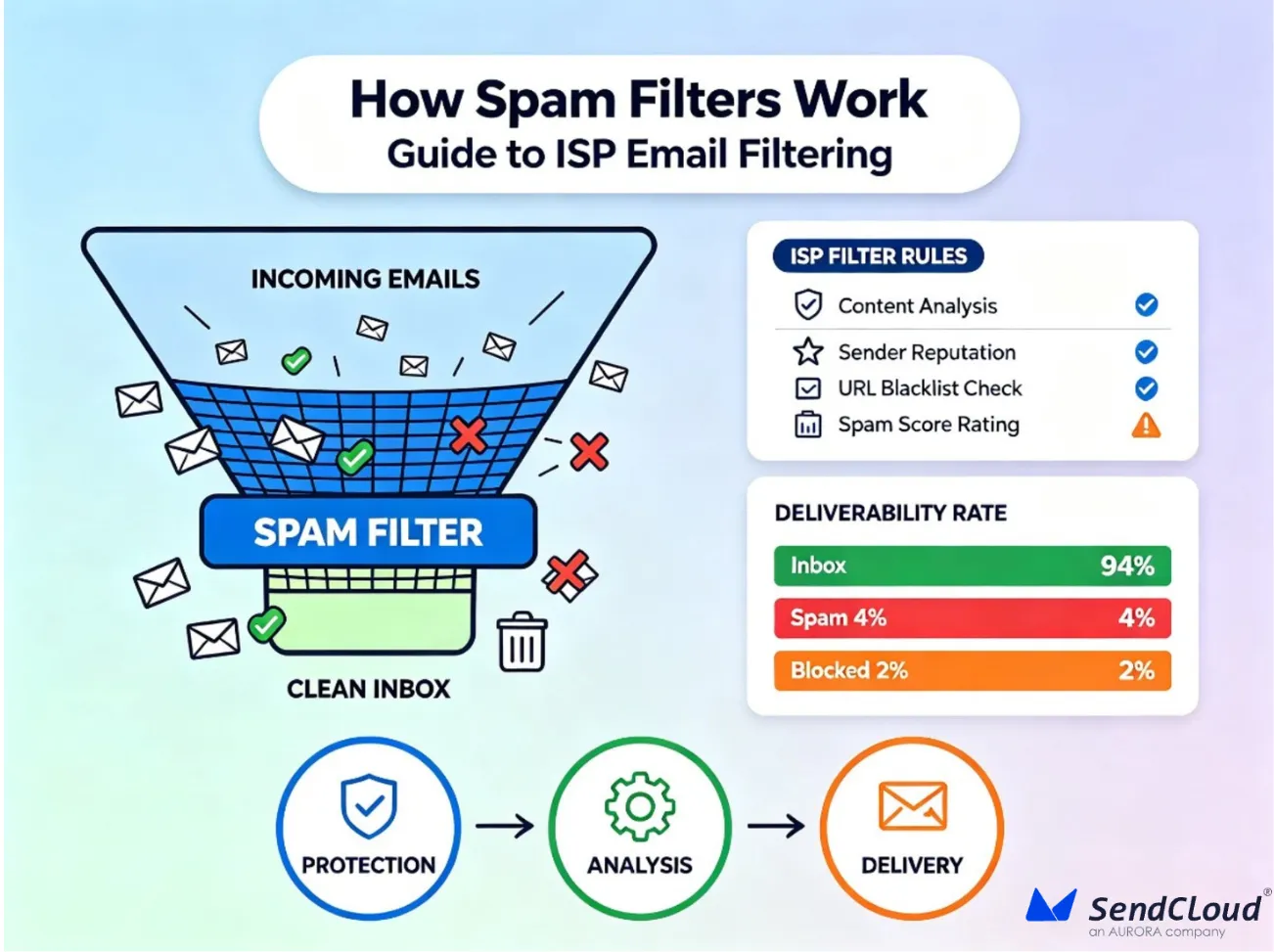
Internet Service Providers (ISPs) use spam traps to protect users from spam. The ISP monitors the sending behavior and determines whether an email should be delivered to the inbox, placed in a spam folder, or blocked completely. If a campaign is caught in a spam trap, the sender's reputation can rapidly decline.
How Gmail, Yahoo, and Microsoft Use Spam Traps
Major email providers such as Gmail, Yahoo, and Microsoft do not publish all the filtering system details. However, both monitor the sender's behavior and use reputation signals to identify inappropriate transmission practices. If an email is caught on a spam trap, these providers may take the following steps:
- Divide more emails into spam folders.
- Reduce inbox delivery rate.
- Slow mail delivery speed.
- If the problem persists, block mail from the source IP address or domain.
We also review other signals such as spam complaints, bounce rates, engagement, authentication records, and transmission history. A hit to a spam trap will have even more severe adverse effects when combined with these negative signals.
Spamhaus, SURBL, and URIBL
There are several organizations that help ISPs identify unnecessary email traffic. Spamhaus tracks spam activity and manages widely used block lists. If Spamhaus detects repeated hits to spam traps, it may list the IP addresses and domains of the source. Many mailbox providers use these lists to determine whether to accept incoming emails. SURBL focuses on links in email messages. Check if the URL is connected to a suspicious or unwanted website. URIBL also tracks domains and links that appear in spam campaigns. Mailbox providers frequently use this information to improve filtering decisions. If your domain is placed on one of these lists, the email delivery rate may decrease until you resolve the problem and apply for deletion from the list.
How Spam Trap Hits Trigger Filtering
Mailbox providers do not judge the sender by a single factor alone. Combine many signals to calculate the sender's reputation. When you get caught in a spam trap, the mail program is often screened. In addition, if a provider confirms a high bounce rate, low engagement, or frequent complaints, it may apply stricter filtering rules.
Repeated hits to spam traps usually result in:
- Reduced Inbox Reaches
- Increase swing rate to spam folders
- Temporary Delivery Delay
- Register as a Block List by Anti-Spam Organizations
- Less trust in the sending domain
Therefore, marketers need to continuously monitor the delivery status rather than wait for serious problems to occur.
Real-World Examples of ISP Enforcement
Many companies experience a sudden decline in email performance after using their purchased email lists. You often notice a decrease in opening rates, an increase in delivery failures, and a deterioration in inbox reaches. Often, the hit to spam traps is one of these problems. Some companies have also been sending emails to inactive subscribers for years. Some of the abandoned accounts are later reused spam traps that gradually reduce the sender's reputation. These examples show why permission-based email marketing remains the safest long-term strategy.
How to Detect Spam Traps in Your Email List
Spam traps are difficult to identify because they do not reveal their existence. Unlike hardbounce, it usually accepts emails without sending error messages. Instead of looking for individual spam trap addresses, focus on warning signs.
Assessing Spam Trap Impact
The level of risk varies depending on the type of spam trap.
| Spam Trap Type | Risk Level | Business Impact |
|---|---|---|
| Pristine Spam Trap | Critical | Serious reputation damage and possible blocklisting |
| Recycled Spam Trap | High | Strong indication of poor list hygiene |
| Typo Spam Trap | Moderate | Shows weak email validation during signup |
The number of hits to spam traps is also important.
- If even one Pristine spam trap is found, it must be addressed immediately.
- If you find multiple recycled spam traps, you need to clean up the list.
- If spam traps with typos occur frequently, the validation during registration is insufficient.
The higher the number of hits to the spam trap, the greater the risk to the sender reputation.
Monitor Bounce Rates and Delivery Failures
Spam traps usually do not bounce, but abnormal delivery patterns often have hidden problems.
Note the following:
- Increase Hardbounce Rate
- Sudden delivery failure
- Reduced Inbox Reaches
- Reduced opening rate
- Unexpected drop in campaign performance
If you encounter these problems at the same time, please review the list immediately. With Aurora SendCloud's Email Bounce and Sender Reputation First Aid guides, you can conduct surveys before your delivery issues become serious.
Identifying Suspicious Engagement Patterns
By leveraging engagement data, you can discover issues lurking in the list before they become serious. A healthy subscriber opens an email, clicks a link, and sometimes replies and purchases. In spam traps, such actions are never seen.
Review reports regularly and note the following:
- Contacts that do not open the email once.
- Groups with many inactive subscribers.
- Reduced open and click rates.
- Increased spam complaints.
- Reduced inbox reaches.
If your contacts remain inactive for a long time, start a re-engagement campaign. Delete subscribers who do not react after several attempts. This simple procedure allows you to maintain the health of your mailing list and reduce the risk of reused spam traps.
Using Deliverability Monitoring Tools
A good delivery status monitoring system provides early warning signs before the sender's reputation drops.
Track the following key indicators:
- Inbox Reaches
- Hardbounce Rate
- Spam complaint rate
- Open Rate
- Click Rate
- Block List Registration Status
- Sender Reputation Score
Periodic monitoring allows you to identify issues before they affect your entire email program. If your domain is in the blocklist, start the recovery process by following Aurora SendCloud's Delete Domain from Spamhaus guide.
How to Remove Spam Traps and Recover Your Reputation
Recovery from a hit to a spam trap takes time, but executing a systematic process increases your chances of success.
Step 1: Stop Sending to the Problem List
Pause campaigns using affected lists. If you continue to send e-mail, the damage will increase further.
Step 2: Remove Invalid Contacts
Delete purchased contacts, scraped addresses, inactive subscribers, repeated hardbounce addresses, and invalid email addresses.
Step 3: Improve Email Validation
Leverage the real-time email verification feature on all registration forms. This prevents inputs and fake email addresses from entering the database.
Step 4: Process Bounces Automatically
Create a suppression list and set the system to stop sending emails to addresses that are permanently unreleased.
Step 5: Contact Blacklist Operators
If the domain is in the public block list, please fix the root cause first. After that, please explain the improvements you have made and ask the blacklist operator to delete them.
Step 6: Rebuild Your Reputation
Start with the most active subscribers. Send small campaigns, increase engagement, and then increase the amount of transmission. Recovery usually takes several weeks. Depending on the number of hits to the spam trap and the state of the sender reputation, it may take months in serious cases.
Building a Spam-Trap-Free Email Program
The best way to protect sender reputation is to prevent spam traps from entering the list.
| Root Cause | Prevention Strategy |
|---|---|
| Purchased email lists | Never buy or rent lists. Use double opt-in. |
| Ignoring hard bounces | Automate bounce processing and use suppression lists. |
| No email validation | Verify every email address during signup. |
| Poor list hygiene | Remove inactive subscribers regularly. |
| Scraped or co-registered emails | Collect subscribers through organic signup methods only. |
Other best practices include:
- Adopt double opt-in for all new subscribers.
- Check the quality of the list every month.
- Regularly delete inactive contacts.
- Monitor the status report every time after the campaign is conducted.
- Clearly assign responsibility for list management.
- Protect the registration form from fake registration.
Follow these practices to reduce the risk of spam traps and improve email delivery rates.
How Aurora SendCloud Supports Spam Trap Prevention
Aurora SendCloud offers several features that help companies maintain a clean email list and protect sender reputation. The platform has real-time delivery tracking capabilities to identify delivery failures early. Automated bounce processing distinguishes permanent and temporary failures and facilitates list maintenance. Use AI to check content quality to reduce spam signals before sending campaigns. If sender reputation drops, Aurora SendCloud also provides delivery guidance to help you recover.
Useful resources include:
- First Aid for Sender Reputation
- Email bounce
- Never avoid purchasing email lists or bartering addresses
- Email Verification
- Delete a domain from Spamhaus
- Managing Suppression Lists
These resources support a comprehensive email delivery strategy, from list building to reputation recovery.
Frequently Asked Questions
What's the difference between a spam trap and a hard bounce?
Hardbounce occurs when the email address cannot receive the message. On the other hand, spam traps accept emails and secretly measure the sender's inappropriate practices.
Can I get removed from a spam trap list?
Yes. First fix the cause of the problem, clean up the email list, and then request deletion. The domain is listed in the public block list.
How do spam traps affect sender reputation?
When a spam trap is pulled, the reliability of the sender decreases, the arrival rate of the inbox decreases, the likelihood of being registered in the block list increases, and the overall delivery rate of the mail decreases.
What percentage of spam traps is acceptable?
0%. Even a single spam trap can affect the sender's reputation, especially if it is a "pristine spam trap."
How often should I scan for spam traps?
Check your monthly email list and delivery report. You need to monitor your campaign's performance every week if you want to do mass transmission.
Do double opt-in lists guarantee no spam traps?
No. Double-opt-in significantly reduces risk, but regular email verification, bouncing and list maintenance are still required to maintain a healthy email list.
Summary
Spam traps are still one of the biggest threats to email delivery as they can damage sender reputation without obvious warning signs. Many of the problems with spam traps are due to improper list management, purchased contacts, insufficient registration verification, or deletion of inactive subscribers. The best measures are permission-based email marketing, regular list cleanup, automatic bounce processing, and continuous monitoring. By keeping your email lists clean and following appropriate transmission practices, campaigns will reach more inboxes, and reputation will remain robust, improving long-term email performance with the help of platforms like Aurora SendCloud.