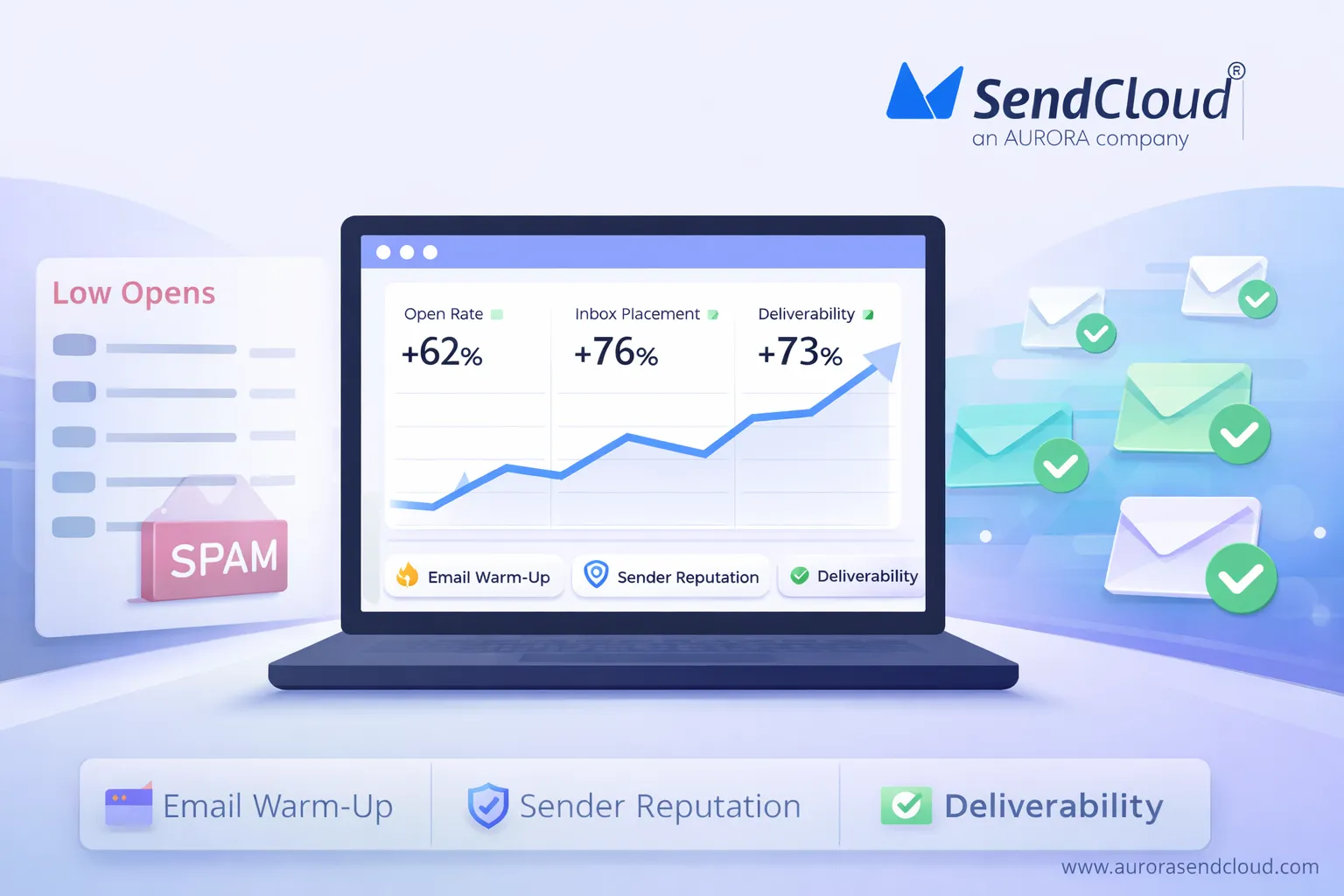
You send email campaigns, but opens stay low and a lot of messages slip into spam. At the same time, email is huge: about 4.6 billion people use it, and roughly 376 billion emails go out every day, with brands earning around $36 for every $1 spent when email marketing works well. In many cases, the weak link is not the copy, but a missing or rushed email warm up.
Email warm up means slowly raising how many emails you send from a domain or IP and starting with subscribers who are most likely to open and click. Inbox providers watch those early sends, track bounces and complaints, and build a profile of your sender reputation.
When they see steady, positive signals, they begin to trust that traffic. More campaigns reach the main inbox instead of spam, open rates rise, and sender reputation turns into a long‑term asset rather than a constant problem.
Why Is Your Email List Inactive and Getting Such Low Opens
Most inboxes are crowded now. In 2025, people receive around 82 emails a day on average, and global traffic is projected at 376.4 billion emails per day. Almost half of that is spam or near‑spam, so inbox providers are strict about what they let into the main tab. In that environment, an inactive list with weak engagement is an easy target for filters.
Global benchmarks show average open rates in the 35–42% range across major platforms. If your list sits closer to 5–10%, inboxes start to read that as a negative signal. Many subscribers on an old list no longer remember signing up, some addresses are no longer valid, and a few people may mark your messages as spam instead of unsubscribing. At the same time, about 46–47% of global email traffic is classified as spam, which makes providers even more cautious with any sender that shows low opens and mixed signals.
Over time, that pattern turns into a poor sender reputation. New campaigns from the same domain are treated with suspicion, even if the content is better. Without a fresh engagement pattern and a structured email warm up, your emails keep landing in the least visible parts of the inbox, and the list looks “dead” even though many addresses still work.
What Is Email Warm-Up and How Does It Help Deliverability
Email warm up is the process of slowly increasing how many emails you send from a new or inactive domain or IP, starting with your most engaged subscribers. Instead of jumping from zero to tens of thousands of messages in a day, you build volume over several weeks while inbox providers watch how real people react.
This step matters because the baseline environment is harsh. Around 376.4 billion emails are sent every day, and roughly 49% of global email traffic is spam. Gmail alone blocks more than 15 billion spam, phishing and malware emails each day, so anything that looks new, sudden or low‑engagement is treated with caution.
What Is Email Warm-Up
During email warm up, you start with a small batch of highly active contacts, then raise volume step by step as long as opens stay healthy, bounces stay low and complaints stay near zero. Twilio, Suped and other deliverability providers all describe this same pattern: a ramp that usually runs from 2–8 weeks, depending on your list size and how often you send.
Recent deliverability research shows how big the gap can be. Warmed domains often reach 80–90% inbox placement, while similar senders who skip warm up see closer to 20–40% hitting the main inbox. A 2023 case study from Inboxroad reported a client moving to a 98.8% delivery rate after following a structured warm‑up plan.
How Email Warm-Up Helps Deliverability
Gmail, Yahoo and other providers now expect bulk senders to authenticate with SPF, DKIM and DMARC ,and keep user‑reported spam rates below 0.3%, ideally under 0.1%. Email warm up supports those rules in a simple way:
You send first to people who usually open and click. That behavior sends strong positive signals (engagement, low complaints, few bounces). As you increase volume, inbox providers see a consistent, low‑risk pattern from your domain and IP, so more of your mail goes to the primary inbox instead of spam. Over time, that history becomes your sender reputation—the base that supports higher volumes, better open rates and more stable performance from every campaign you run.
What Are the Key Email Warm-Up Best Practices and Mistakes
Email warm up works best when two things happen at the same time: clean data and patient ramp‑up. Across industries, average open rates now sit around 43% in many ESP datasets, but true human opens are closer to 25–35% once privacy noise is removed. When a sender launches from a cold domain, sends to a tired list, and pushes volume too fast, results fall far below those benchmarks. Spam filters then treat that pattern as normal for your brand, and every later campaign has to fight against it.
Strong email warm up flips that pattern. You start with people who actually want your emails, send helpful content, and grow volume over weeks instead of days. At the same time you avoid moves that almost always end in trouble: blasting full volume from day one, using purchased lists, or sending hard‑sell offers during the ramp.
Key Principles for a Successful Warm-Up
The first rule is list quality. Deliverability teams now treat permission and engagement as non‑negotiable. Bought lists almost always contain invalid addresses and spam traps, which drive high bounce rates and blocklisting. Healthy programs aim for bounces under 2% and spam complaints under 0.1%; above 0.3% Gmail and Yahoo start to clamp down. Warm up should always start with a clean, opted‑in segment that has opened or clicked in the past.
Content is the second pillar. Transactional and highly relevant emails routinely see 50–80% open rates, while broad marketing sends often live closer to 15–22%. During warm up, emails should look closer to the “expected and useful” side of that spectrum: welcome messages, helpful updates, simple newsletters. That pattern tells inbox providers your messages are wanted, not noise.
The third pillar is pacing. Recent warm‑up guides point to 2–8 weeks as a normal range, with lower volumes warming in 2–4 weeks and high‑volume goals taking 8–12 weeks. You raise volume only when opens stay healthy and complaints stay low. That slow build is what gives a domain a stable sender reputation instead of a spike and crash.
Critical Warm-Up Traps Beginners Must Avoid
-
1
Skipping warm-up and sending at full volume
Cold domains that jump straight into large campaigns behave a lot like spam in the eyes of filters. A 2023 analysis found that senders who skipped domain warm up saw up to 68% more spam flags than those who ramped over several weeks. Other studies report warmed domains reaching 60–80% inbox placement, while cold ones sit closer to 20%. Recovery from that kind of start can take months and sometimes forces a move to a new domain. -
2
Using low-quality or purchased lists
Purchased lists often combine old data, invalid addresses and spam traps. Vendors like Suped and Zoho now treat them as a top reason for blocklisting and failed warm ups, because they push bounce rates well beyond safe levels and drive spam complaints. Healthy programs keep bounces under 2%; once bounces pass 4–5%, many providers start throttling or rejecting traffic. Any warm‑up plan that runs through a bought list is almost guaranteed to poison sender reputation instead of building it. -
3
Sending aggressive sales content during warm-up
Heavy sales language, lots of links and big images from a new sender are classic spam signals. At the same time, benchmarks show that “service‑style” emails perform far better: transactional and post‑purchase emails get up to 217% higher opens than standard promotions, and welcome emails can clear 80% open rates. Warm up should lean toward that style—simple, useful, low‑friction content—so recipients engage and complaints stay well under Gmail’s 0.1–0.3% thresholds. That engagement is what turns a new or inactive domain into a sender inbox providers trust.
How Can You Automate Email Warm-Up with Aurora SendCloud
Email warm up takes time, math and constant checks. You have to watch each mailbox provider, limit daily sends, and react fast if delivery or engagement drops. Most guidance from ESPs suggests a ramp of 4–8 weeks, raising volume by about 20–30% a day while you track opens, bounces and spam rates.
Aurora SendCloud builds this logic into its platform. The warm-up tools control send rates at the IP and domain level and react to real delivery data instead of guesses. The same engine now supports 200,000+ customers with an average 99.61% delivery rate in 2024, 34.29% open rate, and 3.5+ billion emails sent each month, so the warm-up logic runs on proven, high-volume infrastructure.
Automatic IP Warm-Up for Shared and Dedicated IPs
Aurora SendCloud offers automated IP warm-up for both shared and dedicated IPs. The service starts with smaller batches and gradually increases email volume so providers see a steady, safe pattern instead of a sudden spike.
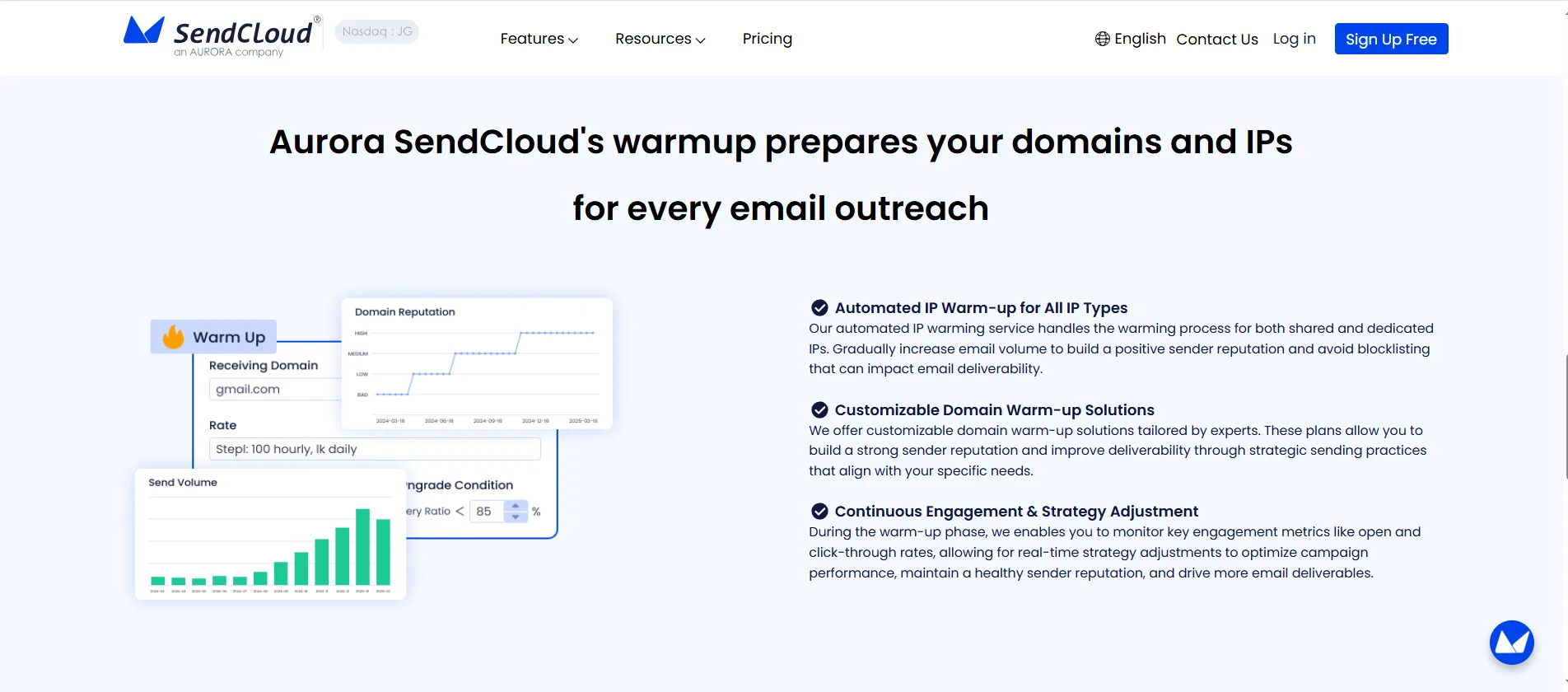
Key points:
- New or reassigned IPs enter an automated warming plan instead of sending at full capacity from day one.
- Volume ramps up over time to build a positive sender reputation and avoid blocklisting that would hurt deliverability for all future campaigns.
- Because IPs are warmed in a controlled way, you avoid the common trap where a single large campaign from a “cold” IP triggers throttling or hard blocks at major inbox providers.
This IP layer supports both transactional and marketing streams, so high‑value traffic like receipts and password resets does not suffer when you start scaling promotional sends.
Customizable Domain Warm-Up for Key Inbox Providers
Warm up also needs to respect limits at the domain level (for example, gmail.com, yahoo.com). Aurora SendCloud handles this through a Warm Up Sending switch in its campaign settings and through domain-focused warm-up features in its marketing tools.
When Warm Up Sending is enabled for a campaign:
- You choose an initial hourly rate for a domain.
- Aurora SendCloud monitors the delivery rate for that mailbox provider.
- If delivery stays above 85%, the platform automatically raises the send rate every 24 hours, following an internal rate table (from about 1,000 emails per day up to 250,000 emails per day in staged steps).
- If delivery drops below the threshold, the system reduces the rate instead of pushing more volume into a risky situation.
On the marketing side, the warm-up feature:
- Supports warmup for designated domains, so you can treat Gmail, Yahoo and corporate domains differently.
- Runs automatically after simple rule settings, without daily spreadsheet edits.
- Be backed by expert warm-up plans for senders with complex or high-volume needs.
This mix gives you domain-level control while keeping the process rule-based and repeatable.
Continuous Engagement Monitoring and Strategy Adjustment
Warm up only works if the engagement behind it is real. Aurora SendCloud ties its warm-up tools into tracking, analytics and suppression so decisions follow live data, not assumptions.
- The tracking module records opens, clicks, unsubscribes and spam complaints in real time. You switch this on under Settings → Tracking, with options for open, click and unsubscribe tracking.
- The analytics dashboards show delivery status, sending queues by domain, and trends over time, plus Google Postmaster and Yahoo CFL data such as spam rate and domain reputation.
- Suppression lists (block, bounce, complaint, unsubscribe) automatically filter risky addresses, which keeps bounce and complaint rates low during the warm-up period.
Because Aurora SendCloud tracks all of this centrally, the warm-up engine can react quickly. If a domain’s delivery, opens or complaint rates shift, send rates and targeting adjust, and the sender reputation you build stays stable instead of spiking and crashing with each new campaign.
How Does Strong Email Deliverability Help Your Business Long Term
Strong email deliverability turns campaigns into a stable, compounding channel instead of a hit‑or‑miss experiment. When most emails reach the inbox, core benchmarks move into a healthy range: open rates closer to 25–35% instead of single digits, consistent click‑through, and predictable traffic to your site or store. Industry reports still place email among the top ROI channels, often around $36–$42 earned for every $1 spent when lists are clean and deliverability is solid. Over time, that performance compounds across launches, promotions and lifecycle flows.
Good deliverability also lowers hidden costs. Fewer emails bouncing or going to spam means less wasted send volume, fewer complaints, and less risk of blocklisting. That protects your domain so new campaigns do not have to “fight” a bad history each time. Retention programs—welcome series, win‑backs, post‑purchase flows—work better when they actually land in the inbox, which can lift repeat purchase rate and customer lifetime value without extra ad spend.
Final Thoughts
Email warm up is the starting layer behind this long‑term effect. By building reputation slowly, keeping complaint rates low and sending to engaged subscribers first, you create a history mailbox providers trust. That history supports higher volumes, better results and a channel you can rely on for years instead of a few lucky sends.
Email warm-up sits at the start of every healthy email program, not on the sidelines. A new or inactive domain that jumps straight to full volume almost always pays for it in spam placement, weak open rates and a damaged sender reputation that can take months to undo. A steady warm-up, built on engaged subscribers and useful content, does the opposite. It shows inbox providers consistent interest, keeps complaints low and turns your domain into a trusted sender that can support bigger campaigns and better long‑term performance.
Aurora SendCloud takes the manual work and guesswork out of that process. Its IP and domain warm-up tools control send rates, watch delivery and engagement in real time, and adjust automatically when conditions change. You stay focused on offers and content while the platform protects deliverability in the background. Visit Aurora SendCloud today to run intelligent email warm-up on infrastructure built for inbox placement.