Email marketing only works when your emails reach the inbox. Your sender reputation decides that. You can think of it as an invisible passport that email providers check before they accept your message. If your sender reputation drops, your email delivery suffers, and your emails start facing email rejection or end up with emails landing in spam. Many businesses keep sending emails without checking their email deliverability rate. As a result, they lose leads, sales, and trust.
This guide explains clear signs of poor sender reputation, the real causes behind it, and step-by-step methods for sender reputation repair. You will also learn how to manage IP reputation and domain reputation using practical tools like Aurora SendCloud.

Crisis Diagnosis: 7 Signs Your Sender Reputation Is Failing
Before you fix your email issues, you need to understand what is going wrong. These are the indicative red flags that will ensure you are able to easily identify a poor sender reputation and take appropriate measures to ensure that your email delivery rate is improved.
1 High Email Rejection Rates Across Campaigns
In case your mails do not get to your recipients, your email delivery system will give you bounce messages. It is referred to as email rejection. By the time you realize that you have gotten a lot of negated emails, your sender reputation might already be slightly ruined. Hard bounces (bad emails) have a direct negative impact on your email delivery rate. The repetitive nature of soft bounces (temporary issues) also leads to problems. This issue is usually caused by poor quality of lists and old contacts. You disregard it and your IP reputation is ruined within a short time.
2 Emails Landing in Spam Instead of Inbox
Emails being placed in the spam are one of the largest red flags. Although your system may indicate that you have sent it successfully, it is more important to be in an inbox. Spam filters examine the domain reputation, the quality of the content and the user behavior. In the event that your mails are poorly interacted with or are getting lots of complaints, email providers no longer trust your sender. This means that your email delivery will be good on paper, yet your actual reach is minimized.
3 Sudden Increase in Spam Complaints
The spam complaints directly hurt your sender reputation. Once people label your email as spam, email providers such as Gmail are monitoring this activity. A complaint rate of higher than 0.1 percent may damage your email delivery rate. This problem is usually brought about by poor targeting, misleading subject lines and sending without authorization. Repeated complaints also lower your reputation in the domain and chances of being rejected with your emails.
4 Low Open Rates and Engagement
Limited interactions are an indicator of low trust. As the users stop opening your emails, then your sender reputation decreases. Providers of email monitor clicks and opens as well as replies. Unresponsiveness to your emails sends the wrong message to the user. It gradually changes to spam emails. This contributes to the increased spam where people do not even get to respond.
5 Blacklist Listings on Anti-Spam Databases
If your IP or domain appears on a blacklist, your IP reputation or domain reputation has already taken serious damage. Blacklists track senders involved in spam-like activity. Once listed, your email delivery faces heavy filtering or complete blocking. This often results in high email rejection rates and poor sender reputation.
6 Email Authentication Failures (SPF, DKIM, DMARC)
Authentication helps verify your identity. If SPF, DKIM, or DMARC fail, email providers cannot trust your emails. Authentication errors lower your sender reputation and cause emails landing in spam. They also increase the chances of email rejection. A strong setup supports better email deliverability rate and protects your domain reputation.
7 Irregular Sending Patterns Trigger Filters
Sudden spikes in sending volume raise red flags. If you send thousands of emails after long gaps, providers see it as risky behavior. This affects your IP reputation and sender reputation. Consistency plays a key role in stable email delivery. Without it, your emails may face delays, spam filtering, or rejection.
Reputation Rebuilding: A 4-Step Sender Reputation Repair Plan
Once you identify the issue, you need a clear repair strategy. Below is a practical roadmap using Aurora SendCloud to fix your sender reputation and improve your email deliverability rate.
Step 1: Full Checkup and Immediate Sending Pause
Start by reviewing your current email performance to understand what is going wrong. A quick pause in sending helps prevent further damage and gives you time to assess your sender reputation and stabilize your email delivery system.
Analyze Key Metrics Using Aurora SendCloud
Aurora SendCloud provides a detailed dashboard. You can track your email deliverability rate, bounce types, and complaint rate in one place. Check:
- Hard and soft bounce rates
- Spam complaint percentage
- Inbox vs spam placement
- Open and click rates
This data helps you understand your current sender reputation, IP reputation, and domain reputation.
Pause Non-Essential Email Sending
Stop all marketing emails temporarily. Continuing to send emails during a crisis worsens your sender reputation. Focus only on critical transactional emails. This pause helps stabilize your email delivery and prevents further email rejection.
Step 2: Deep Cleansing – Fix Your Email List and Strategy
Now focus on fixing the core issues behind your poor sender reputation. Clean your email list, remove harmful contacts, and review your strategy to improve email deliverability rate and reduce email rejection.
Clean Your Email List Properly
List cleaning is one of the most important steps in sender reputation repair. Remove:
- Invalid email addresses
- Inactive users
- Purchased or scraped contacts
- Repeated hard bounces
A clean list improves your email deliverability rate and protects your IP reputation.
Review Your Content and Signup Methods
Poor content leads to emails landing in spam. Fix your subject lines, avoid spam words, and write clear messages. Also review how you collect emails. Use double opt-in to ensure real users join your list. This improves your domain reputation and reduces email rejection.
Step 3: Controlled Warm-Up and Reputation Rebuilding
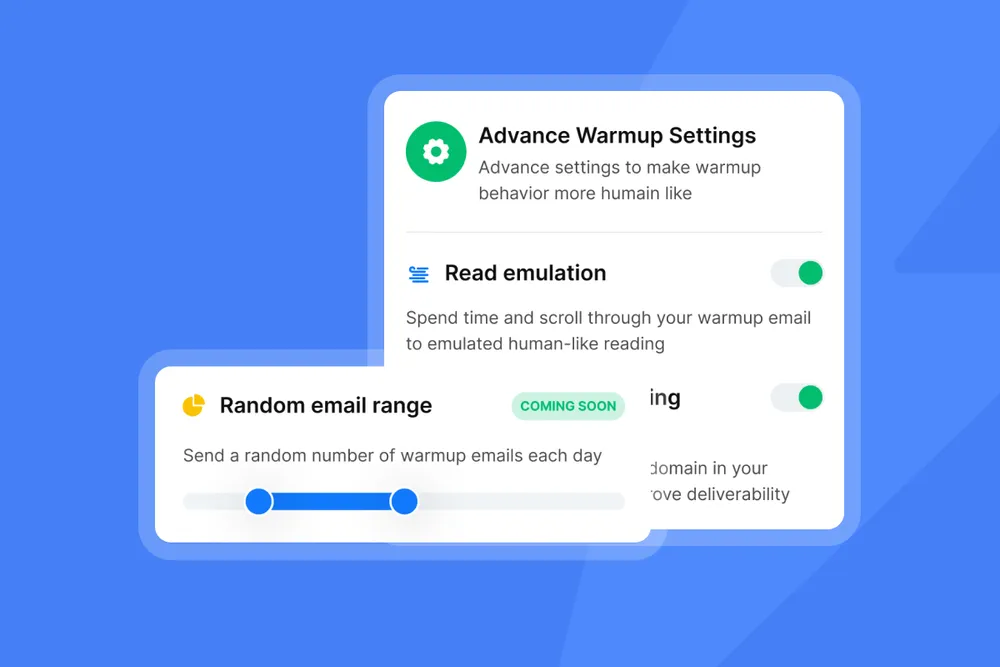
After cleaning your list and fixing key issues, you can begin rebuilding your sender reputation. This stage focuses on restoring trust with email providers by sending emails in a controlled way and improving your email deliverability rate over time.
Start with a Dedicated IP or Subaccount
Using a dedicated IP helps isolate your IP reputation. Aurora SendCloud allows you to create subaccounts for better control. This prevents issues from shared senders and improves your email delivery control.
Increase Sending Volume Gradually
Start with a small number of emails. Send them to your most engaged users first. Then slowly increase volume over time. This process builds trust and improves your email deliverability rate. Avoid sudden spikes. Consistent growth protects your sender reputation and reduces emails landing in spam.
Step 4: Long-Term Monitoring and Best Practices
Constant checks and discipline are the key to long-term success. Once you have finished repairing sender reputation, you need to monitor the performance and correct minor problems in a short time and adhere to the best practices to maintain the email deliverability rate and avoid emails going into spam.
Set Alerts for Key Metrics
Use Aurora SendCloud to track:
- Bounce rates
- Spam complaints
- Inbox placement
Set alerts for unusual changes. This helps you react early and protect your email delivery
Maintain Authentication Setup
Always verify SPF, DKIM and DMARC. Correct set up enhances your domain reputation and avoids email rejection. Frequent scans are required to maintain the trustworthiness of your system on the side of email providers.
Keep Sending Consistent and Relevant Emails
Consistency builds trust. Use a regular schedule when sending emails and be quality-driven. Relevant content will enhance your engagement and hence, higher delivery rate of your emails and less emails in spam.
FAQ: Sender Reputation and Email Deliverability
Q1: What should I do if my IP is already blacklisted?
To begin with, quit mailing emails right now. Determine the reason behind the problem and purge your list. After that ask to be blacklisted. The step will assist in regaining your IP reputation and aid in repairing sender reputation.
Q2: Shared IP vs Dedicated IP – Which is better?
There is distribution of risk with a shared IP and complete control with a dedicated IP. A dedicated IP can assist in defending your sender reputation and will increase your email deliverability rate in case you are sending large volumes.
Q3: How long does sender reputation warm-up take?
The warm-up process normally lasts between 2 and 6 weeks. This will be determined by the amount of sending and interaction. Constant growth and proper interaction by the user enhance your email delivery and minimizes emails which are sent to the spam box.
Q4: Which tools can I use to check reputation?
You can use tools like:
- Google Postmaster Tools
- MXToolbox
- Spamhaus
These tools help track your IP reputation, domain reputation,and overall sender reputation.
Conclusion:Sender Reputation is a Long-Term Asset
Your sender reputation directly controls your email delivery success. Bad reputation translates to email rejection, low response, and increased mails in spam. Conversely, a good reputation means a high email deliver rate and constant outcome. Sender reputation repair must be considered as an option not an option. Begin with problem identification, purge your list, repair your plan and restore confidence bit by bit. Track your progress with the help of such tools as Aurora SendCloud and secure your IP reputation and domain reputation.