If you're having trouble sending emails, your domain might be on the Spamhaus DBL (Spamhaus Domain Blocklist). Spamhaus DBL is widely used domain blocklist that identifies domain associated with spam. When your domain is on this list, emails can bounce or get rejected. This causes big problems for your business. But don't worry! This guide will show you how to remove your domain from blocklist. With the right steps , this can be slove effectively.
Quick Answer: How to Remove your domain from Spamhaus DBL
- Check your domain status on Spamhaus
- Identify the reason for listing
- Fix the underlying issue
- Submit a delisting request
- Wait for approval and verify removal
What Spamhaus DBL means for email delivery?
When your domain hits Spamhaus DBL, email delivery instantly fails. Mail servers worldwide block your messages, causing:
Email Rejection Risk:
- Emails sent from this domain may be blocked by recipient servers (displaying errors such as "MailFrom domain is listed in Spamhaus").
Crushed Sender Reputation:
- Your domain/IP reputation will decrease even if email content isn’t flagged, affecting future deliverability.
- This may further trigger other blocklists (e.g. SURBL) if unaddressed.
Lost Business Opportunities:
- Marketing emails may fail to reach users, losing conversion opportunities.
- Transactional emails (e.g. order notifications, password resets) may become invalid, causing customer complaints.
Quick Spamhaus DBL removal is the only way to restart smooth email delivery.
Check if your domain is on the Spamhaus DBL
You need to check if your domain is really on the Spamhaus DBL.
- Go to the Spamhaus. Use their lookup tool.
- Enter your domain name, like "yourdomain.com".
- If it shows your domain is listed, you'll see a warning.
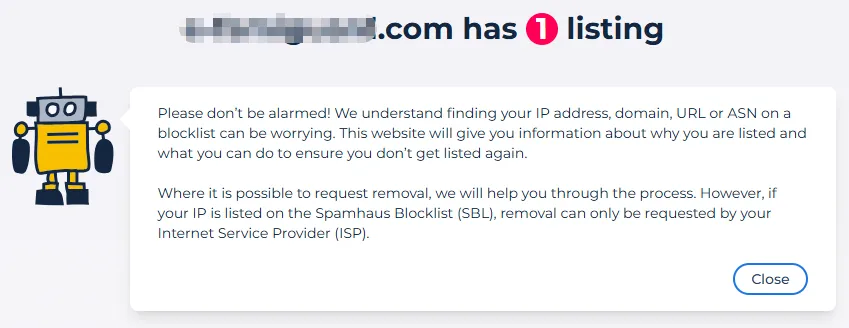
This means it's time for a Spamhaus DBL removal. Always do this check before starting the fix.
How to remove your domain from Spamhaus DBL?
Removing your domain is a simple process. Follow these steps to delist from Spamhaus:
-
Step1
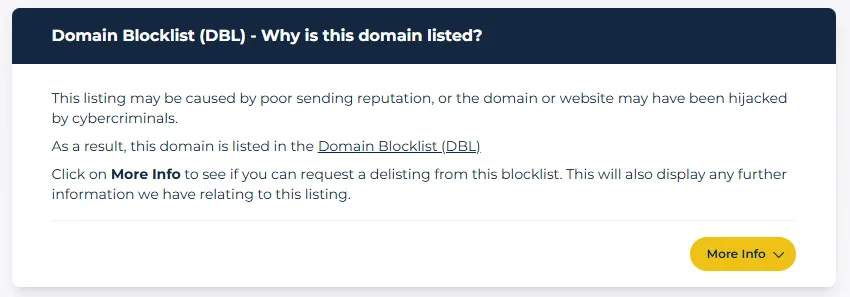
Identify Why Your Domain Was Listed
Spamhaus will show you why your domain was put on the Spamhaus DBL. Fix this first. Stop any bad email practices.
-
Step2
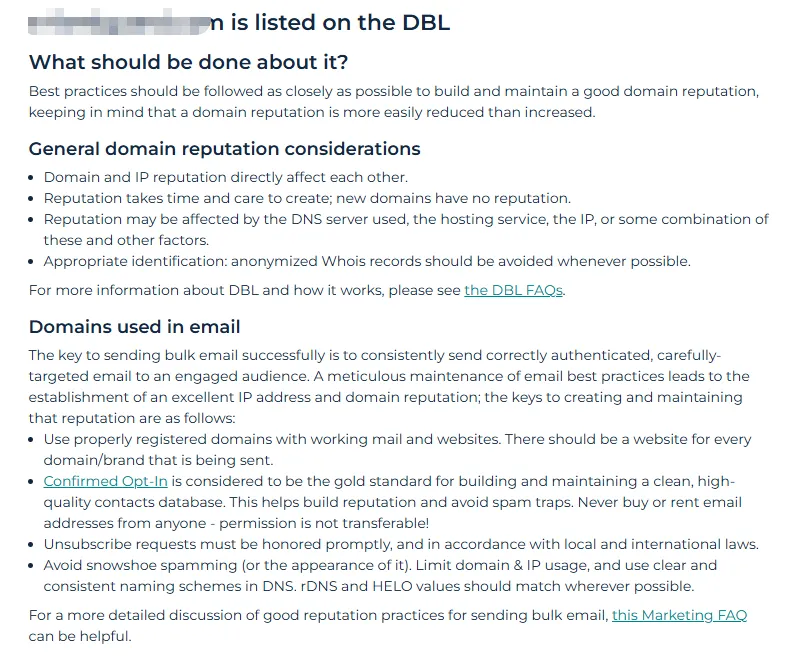
Fix the Root Cause
Click on [More Info] under the reason of the [ Why is this domain listed?] to see if you can request a delisting from this blocklist. This will also display additional information related to the listing .Follow the prompts to make your changes.
-
Step3
Submit a removal request
- Under the reason [Why is this domain listed?], check the box that says " I have read all the information relating to this listing and understand that re-listing may occur if I haven't fully resolved these issues."
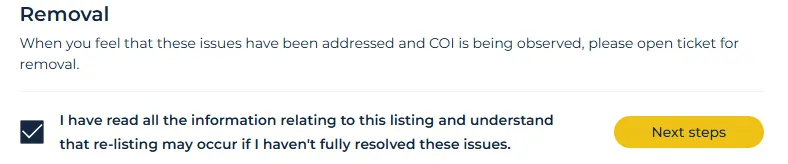
- Click [Next steps] and complete the form. Explain that you have resolved the issues. Please be honest and polite. Spamhaus will review your request. This is a key part of the domain blacklist removal process.

-
Step4
Wait for approval
Spamhaus usually answers within 24 hours. If they approve, your domain is off the list. Check the Spamhaus Domain Blocklist status again to confirm. If it's removed, your emails should work fine.
Remember, this Spamhaus DBL removal can be quick. But always check the rules on their site. This helps you avoid mistakes.
How to avoid getting listed again?
To prevent future issues, follow these tips. They help you get off Spamhaus DBL and stay off:
- Use good email practices: Only send emails people want. Ask them to subscribe first. Don't buy email lists. This stops spam complaints.
- Monitor your domain: Check the Spamhaus DBL regularly. Tools can help you watch for listings. Fix problems fast.
- Stay secure: Protect your domain from hackers. Hackers can send spam and get you listed.
By doing this, you'll avoid Spamhaus blocklist solution problems.
FAQs
- How long does Spamhaus DBL removal take?
- Why was my domain listed on Spamhaus?
- Can I remove my domain from Spamhaus without fixing the issue?
- How do I prevent being listed again?
Most removal requests are processed within 24 hours, but it depends on whether the issue is fully resolved.
Common reasons include spam complaints, compromised accounts, phishing activity, or sending to low-quality email lists.
No. Spamhaus requires you to resolve the root cause before approving any removal request.
Use proper email authentication, avoid spammy practices, and monitor your sender reputation regularly.
Conclusion
Being on the Spamhaus DBL isn't the end. Checking and fixing it is easy. Follow our guide to remove from blocklist. Always use clean email habits to stay safe. This simple domain blocklist removal process keeps your emails delivering. Remember, Spamhaus helps stop spam – so stay clear to grow your business!