

Email drives an average ROI of $36 for every dollar spent. That is higher than any other marketing channel. But that return only lands if your emails reach the inbox. Many do not.
Your ESP probably shows a 98% delivery rate. That number looks reassuring. Validity's 2026 benchmark puts the global inbox placement rate at just 83.5%. Spam absorbs 6.7% of emails and another 9.8% vanishes entirely. That is roughly one in six emails that never reaches the inbox.
That gap is where revenue disappears.
Gmail, Yahoo, Microsoft, and Apple cover approximately 90% of a typical B2C list. All four now enforce authentication requirements for bulk senders. The 0.1% spam complaint threshold at Gmail is no longer a guideline. It is a hard line.
Deliverability in 2026 is not a technical checkbox. It is a system built on authentication, reputation, list quality, content, infrastructure, and compliance. Get the system right and inbox placement follows.
This guide covers every part of that system. Each section links to a deeper resource where you need it.
What Is Email Deliverability? Core Concepts
Most senders treat deliverability and delivery as the same thing. They are not. Mixing them up leads to false confidence and missed problems. Here is exactly what each term means and how they connect.
Delivery vs. Deliverability
Email delivery measures whether your email reached the recipient's mail server without bouncing. That is it. The server accepted the message. Nothing more.
Email deliverability is bigger. It describes your overall ability to consistently land emails in the inbox rather than the spam folder or the void.
Think of it this way. Delivery tells you the package arrived at the building. Deliverability tells you whether it made it to the right apartment.
Here are the two formulas:
- Email Delivery Rate (Emails Delivered ÷ Emails Sent) × 100
- Inbox Placement Rate (Emails in Inbox ÷ Emails Delivered) × 100
Your ESP reports delivery rate. It almost never reports inbox placement rate. That is why senders see 98% delivery and still wonder why revenue is flat.
Inbox Placement Rate
Inbox placement rate (IPR) is the metric that actually matters. It tells you what percentage of your delivered emails landed in the inbox rather than spam or promotions.
The global average in 2026 sits at 83.5% according to Validity. That means if you send 100,000 emails and hit the global average, around 16,500 never reach the inbox.
Here is a simple way to picture the visibility funnel:
- Emails sent
- Emails delivered (accepted by the server)
- Emails placed in inbox (visible to the recipient)
- Emails opened
Each stage filters out a portion of your list. Most senders only track the first two. IPR lives at the third stage, and that is where the real story is.
One important note: the promotions tab is not spam. Gmail routes promotional emails there intentionally. Those emails are delivered and placed, so they still contribute to a healthy Inbox Placement Rate. Spam is a separate folder and a far more serious problem.
How They Relate
Deliverability is the system. Inbox placement rate is the score that system produces. You cannot improve one without understanding the other.
| Dimension | Inbox Placement Rate | Email Deliverability |
|---|---|---|
| What it is | Specific metric | Broad capability |
| What it tells you | Final result % | Full system picture |
| How measured | Single number | Multiple factor assessment |
| Time horizon | Per campaign | Ongoing cumulative |
A low inbox placement rate is a symptom. Deliverability is the diagnosis. When your IPR drops, you look at your deliverability system to find out why — often the answer lies in understanding how spam filters interact with inbox placement.
The 6 Pillars of Email Deliverability
Six interconnected factors determine where your emails land. Think of them as load bearing walls. Remove one and the structure weakens. Neglect two or three and your inbox placement rate will reflect it fast.
Here is what each pillar covers and why it matters in 2026.
Authentication
Authentication is the foundation of sender trust. It proves to mailbox providers that you are who you say you are and that no one is spoofing your domain.
There are three core protocols every sender must have in place:
- SPF (Sender Policy Framework): Tells receiving servers which IP addresses are authorised to send email on behalf of your domain.
- DKIM (DomainKeys Identified Mail): Adds a cryptographic signature to every email so the receiving server can verify the message was not tampered with in transit.
- DMARC (Domain based Message Authentication Reporting and Conformance): Ties SPF and DKIM together and tells mailbox providers what to do when a message fails both checks. Start at p=none, move to p=quarantine, then p=reject.
In 2026, these are not optional for bulk senders. Gmail and Yahoo made them mandatory in 2024. Microsoft followed for Outlook, Hotmail, and Live addresses. Emails that fail authentication are rejected outright, not routed to junk.
Beyond the core three, MTA-STS and TLS reporting add another layer of email domain and IP transport security. They ensure emails are encrypted in transit and that you are alerted if that encryption fails.
Sender Reputation
Your sender reputation is your credit score with mailbox providers. It determines how much trust they extend to your emails before deciding where to place them.
In 2026, domain reputation carries more weight than IP reputation. Mailbox providers, particularly Google, now evaluate the domain in your From address as the primary trust signal. Your IP still matters, but your domain follows you everywhere. A damaged domain reputation is far harder to recover from than a damaged IP.
The key signals mailbox providers watch include:
- Spam complaint rate (keep it below 0.1%)
- Hard bounce rate (keep it below 2%)
- Engagement levels: opens, clicks, replies, moves to inbox
- Sending consistency: irregular volume spikes raise flags
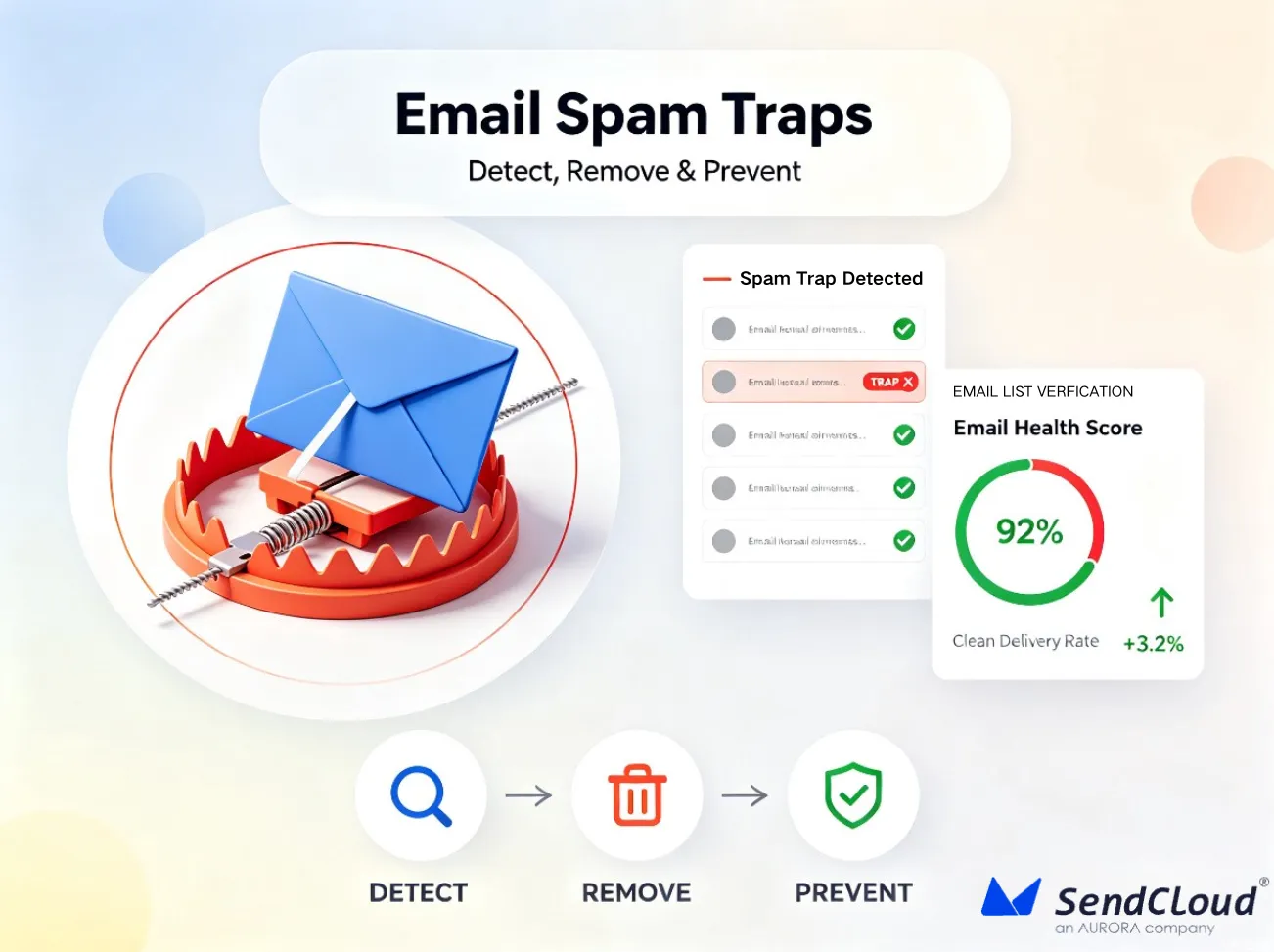
- Spam trap hits: these signal poor list hygiene
A strong reputation takes weeks to build and days to destroy. Monitor your IP and a href="https://www.aurorasendcloud.com/blog/sender-reputation-first-aid">sender reputation continuously rather than reacting after damage is done.
List Quality
Bad data is one of the fastest ways to destroy domain reputation. Every hard bounce, inactive address, and spam trap you send sends a negative signal to mailbox providers.
According to HubSpot, email lists naturally decay by around 22.5% every year. People change jobs, abandon addresses, and mark emails as spam. If you are not actively managing your list, you are slowly sending to an increasingly toxic audience.
Key list quality practices:
- Remove hard bounces immediately after they occur
- Suppress subscribers who have not engaged in 90 or more days
- Run a full list validation at least every 60 days
- Never purchase or rent email lists
- Use confirmed opt in at signup to ensure address accuracy from the start
A smaller, cleaner list will always outperform a large, unmanaged one on every inbox placement and deliverability metric.
Content and Engagement
Mailbox providers do not just look at who you are. They look at what you send and how people respond to it. Engagement is how they measure whether recipients actually want your emails.
Positive engagement signals include opens, clicks, replies, and moving a message from spam to inbox. Negative signals include spam complaints, deletions without opening, and unsubscribes shortly after opening.
Content factors that can trigger spam filters or hurt engagement:
- Overly promotional language and excessive punctuation
- Image only emails with no or very little text
- Broken links or links pointing to suspicious domains
- Missing plain text version
- No physical mailing address
- Misleading subject lines that do not match the email body
The goal is not to trick filters. It is to send emails that real people genuinely want to receive. Filters in 2026 are sophisticated enough to measure that at scale.
Infrastructure and Schedule
Your sending infrastructure is the technical backbone behind your emails. Even great content from a clean list will underperform if the infrastructure is set up poorly.
Key infrastructure decisions include:
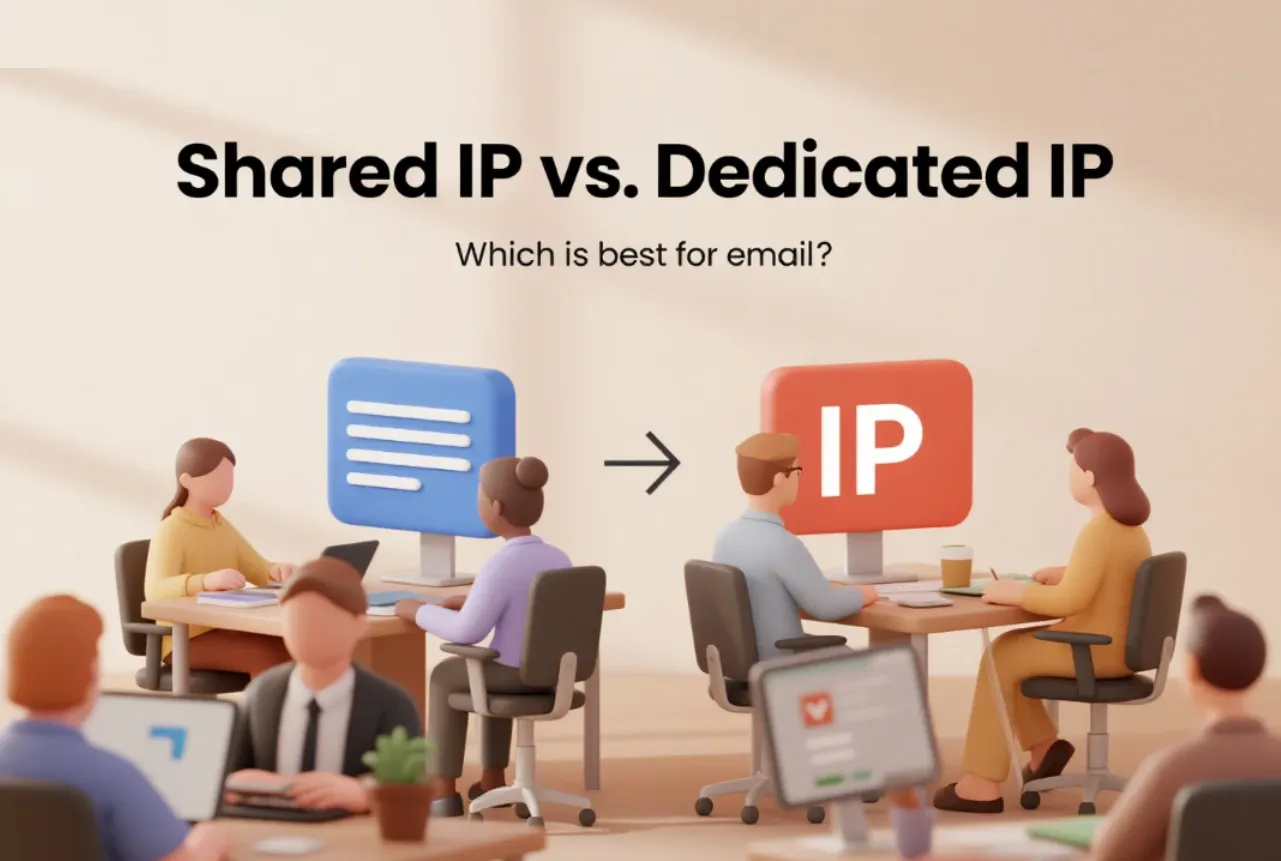
- Dedicated vs. shared IPs: Dedicated IPs give you full control over your reputation. Shared IPs mean your reputation is partially tied to other senders. Dedicated IPs require proper warm up before use.
- PTR records: Your PTR (reverse DNS) record must match your sending domain. Mismatches raise red flags with receiving servers.
- TLS encryption: All outbound email should be encrypted in transit.
- Sending consistency: Sudden volume spikes look like spam behaviour. Grow volume gradually, no more than 15 to 20% per week once warmed up.
Warm up protocols matter enormously for new domains and IPs. Skipping warm up is one of the most common reasons new senders land straight in spam — often because their IP rotation strategy and sending calendar aren't yet in place.
Feedback and Compliance
Feedback loops (FBLs) are the mechanism that tells you when a recipient marks your email as spam. Without them, you are sending blind. You have no way to suppress complainers before their complaints damage your reputation.
Major providers including Google, Yahoo, and Microsoft all offer FBL programs. Registering with all of them is essential.
Compliance requirements that matter in 2026:
- List Unsubscribe headers (RFC 8058): Gmail and Yahoo now require one click unsubscribe for bulk senders. The header must be present and functional.
- Unsubscribe processing within 10 days: CAN SPAM requires it. Honour it faster if you can.
- Complaint suppression: Anyone who complains via an FBL must be removed from your list immediately. A spam complaint is far more damaging than an unsubscribe.
The principle here is simple. Make it easy to leave. A clean unsubscribe is always better than a spam complaint, but you can only avoid what you can see — active FBL monitoring makes those complaints visible.
Top 10 Email Deliverability Strategies for 2026
Knowing the six pillars is one thing. Putting them into practice is another. These ten strategies give you a clear action plan. Each one targets a specific lever. Together they form a system that protects and improves your inbox placement rate over time.
1. Set Up Authentication
Authentication is not optional in 2026. If you have not set it up correctly, everything else in this list is undermined before you even start.
Follow this progression:
- SPF first: Add a TXT record to your DNS that lists every IP address and service authorised to send on behalf of your domain. End with ~all (soft fail) while testing, then move to all (hard fail) once confirmed.
- DKIM next: Generate a 2048 bit key pair. Publish the public key in your DNS. Your sending platform signs every outgoing message with the private key.
- DMARC last: Start at p=none to collect data without affecting delivery. Review your DMARC reports weekly. Once you are confident SPF and DKIM are passing consistently, move to p=quarantine and then p=reject.
After each step, verify your email domain and IP setup with a free tool like MXToolbox. Do not assume it is working. Confirm it.
2. Protect Your Reputation
Your sender reputation is easier to damage than most senders realise. A single high complaint week can set you back months.
Three things to do right now:
- Set up Google Postmaster Tools. It is free, official, and shows your domain reputation and spam rate directly from Gmail. There is no excuse for not using it.
- Watch the 0.1% complaint line. That is Gmail's published danger threshold. Hitting it once is a warning. Staying above it triggers filtering. Track this number every time you send.
- Build a recovery plan before you need it. Know your suppression process, your re engagement sequence, and your volume reduction protocol in advance. Reacting to a reputation crisis without a plan makes the damage worse.
Sender reputation monitoring is not a quarterly task. It is a daily one.
3. Warm Up Properly
Every new domain and every new IP needs a warm up period. Mailbox providers have no history on you. You are a stranger. Sending large volumes immediately looks like spam behaviour because it usually is.
Skipping warm up is one of the fastest routes to the spam folder for new senders.
Follow this schedule and send only to your most engaged subscribers during the entire warm up period:
| Week | Daily Volume | What to Monitor |
|---|---|---|
| 1 | 100 to 500 | Bounces, complaints |
| 2 | 500 to 1,000 | Opens, clicks |
| 3 | 1,000 to 2,000 | Reputation score |
| 4 | 2,000 to 5,000 | ISP specific performance |
| Ongoing | +15 to 20% per week | All metrics |
Do not rush this. If complaints or bounces spike at any stage, pause and investigate before continuing. A slow warm up costs you a few weeks. A failed warm up costs you your domain — something a managed delivery infrastructure with automated warm up pacing can help prevent.
4. Clean and Segment
Your list is a living asset. It decays constantly. The question is whether you are managing that decay or ignoring it.
A practical list hygiene rhythm looks like this:
- Remove hard bounces immediately after every send. Do not wait for a threshold. Remove them on the first occurrence.
- Launch a re engagement series for subscribers who have not opened or clicked in 60 to 90 days.
- Suppress anyone who has not engaged in 90 or more days after the re engagement attempt. They are doing more harm than good.
- Segment your list by engagement level, lifecycle stage, and ISP. Sending the same email to your most active subscribers and your least active ones hurts performance for both groups.
List segmentation also improves relevance. More relevant emails get better engagement signals, which in turn improves your inbox placement rate.
5. Schedule Consistently
Consistency is a trust signal. Mailbox providers learn your normal sending pattern over time. Sudden spikes in volume look suspicious regardless of your reputation score.
How to build a consistent sending schedule:
- Choose a sending cadence and stick to it. Daily, weekly, or biweekly — pick one and maintain it.
- Test send times for your specific audience. B2B and B2C audiences behave differently. Run A/B tests and let engagement data guide your timing.
- Offer a preference centre so subscribers can control how often they hear from you. Giving people control reduces unsubscribes and complaints.
- If you need to scale volume significantly, do it gradually. No more than 15 to 20% growth per week, even on a warmed up domain.
Volume spikes from seasonal campaigns are one of the most common causes of sudden deliverability drops. Plan ahead with a structured sending calendar and ramp up gradually before peak periods.
6. Implement BIMI
BIMI (Brand Indicators for Message Identification) displays your brand logo directly next to your email in the inbox. It is a visual trust signal that recipients see before they open anything.
What BIMI requires:
- DMARC must be at p=quarantine or p=reject. BIMI will not work at p=none.
- A verified, trademarked logo in SVG format hosted at a publicly accessible URL.
- A Verified Mark Certificate (VMC) from an approved provider for full support across major mailbox providers.
The deliverability benefit is indirect but real. When recipients recognise your logo, they are more likely to open. Higher open rates send positive engagement signals. Better engagement signals support inbox placement over time.
BIMI is not a quick fix. It is a long term brand trust investment that compounds as your sending programme matures.
7. One Click Unsubscribe and FBLs
Making it easy to leave your list is not a concession. It is a strategy. A clean unsubscribe costs you one subscriber. A spam complaint costs you reputation points that affect every future send.
What to implement:
- Add both the List Unsubscribe and List Unsubscribe Post headers to every campaign. This is an RFC 8058 requirement and is now mandated by Gmail and Yahoo for bulk senders.
- Process unsubscribe requests within 10 days as required by CAN SPAM. Faster is better. Same day processing is ideal.
- Register with feedback loop programs at Google, Yahoo, and Microsoft. These programs send you complaint notifications so you can suppress those addresses before they compound.
- Suppress FBL complainers immediately. Do not wait for your next list clean. Remove them the moment the complaint comes in.
The mindset shift here is simple. Every complaint you catch through active FBL monitoring protects the inbox placement of every other email you send.
8. Optimize Content
Content does not determine deliverability on its own. But consistently poor content damages engagement, and poor engagement damages reputation. The two are linked.
Practical content checklist for every send:
- Use a clear, recognisable sender name. Recipients should know instantly who the email is from.
- Write subject lines that accurately reflect the email content. Misleading subject lines drive spam complaints.
- Balance text and images. Image only emails give spam filters very little to evaluate and often score poorly. Aim for at least 60% text.
- Use descriptive link text. "Click here" tells neither the recipient nor the filter what the link leads to.
- Include a plain text version of every email. Some clients and filters prefer it and some require it.
- Include your physical mailing address. This is a legal requirement under CAN SPAM and a basic credibility signal.
- Run every email through a pre send spam checker before deployment. Catching issues before sending is always cheaper than recovering from a deliverability drop after.
9. Validate Before Sending
Sending to invalid addresses is a direct tax on your sender reputation. Every hard bounce you generate tells mailbox providers that your list hygiene is poor. Poor list hygiene is associated with spam.
Validation should happen at two points:
- At signup (point of capture): Catch invalid and mistyped addresses before they enter your database. A real time validation check at the signup form stops the most obvious problems immediately.
- In bulk, every quarter: Email lists degrade continuously. Addresses go dormant, domains expire, and role based or disposable addresses accumulate over time. A quarterly bulk validation removes this dead weight before it becomes a reputation problem.
A thorough validation process checks for:
- Syntax errors
- Domain validity (does the domain exist and accept email?)
- Mailbox existence (does that specific address exist?)
- Disposable addresses (temporary inboxes used to bypass signup forms)
- Role based addresses such as info@ or admin@ (low engagement, high complaint risk)
- Known spam traps and abuse addresses
Aurora SendCloud's email validation tool checks every address against six status levels: valid, catch all, unknown, invalid, do not mail, and abuse. Each status comes with detailed sub statuses so you know exactly what action to take on every address in your list.
10. Leverage AI
AI is changing how the best senders manage deliverability. Not by replacing the fundamentals, but by making it faster and easier to execute them at scale.
Here is where AI adds genuine value in 2026:
- Content generation and optimisation: AI drafts email copy and scores it for spam risk across language patterns, structure, image ratio, and link quality before you send.
- Content analysis and suggestions: Rather than just flagging problems, AI tools now explain what is wrong and suggest specific fixes.
- Spam content detection: AI models trained on millions of filtered emails can predict how likely a given email is to trigger spam filters across different mailbox providers.
- AI powered warm up: Advanced platforms use AI to generate realistic content and simulate genuine engagement during the warm up period. This builds reputation more effectively than simple volume ramps alone.
Aurora SendCloud brings these capabilities together in one platform. Its AI content optimisation works alongside real time inbox placement tracking across 15 or more providers, with 25 or more blacklists monitored every 15 minutes. The MP Monitor dashboard combines Google Postmaster Tools data, Yahoo Complaint Feedback Loop data, and Joint FBL data from more than 20 providers in a single view. You get a complete picture of your deliverability health without switching between tools.
How to Monitor Email Deliverability in 2026
Most deliverability problems do not appear overnight. They build slowly over days or weeks. By the time inbox placement drops noticeably, the damage is already done. Consistent monitoring lets you catch issues early, when they are still easy to fix.
Here is what to monitor, how often to do it, and which tools to use.
Daily Checks
Some metrics need attention after every send. Leaving these unchecked for even a few days means problems compound before you notice them.
Check these every day:
- Delivery rate: A sudden drop signals a server side rejection issue or a major authentication failure.
- Bounce rate: Hard bounces above 2% require immediate action.
- Spam complaint rate: Watch for anything approaching 0.08% to 0.1%.
- Blacklist status: A single blacklist listing can silently kill inbox placement across a large portion of your list.
These numbers tell you whether something has gone wrong since your last send. They are your early warning system.
Weekly and Monthly
Beyond daily checks, broader trends require a longer view. Weekly and monthly monitoring helps you spot patterns that daily numbers can obscure.
Weekly:
- Open and click rate trends across segments and ISPs
- Inbox placement rate by mailbox provider (Gmail, Outlook, Yahoo, Apple Mail)
- Domain reputation score in Google Postmaster Tools
- Any new FBL complaints and suppression actions taken
Monthly:
- Full deliverability audit across all six pillars
- List health review: bounce rate trends, complaint rate trends, engagement decay
- Authentication record check: confirm SPF, DKIM, and DMARC are all still passing cleanly
- Blacklist history review: were you listed and removed?
- Review sending volume growth: are you staying within the 15 to 20% weekly growth limit?
A monthly audit does not need to take hours. A structured checklist keeps it focused and actionable.
Recommended Tools
No single tool gives you the full picture. The best monitoring setups combine an official mailbox provider tool with a dedicated deliverability platform and periodic third party audits.
Here is a practical stack for 2026:
- Google Postmaster Tools (free) The official source for Gmail specific data. Shows domain reputation, IP reputation, spam rate, and delivery errors directly from Gmail. Every sender should have this set up and verified.
- Aurora SendCloud MP Monitor Brings all major feedback loop data into one dashboard. Combines Google Postmaster Tools data, Yahoo Complaint Feedback Loop data, and Joint FBL data from more than 20 providers. Real time dashboards, trend tracking, and automated alerts mean you are not manually checking multiple platforms every day.
- Aurora SendCloud Inbox Placement Shows real inbox placement data across 15 or more mailbox providers. Monitors more than 25 blacklists every 15 minutes. Also includes AI powered warm up tools to build domain reputation more effectively on new sending infrastructure.
- Aurora SendCloud Email Validation Pre send list quality checks against six status levels: valid, catch all, unknown, invalid, do not mail, and abuse. Stops bad addresses from reaching your send queue and damaging your bounce and complaint rates.
- Third Party Audit Tools GlockApps and MXToolbox are useful for periodic independent audits. GlockApps shows inbox vs. spam placement across multiple providers in a single test send. MXToolbox helps verify DNS records, check blacklist status, and diagnose authentication issues. Use these for spot checks and troubleshooting rather than daily monitoring.
The goal is not to use every tool available. It is to have clear visibility into your reputation, placement, and list health at all times so problems surface fast and fixes happen faster.
How to Fix Common Deliverability Problems
Even well managed sending programmes run into problems. The difference between senders who recover quickly and those who spiral is simple: a clear diagnostic process. These four issues cover the most common deliverability problems and what to do the moment you spot them.
Emails in Spam
Landing in the spam folder is alarming but fixable. The key is diagnosing the root cause before changing anything.
Work through this checklist in order:
- Authentication: Are SPF, DKIM, and DMARC all passing? Run a test send through MXToolbox or Mail Tester and check the results. A failing authentication record is often the entire problem.
- Reputation: Check Google Postmaster Tools. Is your domain reputation showing as low or bad? Has your spam complaint rate crossed 0.1%? If so, reputation is the issue, not content.
- Blacklists: Check whether your sending domain or IP is listed on a major blacklist. Aurora SendCloud Inbox Placement monitors more than 25 blacklists every 15 minutes. MXToolbox also runs a free blacklist check.
- Volume change: Did you send a significantly larger volume than usual? A sudden spike looks like spam behaviour even from a trusted domain. Check your sending history.
- Content: Only investigate content after ruling out the above. If authentication, reputation, blacklists, and volume are all clean, then run your email through a pre send spam checker and look for trigger patterns.
Fixing spam placement requires fixing the actual cause. Start at the top of this list, not the bottom — and if Gmail is the provider blocking you, the Why Gmail Blocks Your Emails guide walks through Gmail-specific reasons and fixes.
High Bounce Rate
Bounces come in two types and they require completely different responses.
Hard bounces mean the address is permanently unreachable. The domain does not exist, the mailbox has been closed, or the address was never valid. Hard bounces must be removed from your list immediately after the first occurrence. There is no reason to attempt a second send to a hard bounce. Every one you send damages your reputation.
Soft bounces are temporary failures. The mailbox was full, the receiving server was down, or the message was too large. Soft bounces can be retried, but if an address soft bounces consistently across multiple sends it should be treated as a hard bounce and suppressed.
If your hard bounce rate is above 2%, take these steps:
- Stop sending to the affected segment until the list is cleaned
- Run the full list through an email validation tool to identify and remove invalid addresses
- Check your signup process: are you collecting addresses through a confirmed opt in? Unconfirmed opt in and purchased lists are the most common source of high bounce rates
- Investigate whether a specific segment or import batch is driving the spike
A bounce rate above 2% is a signal that list hygiene has been neglected. The fix is always rooted in better data quality upstream — see the full breakdown of why emails fail to send for less common causes beyond bounces.
Open Rate Drop
A sudden drop in open rates is one of the most misdiagnosed problems in email marketing. Most senders immediately blame the subject line or the send time. That is usually the wrong place to look first.
Start by checking deliverability, not content.
If your inbox placement rate has dropped, your open rate will drop with it. Emails in the spam folder are technically delivered but almost never opened. A deliverability problem will look exactly like an engagement problem in your ESP dashboard. Check your inbox placement data before changing a single word of copy.
If deliverability is confirmed healthy, then investigate content and timing factors:
- Test subject line variations across a small segment before rolling out to your full list
- Review send time data across your audience segments. Optimal send times shift over time as audience behaviour changes.
- Check whether a specific ISP is dragging down the overall average. A drop concentrated in Gmail or Outlook often points to a filtering change rather than a content issue.
- Look at whether frequency has increased recently. List fatigue from over mailing is a common and overlooked cause of declining open rates.
Address deliverability first. Address content second.In that order, every time.
Blacklisted Domain or IP
Being listed on a blacklist is serious but not permanent. Most listings can be resolved within a few days if handled correctly.
Follow this process:
- Step 1: Confirm the listing. Use MXToolbox or Aurora SendCloud Inbox Placement to identify exactly which blacklist has listed you and whether it is your domain, your IP, or both. Different blacklists have different removal processes. You need to know exactly where you are listed before taking action.
- Step 2: Fix the root cause first. Blacklist operators will not remove you if the problem that caused the listing is still active. Common causes include a spike in spam complaints, a high hard bounce rate, hitting spam traps, or sending without proper authentication. Identify the cause and resolve it completely before submitting a removal request.
- Step 3: Request removal. Each blacklist has its own removal process. Spamhaus, Barracuda, and Invaluement all have online removal request forms. Be honest and specific about what caused the listing and what you have done to fix it. Removal requests that lack detail are often rejected or ignored.
- Step 4: Monitor after removal. A successful removal is not the end. If the root cause was not fully resolved, relisting is common. Monitor your blacklist status daily for at least two weeks after removal and watch complaint and bounce rates closely. If Spamhaus is the listing you are dealing with, the step-by-step Spamhaus removal guide covers the exact request process and what to include.
Email Deliverability Checklist for 2026
Use this checklist before every major campaign and as part of your monthly deliverability audit. It covers the three areas that matter most: authentication, list health, and monitoring. If you can check every box, your sending programme is built on a solid foundation.
Authentication
- SPF record configured with ~all (soft fail) or all (hard fail) and verified in DNS
- DKIM 2048 bit key deployed and signing all outbound mail
- DMARC policy set to p=quarantine or p=reject (not stuck at p=none)
- List Unsubscribe and List Unsubscribe Post headers added to all campaigns
- PTR (reverse DNS) record configured and matching your sending domain
- MTA STS policy published and TLS reporting active
- BIMI record in place if DMARC is at p=quarantine or p=reject
List Health
- Hard bounce rate below 2% across all recent sends
- Spam complaint rate below 0.1% and trending downward
- Subscribers with no engagement in 90 or more days are suppressed or exited
- Full list validation completed within the last 60 days
- Confirmed opt in process active at all signup points
- Role based and disposable addresses removed from active segments
- Re engagement sequence running for subscribers in the 60 to 90 day inactive window
- No purchased or rented lists in your active sending database
Monitoring
- Google Postmaster Tools verified and showing domain reputation data
- Feedback loop programs registered with Google, Yahoo, and Microsoft
- FBL complaints suppressed immediately upon receipt
- Daily monitoring rhythm in place for delivery rate, bounce rate, and complaint rate
- Weekly inbox placement review scheduled across major mailbox providers
- Monthly full deliverability audit scheduled and documented
- Blacklist monitoring active with alerts configured
- Aurora SendCloud MP Monitor connected across all active sending domains
Frequently Asked Questions
1. What is a good inbox placement rate in 2026?
The global average sits at 83.5% according to Validity's 2026 benchmark data. A strong performing sender should aim for 90% or above consistently. Anything below 80% indicates a systemic problem that needs immediate investigation across authentication, reputation, and list quality.
2. How long does IP warm up take?
A standard warm up takes four to six weeks depending on your target sending volume. The process involves starting with small daily volumes sent only to your most engaged subscribers and increasing gradually each week. Rushing the process by jumping to high volumes too early is one of the most common reasons new senders land in spam folders immediately.
3. Do I need a dedicated IP?
It depends on your sending volume. Dedicated IPs make sense for senders sending more than 50,000 to 100,000 emails per month consistently. Below that threshold, a reputable shared IP pool often performs just as well. The most important factor is not whether your IP is dedicated but whether it is properly warmed up and your domain reputation is healthy.
4. Can AI actually improve deliverability?
Yes, but not on its own. AI adds genuine value in specific areas: scoring content for spam risk before sending, predicting filter behaviour based on patterns from millions of filtered emails, and simulating realistic engagement during IP warm up. What AI cannot do is fix broken authentication, a damaged domain reputation, or a list full of invalid addresses. The fundamentals still have to be in place first.
5. What is the number one mistake email senders make?
Confusing delivery rate with inbox placement rate. Most senders see a 98% delivery rate in their ESP dashboard and assume their emails are reaching the inbox. They are not checking the number that actually matters. A 98% delivery rate combined with a 70% inbox placement rate means nearly one in three emails is going to spam. The mistake is not looking past the first number.
Final Thoughts
Deliverability is not a feature you switch on. It is a system you build and maintain over time. Delivery rate and inbox placement rate are not the same number. Always check both. The six pillars work together, and weakness in any one of them will show up in your results sooner or later. Authentication, reputation, list quality, content, infrastructure, and compliance are all load bearing. None of them are optional in 2026.
The senders who win are not the ones who know the most. They are the ones who monitor consistently, fix problems early, and treat deliverability as an ongoing discipline rather than a one time setup task.
Aurora SendCloud brings Inbox Placement tracking, MP Monitor, Email Validation, and AI content optimisation together in one deliverability platform to help you maximise inbox placement in 2026.